
So, what changed?
The markdown editor grew a toolbar
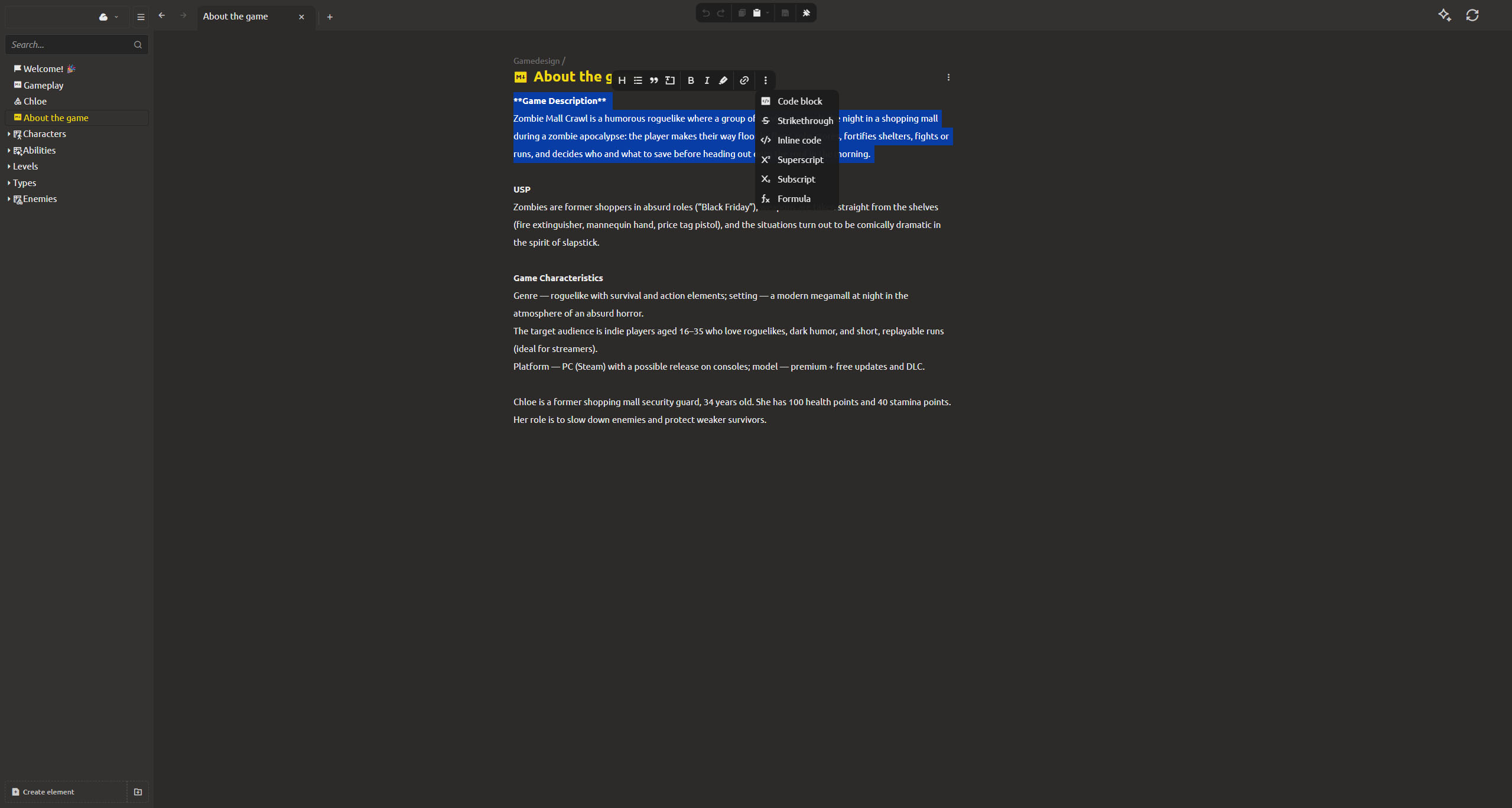
Previously, to write something in markdown in IMS Creators, you had to memorize the syntax. Bold text - type **. Link - remember the square brackets. It's inconvenient and sometimes difficult, especially for newcomers to your development team.
Now the markdown editor got a real toolbar - he clicked and immediately inserted bold, italics, link, title, list and much more. No more unnecessary shenanigans! The panel is located at the top of the editing area, understands when you are inside a table cell, and hides when not needed.
And if you prefer the keyboard, the shortcuts you already know work too: Ctrl+B for bold, Ctrl+I for italic. Right-click brings up a context menu with the most common actions.
Live preview, right where you write
Markdown has its own special feature: you write it in plain text, and then look at the formatted version somewhere else. Now this gap is closed. The editor supports live preview mode - you can see the formatted text right during typing, without unnecessary actions and problems.
Superscripts and subscripts, formulas, notification blocks with the correct colors - everything is formatted directly in the editor: there are no more unnecessary spaces in the headings and the checklists have also been finalized.
Starting a project got a little more thoughtful
The project creation form used to show everything on one screen: project type, name, location, template - too much information for an easy start.
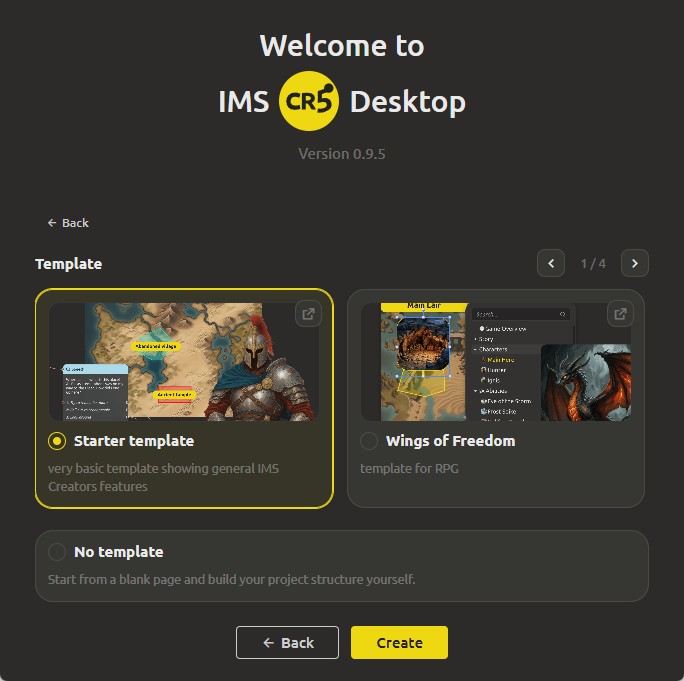
Now this process is divided into 2 stages. First, you select the type, give a name, and specify the project directory. And on the next screen, scroll through the templates using a preview slider, which more clearly displays the features of each project, which will help a beginner integrate into the system faster and avoid the "white sheet" syndrome.
And the little things
- German language option is now available in the project language menu.
- Markdown files now save with the correct file extension — no more mismatched filenames when a document switches formats.
- Uploading files inside markdown blocks now works in the web version too.
Create, Structure, Automate We are waiting for your feedback, thank you for helping us get better! The markdown editor finally feels like a real editor, and starting a new project finally feels like a breeze. Join us on Discord (https://discord.gg/xPTmUZR9) or Facebook (https://www.facebook.com/profile.php?id=61569739761148), send feedback through the form at https://ims.cr5.space/en/feedback, or drop into the Telegram chat (https://t.me/imscreators_en). Good luck with your game demos. See you in the next one!