Feature · Dialogue editor · Cloud & Desktop

Design branching dialogue, without code.

Create complex, multilingual dialogue systems with an intuitive block editor — conditions, variables, triggers, and localization built in. Export finished trees to Unity, Unreal, and Godot. In the cloud with your team, or as free files on your desktop.

Branching & conditions Variables & flags Multilingual localization Engine JSON export Real-time collaboration Free Desktop app
imsc.space · Wings of Freedom · Dialogue ● live
This is a real project — open Wings of Freedom · Dialogue in a new tab and explore it.
Demo project
The problem

Dialogue is where games get stuck.

🤖
NPCs that repeat

The guard says the same line twice, the branch never triggers, and QA files the same bug for the third time.

💻
Written in code

Every choice is another if-statement. Designers can't touch it, writers can't read it, and nobody owns the conversation.

🌍
Localization chaos

A hundred lines, six languages, and no one knows which phrases still need translating — until the build goes out.

🔗
Locked in the engine

Redesign a dialogue and you re-export everything by hand — again, every single time.

IMSC is the fix: dialogue as visual blocks — conditions, variables, triggers, and translations as data, exported to your engine in one click.

Visual branching editor

Dialogue trees you can see and maintain.

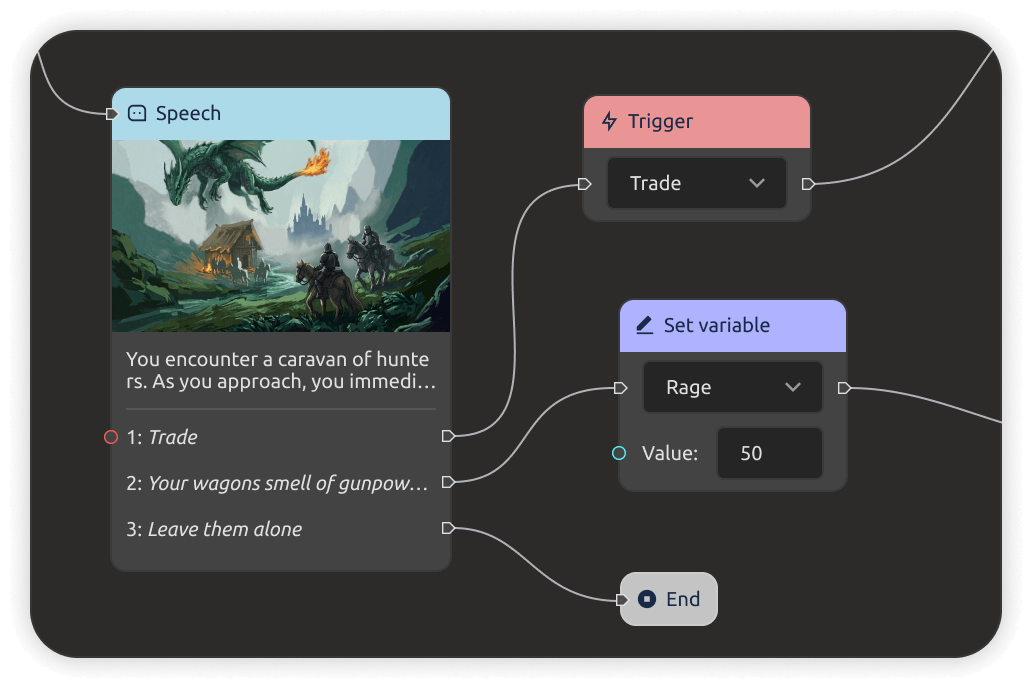
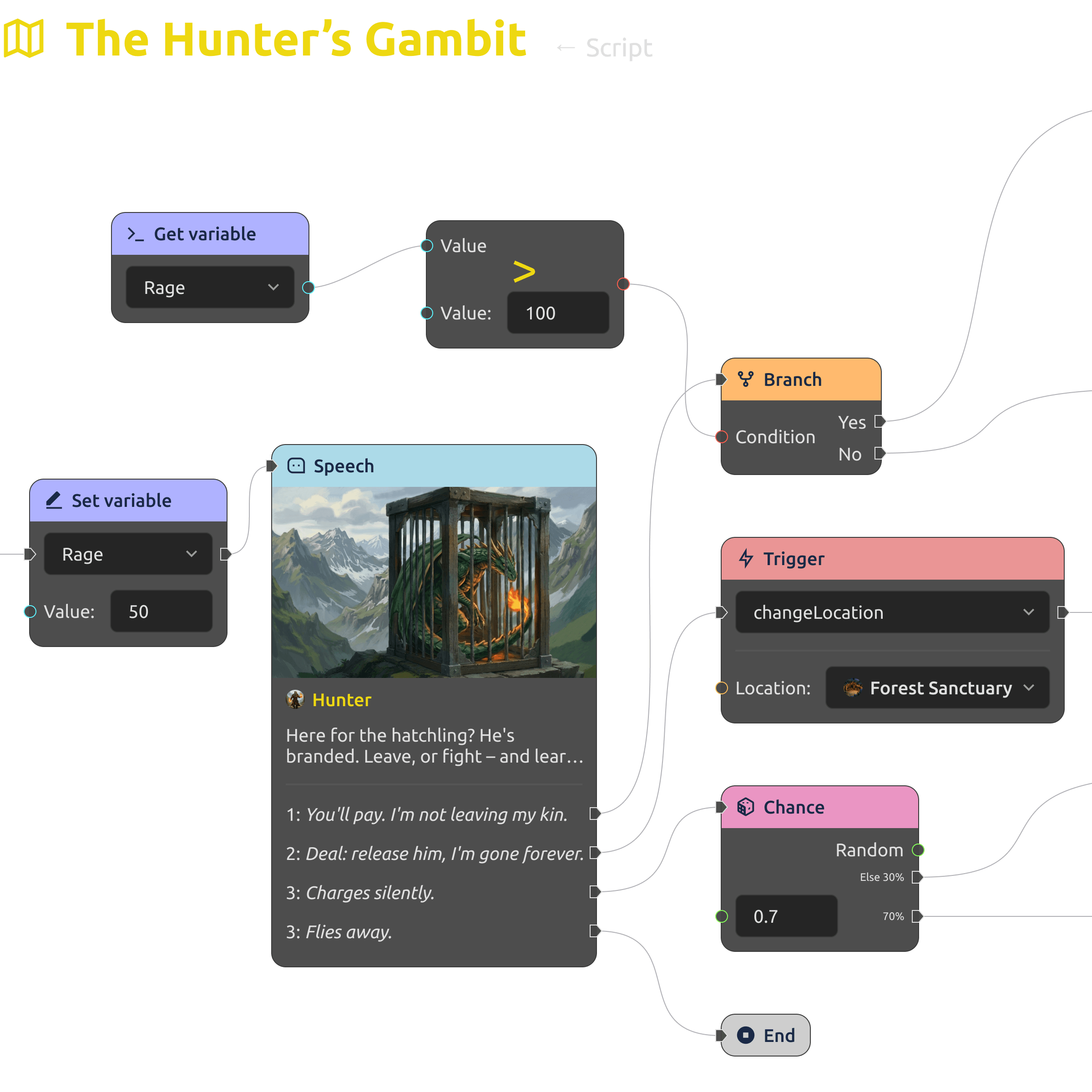
Build dialogue trees by dragging blocks instead of writing code. Set conditions for lines and response options to appear — the graph shows the whole conversation at a glance, and stays readable as it grows.
  • Drag-and-drop blocks — no programming required.
  • Conditions decide which lines and responses appear.
  • A branching graph that designers and writers can read.
Visual branching dialogue tree in IMS Creators
Variables & flags

Player choices that actually stick.

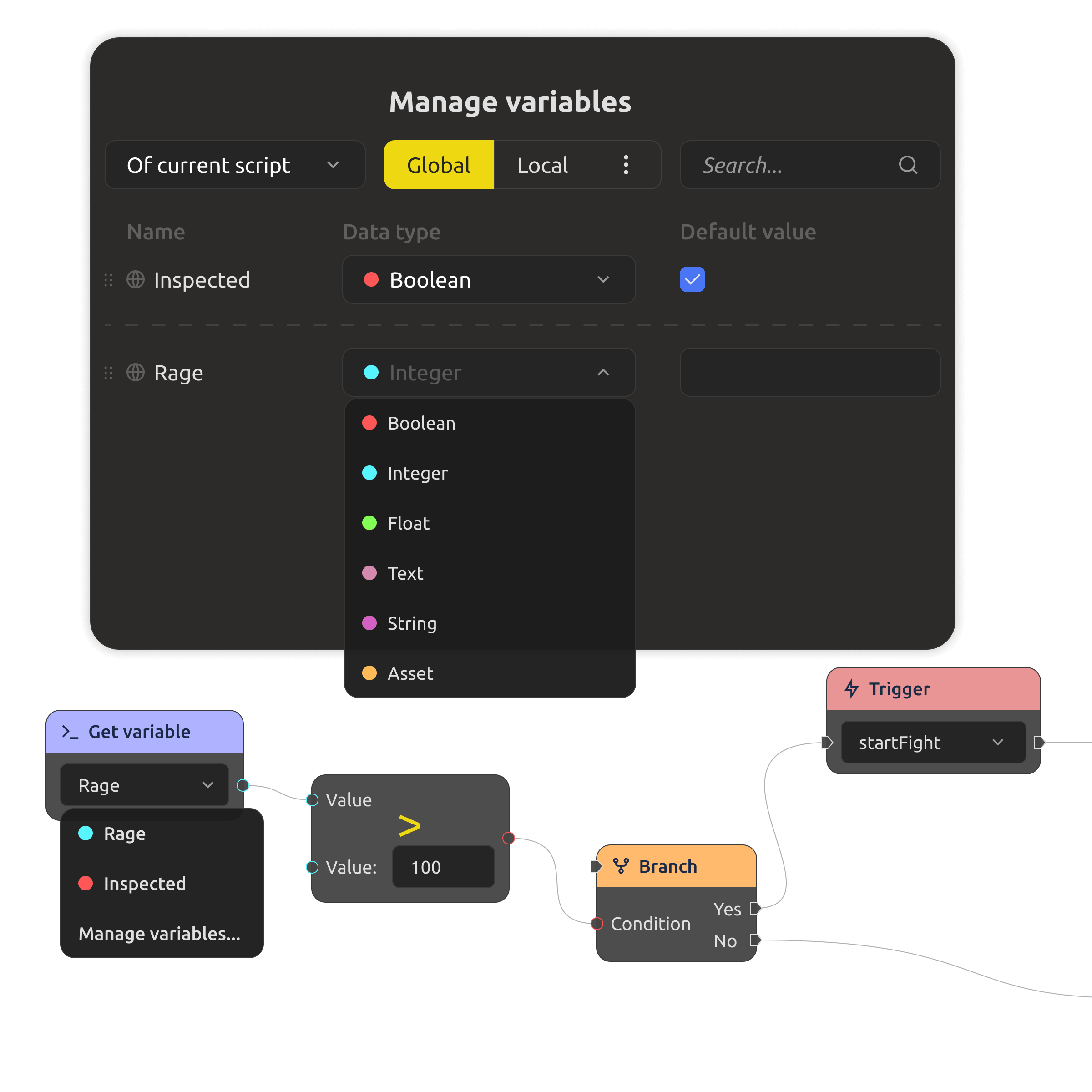
Save player decisions as variables and flags, then branch on them anywhere in the game. Build complex plot forks — a choice from act one can quietly pay off in act three.
  • Variables and flags saved between dialogues.
  • Branch on past choices anywhere in the game.
  • Complex plot forks without a single custom script.
Variables and flags controlling dialogue branches
Flexible trigger system

Lines that do things.

Attach events to any line — during it or after it plays: change game variables, launch animations, activate quests, play audio, and more. Dialogue stops being text and becomes part of the game.
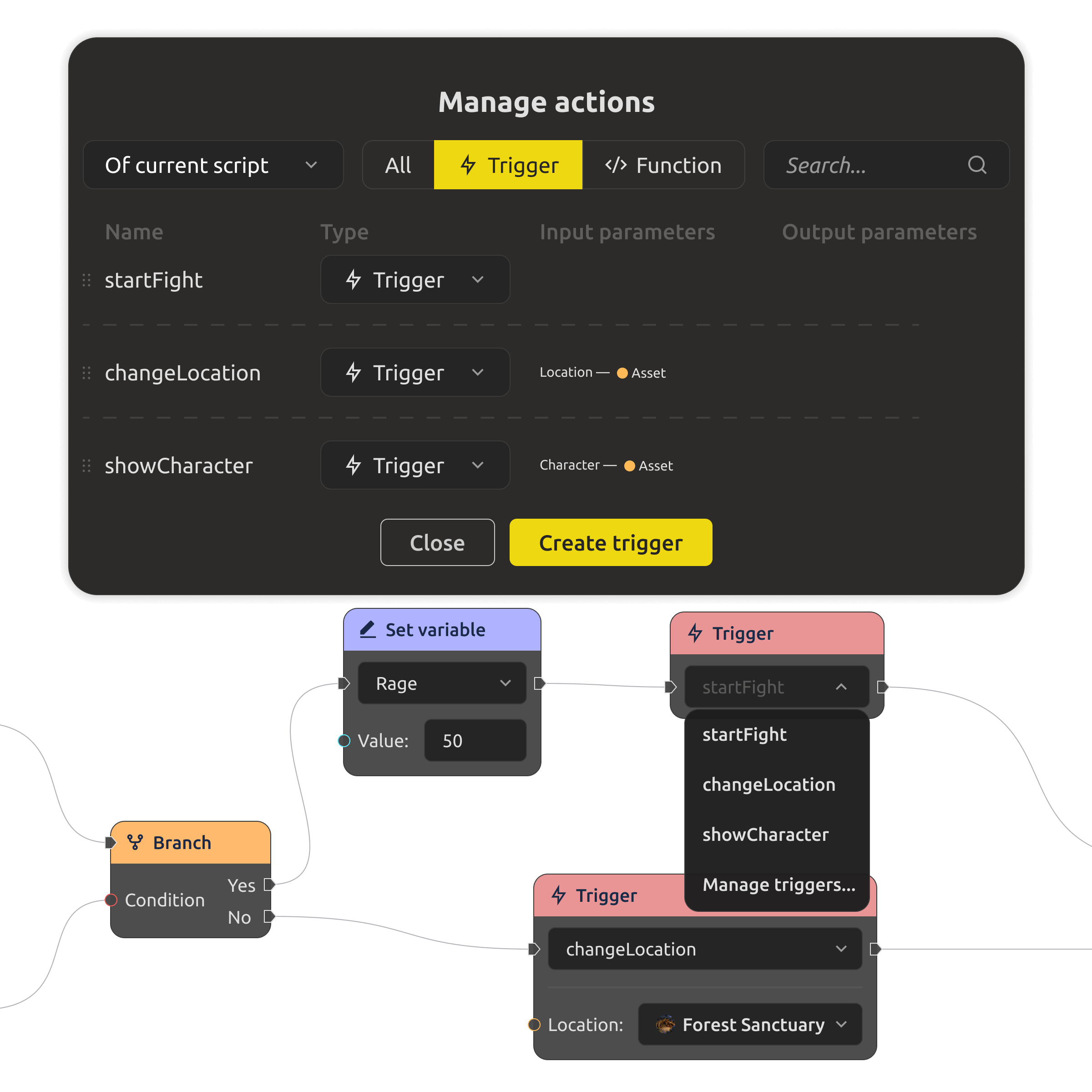
  • Events fire during or after each line.
  • Change variables, launch animations, activate quests.
  • Wire dialogue into the rest of the game.
Trigger system firing events during dialogue lines
Multilingual support

One tree, every language.

Localize right inside the editor: edit lines in different languages side by side, see untranslated phrases highlighted, and export or import localization files without leaving the workflow.
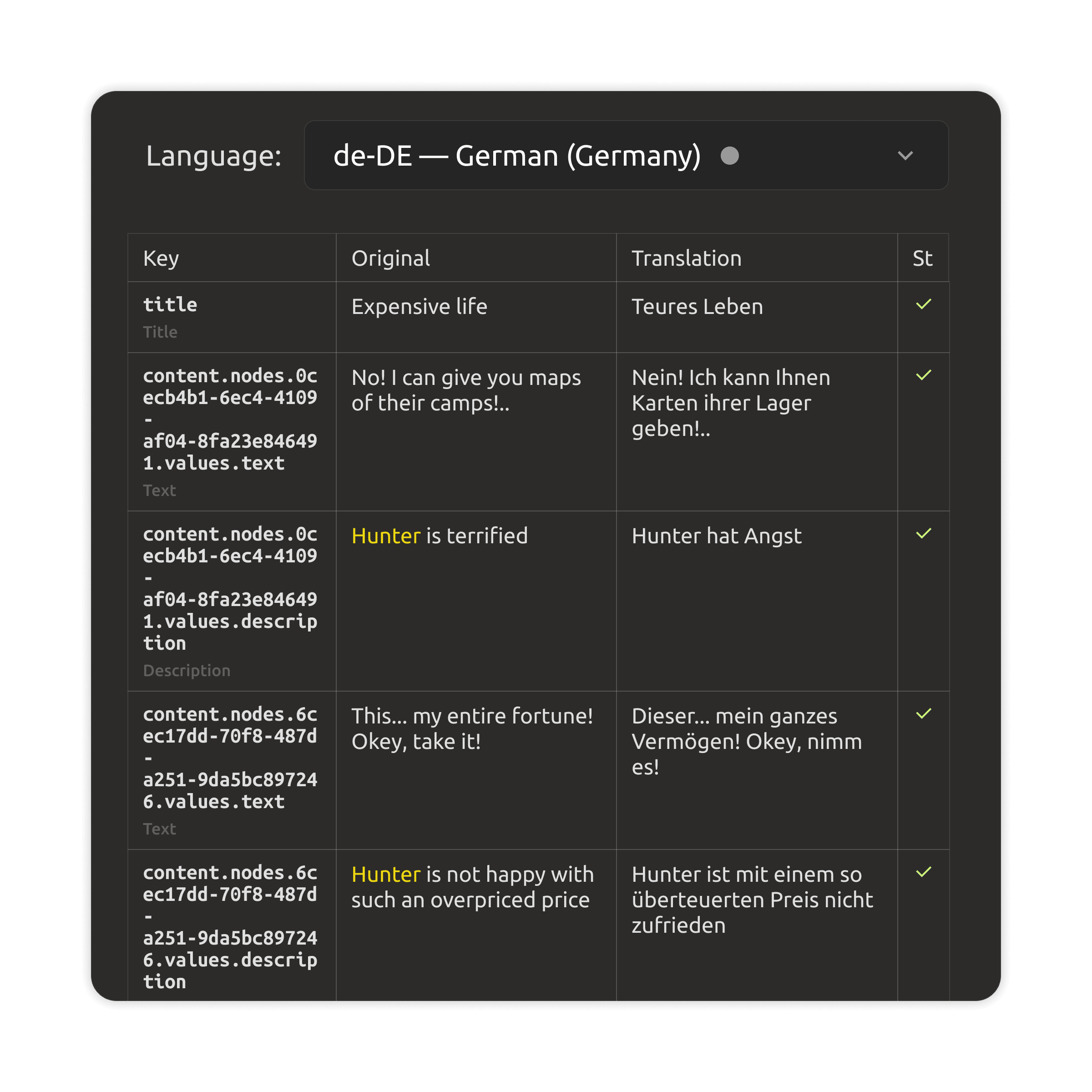
  • Parallel editing of every language.
  • Untranslated lines highlighted visually.
  • Export and import of localization files.
Multilingual dialogue editing in the localization view
Engine export

Finished dialogue, engine-ready.

Export dialogue trees as JSON for Unity, Unreal, and Godot — in the shape your runtime expects. Design once, ship everywhere, and let writers keep editing without touching the engine.
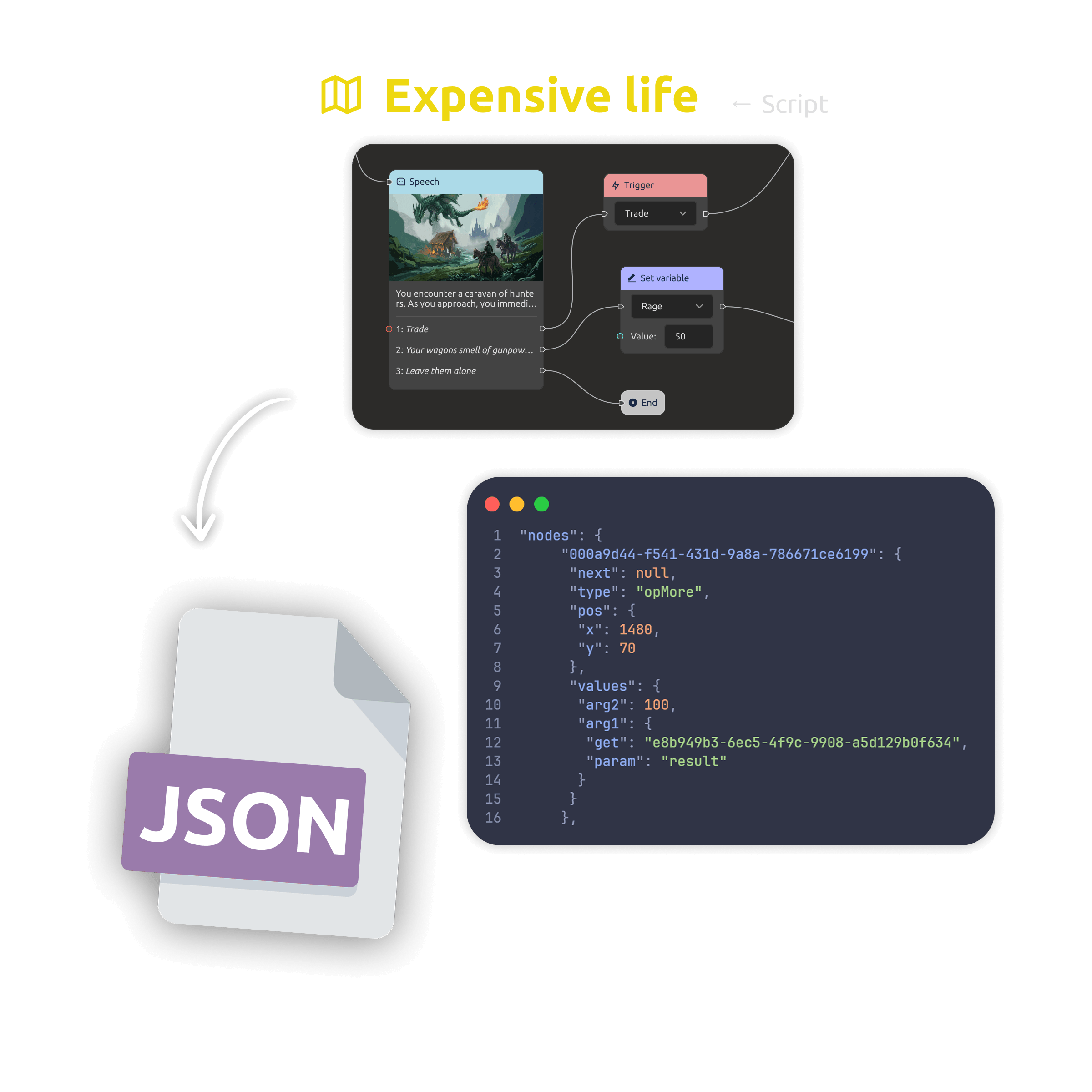
  • JSON export to Unity, Unreal Engine, Godot.
  • Data-driven dialogue the whole team can edit.
  • One source of truth for writers and engine.
Exporting dialogue trees to Unity, Unreal, and Godot
One system · two ways to build

Cloud with your team, or files you own.

Start free
Cloud workspace
$4/mo

per teammate · Yearly billing

For teams writing dialogue together — shared trees, variables, and localizations, with a 30-day free trial.

  • 30-day free trial · no credit card
  • Shared dialogue trees & data
  • Granular access control & roles
  • Engine export & AI team-assist
Desktop app
$0/forever

open source (MIT)

The same dialogue editor as a local-first app — free forever, no account needed.

  • Works fully offline, files on your disk
  • Open formats: Markdown + JSON
  • No account, no lock-in — data you own
  • Sync cloud projects to your desktop (PRO)
Download for free
PRO upgrade · Cloud

Ready to upgrade to PRO? Buy now — the full cloud workspace for your team, with the same dialogues and data you already have.

Buy now

Trying the cloud is free for 30 days — no credit card. The Desktop app stays free forever.

Prices are per teammate and do not include tax (calculated at checkout based on your country).

Need IMS Creators on your own infrastructure? Look our special offer →
What you get

Everything a dialogue team should have.

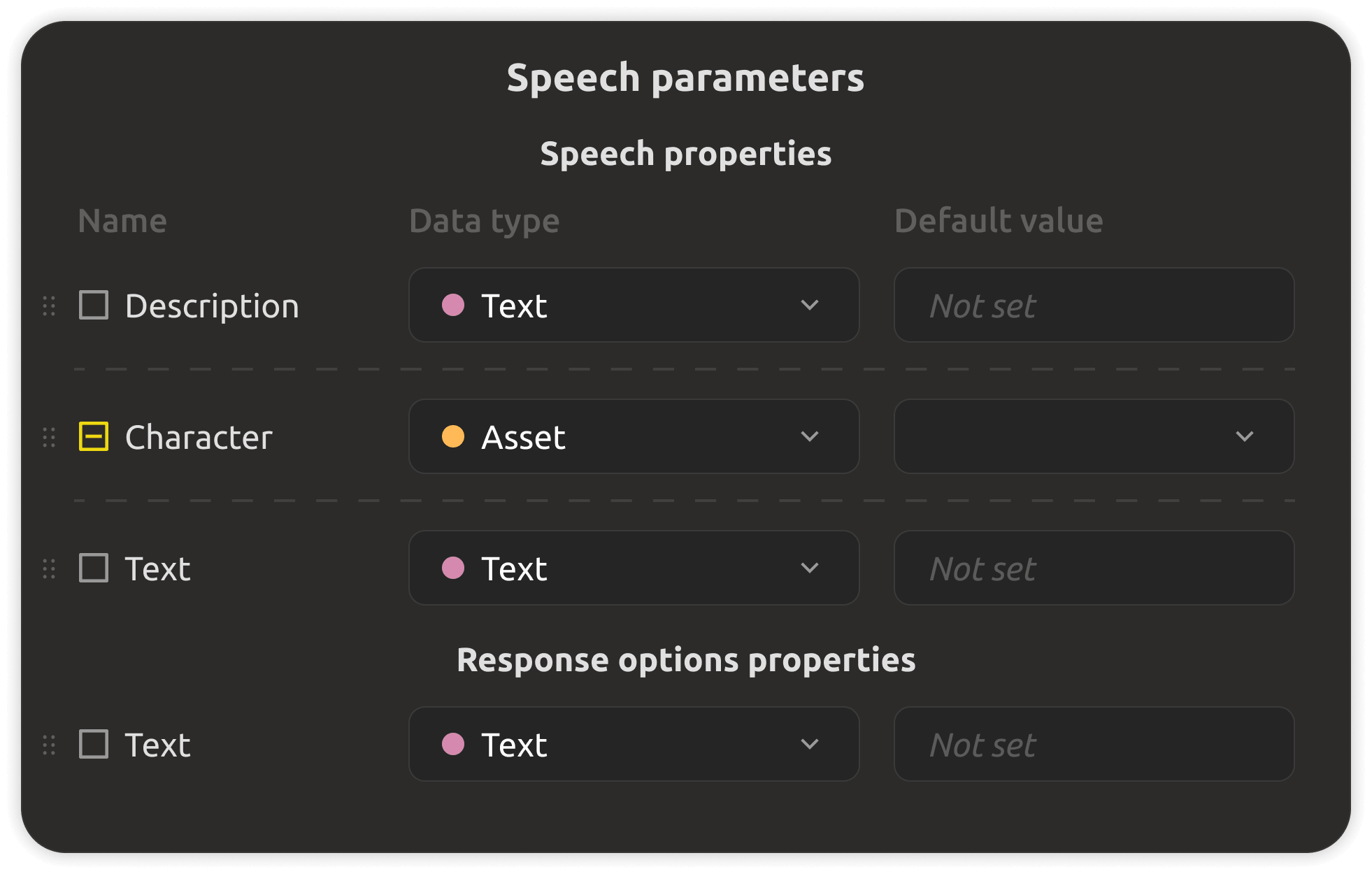
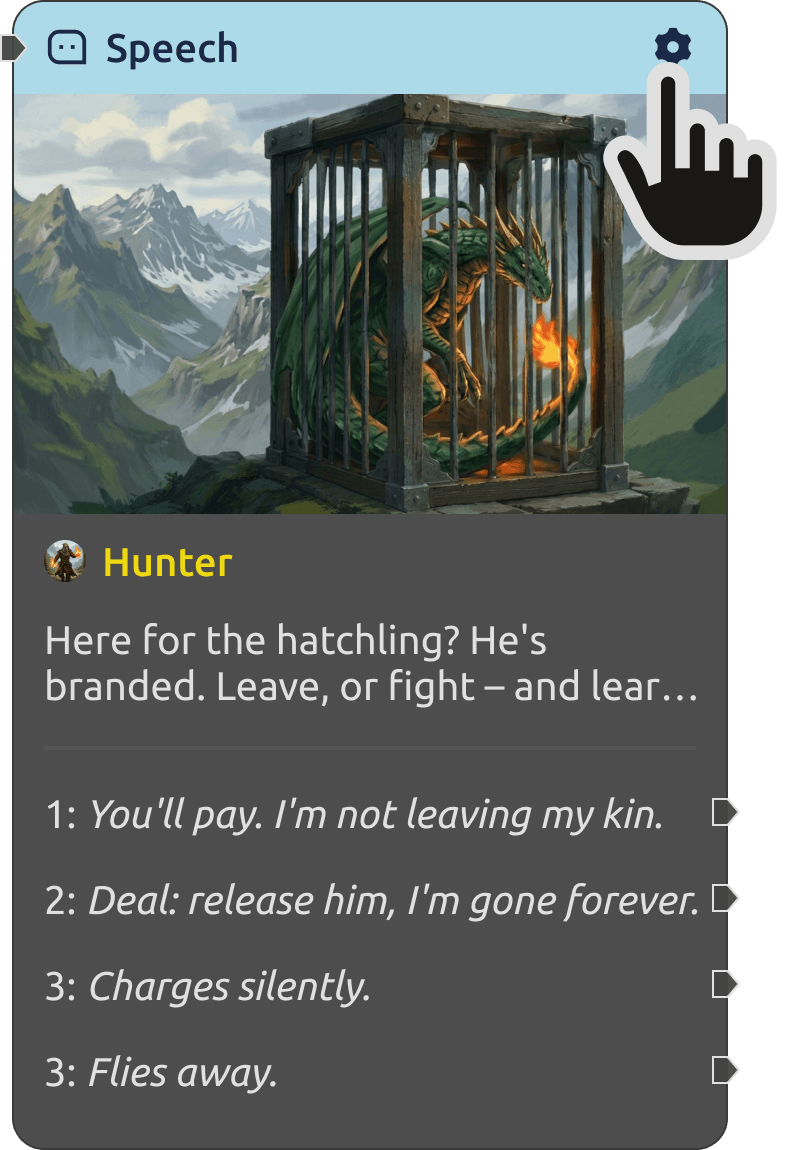
Deep line customization with emotions and gestures
Deep line customization

For each character phrase set emotions, gestures, display duration, appearance conditions, and extra effects.
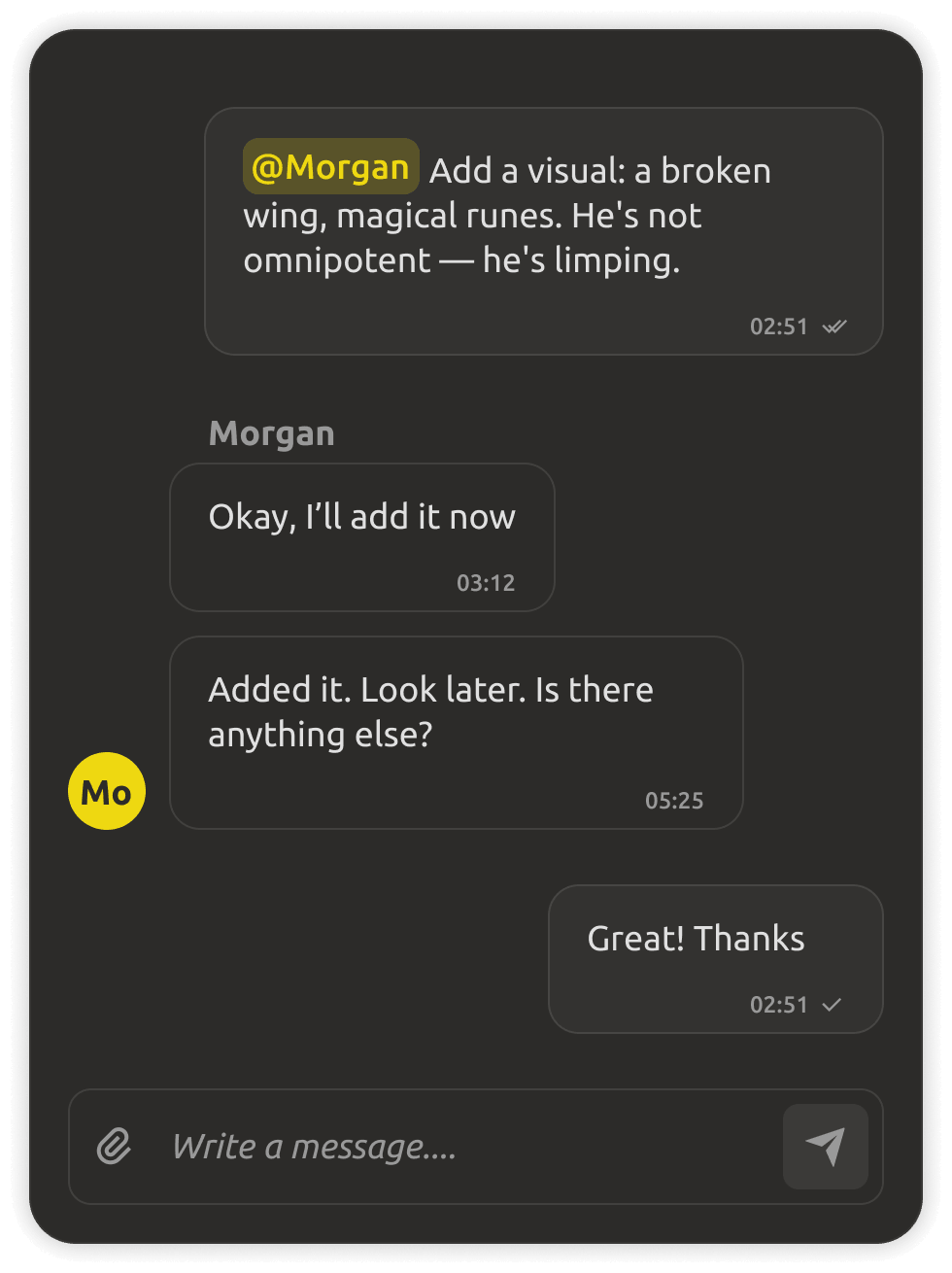
Writing dialogue trees together in real time
Real-time collaboration

Writers and designers edit the same trees simultaneously — with roles, comments, and changes tracked as they happen.
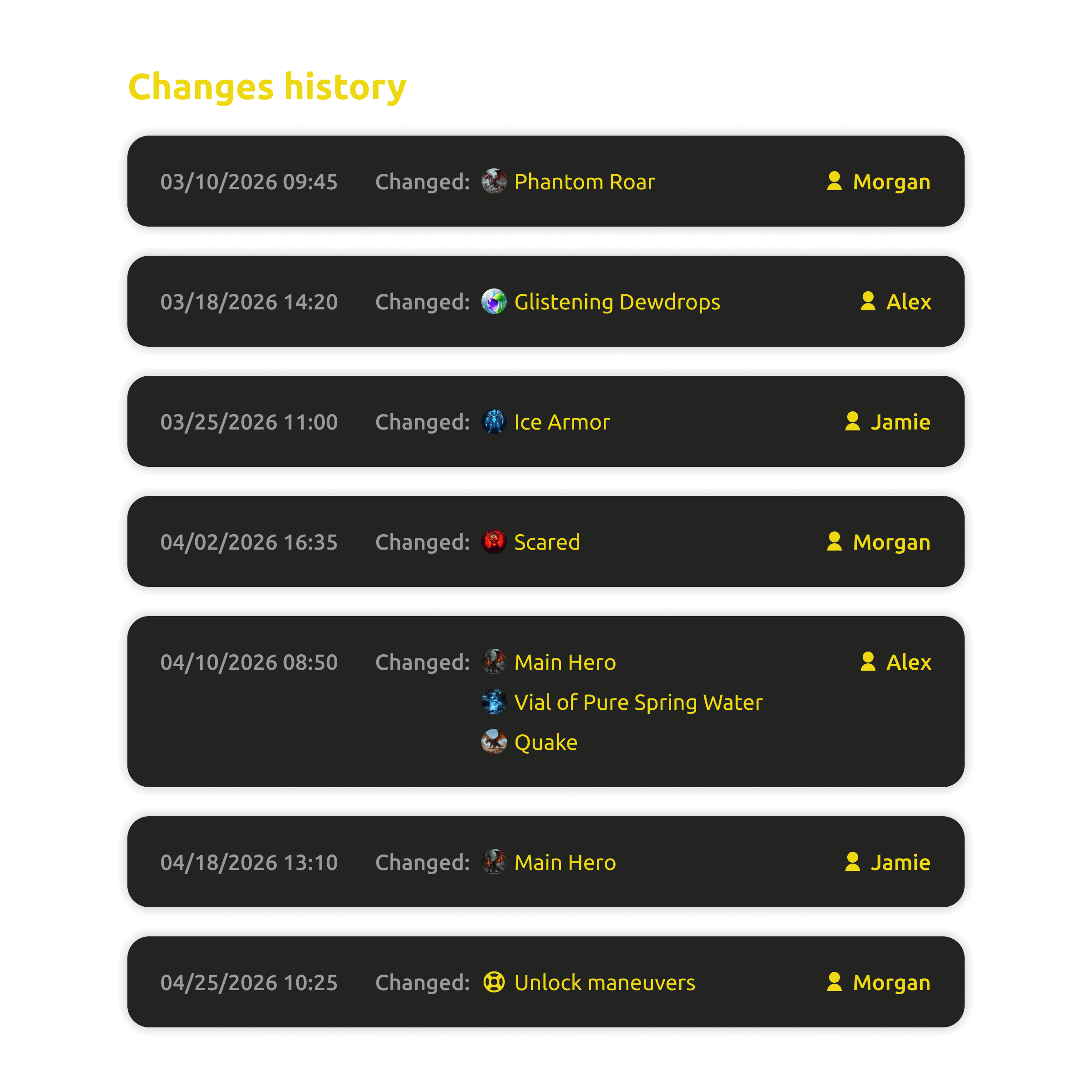
Change history of dialogue trees
Change history

See who rewrote which line, review edits, and restore older versions of any dialogue tree.
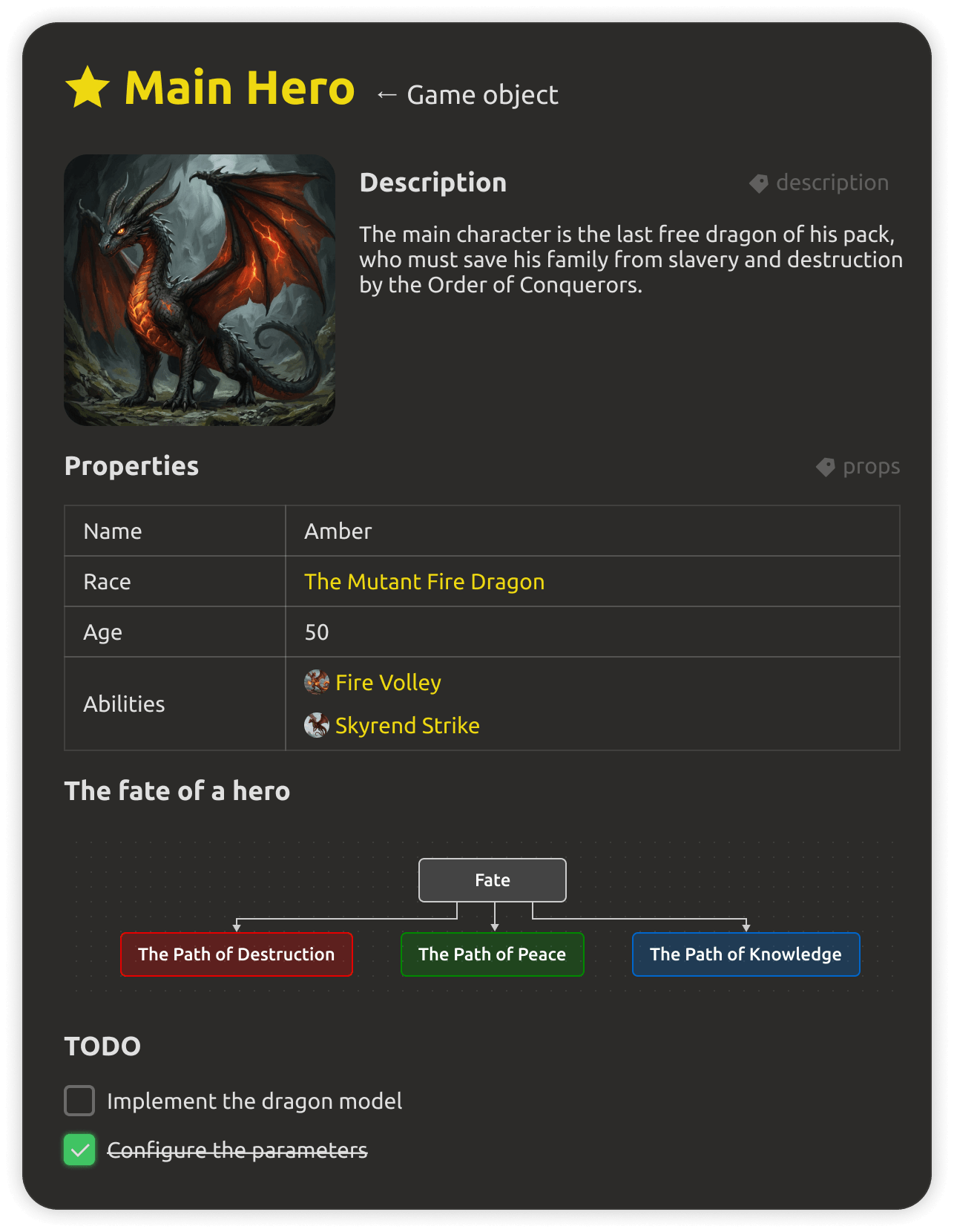
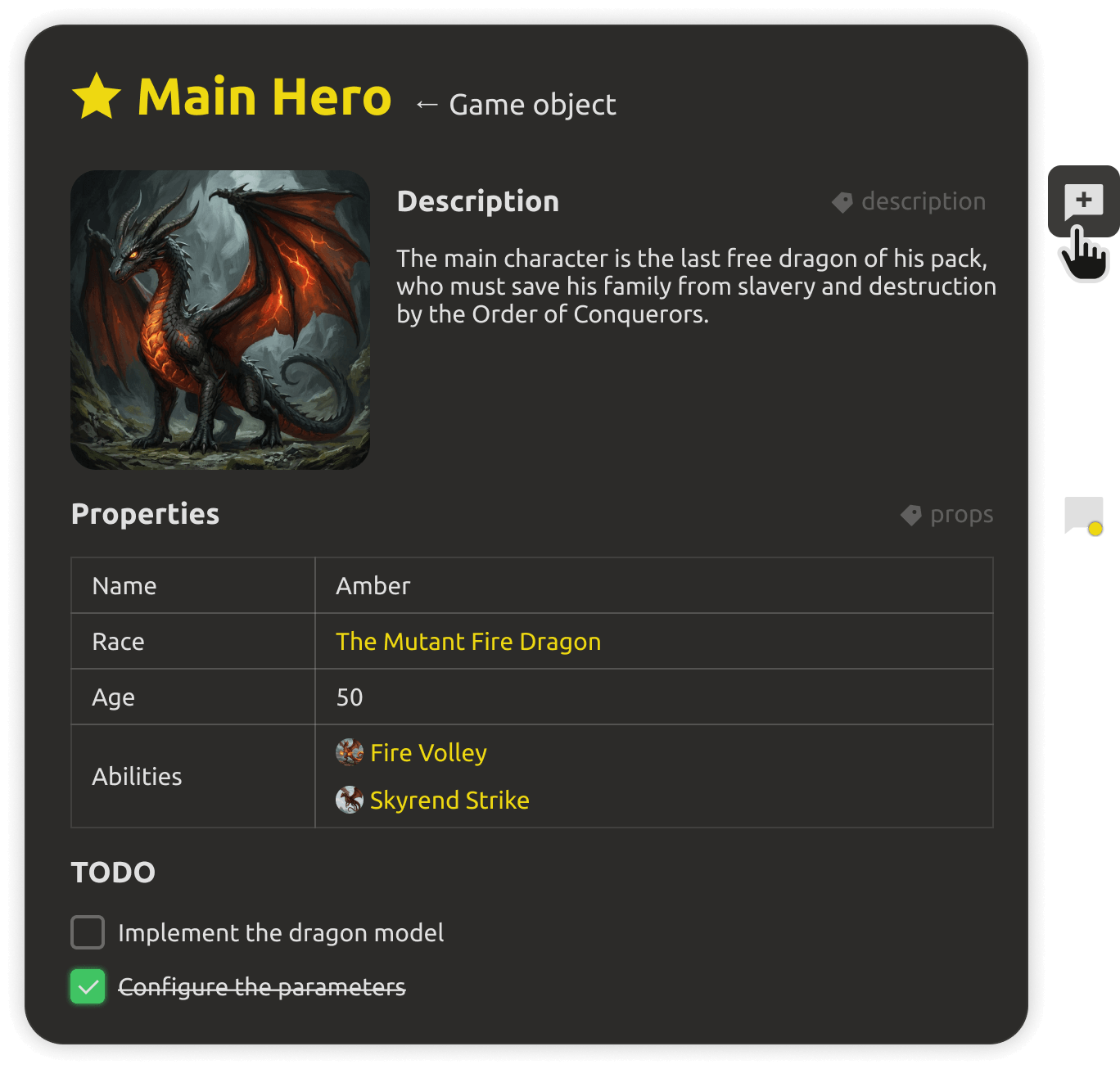
Rich tables and galleries in docs
Rich documents

Tables, galleries, and diagrams alongside your trees — NPC profiles, quest outlines, and dialogue bibles in one place.
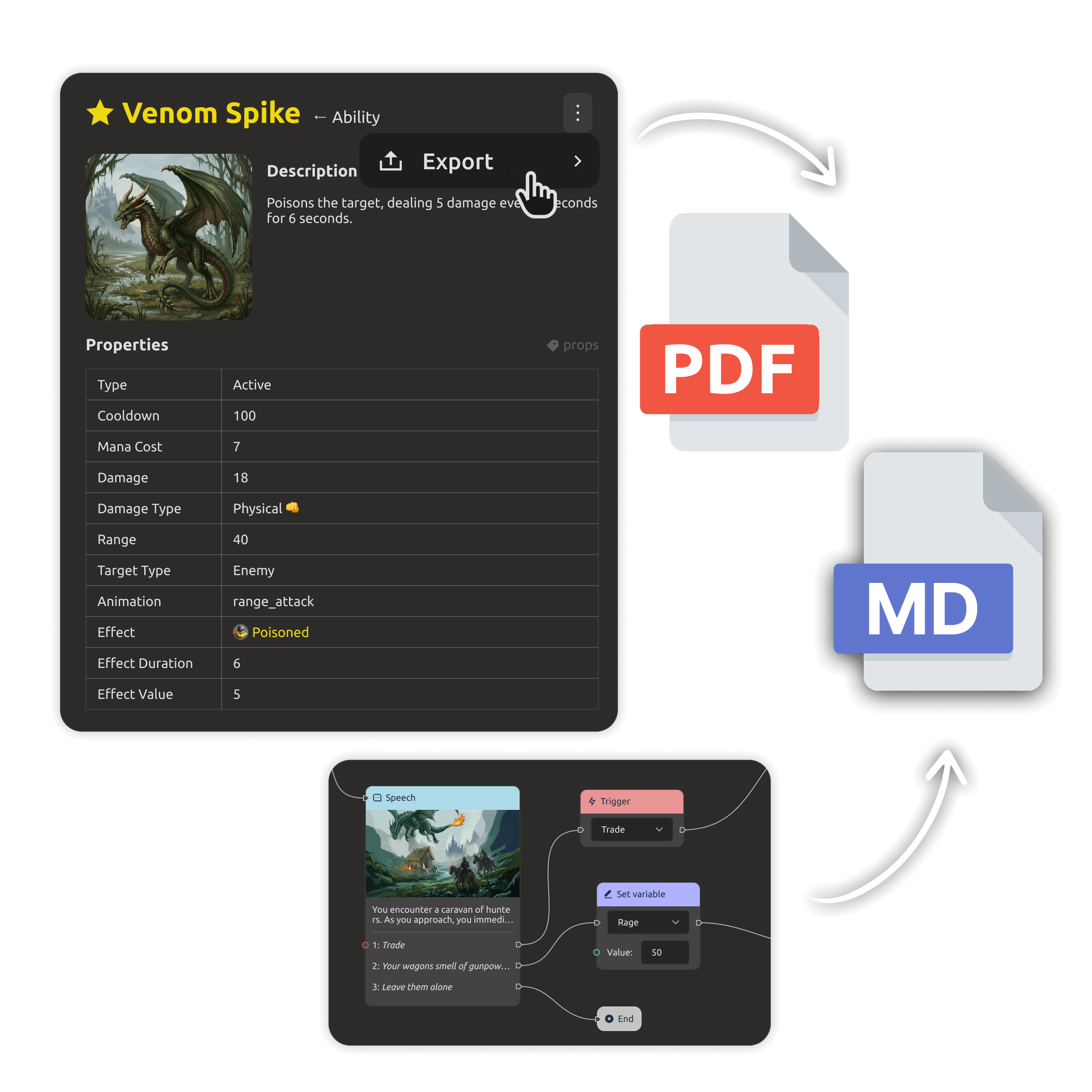
PDF export of dialogue documents
PDF & Markdown

Export conversations into clean PDFs or Markdown for writers, voice actors, and pitch decks.
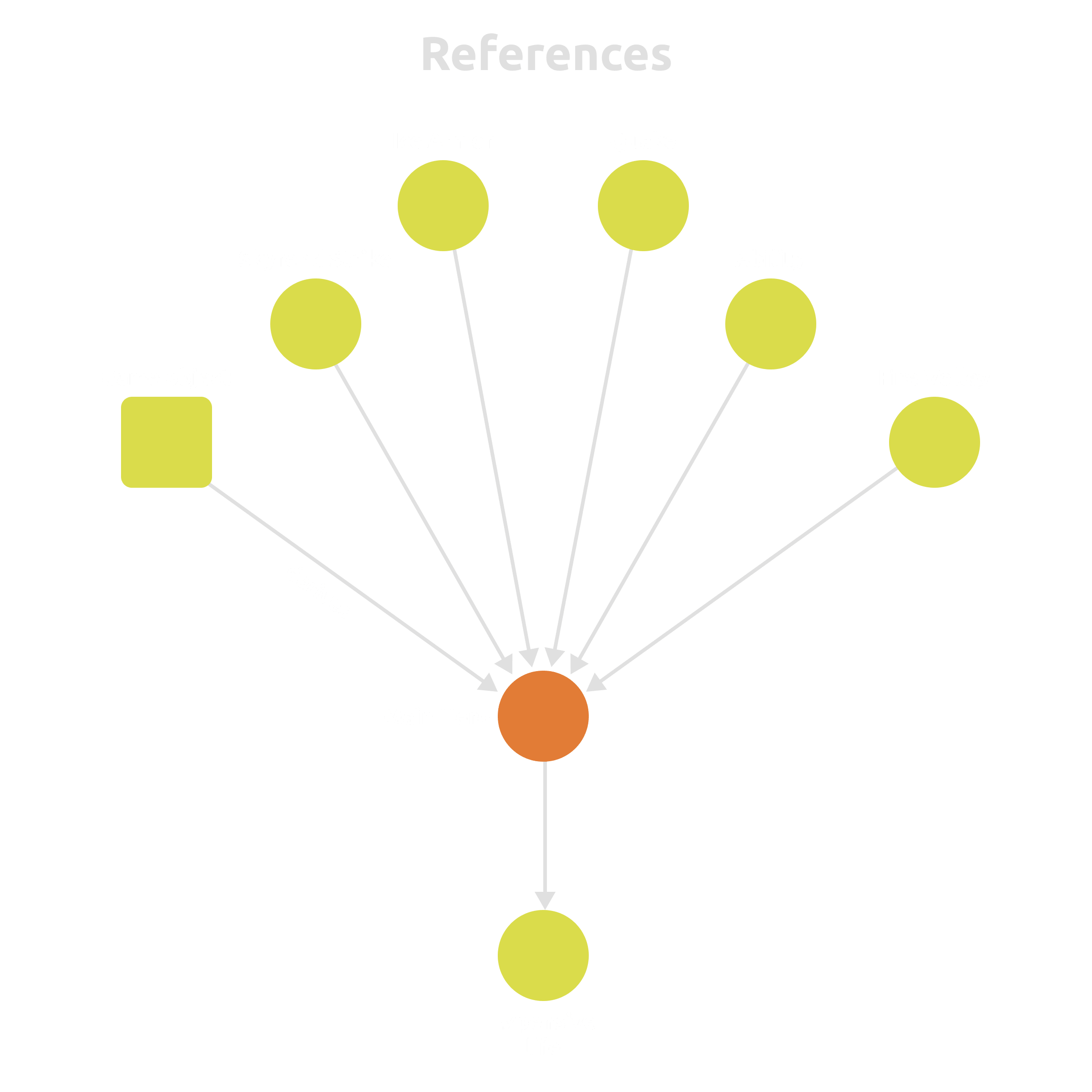
Cross-links between dialogue and game data
Links & references

Connect trees to characters, quests, locations, and tasks — and keep every reference consistent.

FAQ

Questions, answered.

Yes. Use the block editor to build trees by dragging blocks, set conditions and variables visually, and attach triggers — no scripts required.

Twine / ink — Great for prototypes and text adventures, but their exports are made for the web and bespoke runtimes, not your game engine.

IMSC — Visual trees with conditions, variables, triggers, and localization built in, exported as JSON for Unity, Unreal, and Godot — with real-time team editing on top.


In the cloud — yes, with real-time editing, roles, and granular access control. On the desktop — yes, via plain files you can commit to git, with conflict-safe workflows.
Yes. Export dialogue trees as JSON for Unity, Unreal Engine, and Godot — in the format your runtime expects.
Yes. Edit translations side by side in the editor, see untranslated phrases highlighted, and export or import localization files.
Yes. The Desktop app is free forever and works offline without an account. The cloud workspace starts with a 30-day free trial, no credit card.

Your dialogue deserves better than spaghetti code.

Design branching trees visually, keep choices and translations as data, and ship them to your engine — in the cloud with your team, or as free files on your desktop.