
So, what changed?
Multiple exits in dialogs
Name the exit, not just the end
An End node used to mean only one thing: the dialog is over. Now it can also say how it is over. Right-click the End node, pick "Set exit name", and give it one - "Success", "Cancelled", "Failed". That name becomes the exit's name, shown right in the node header next to "End".
Each exit also hands values back. The variables a script declares on its Start node are what the caller sends in; the variables it declares on an End node are what it gives back. And on an End node you set only what that particular exit needs, with a clear button for the rest.
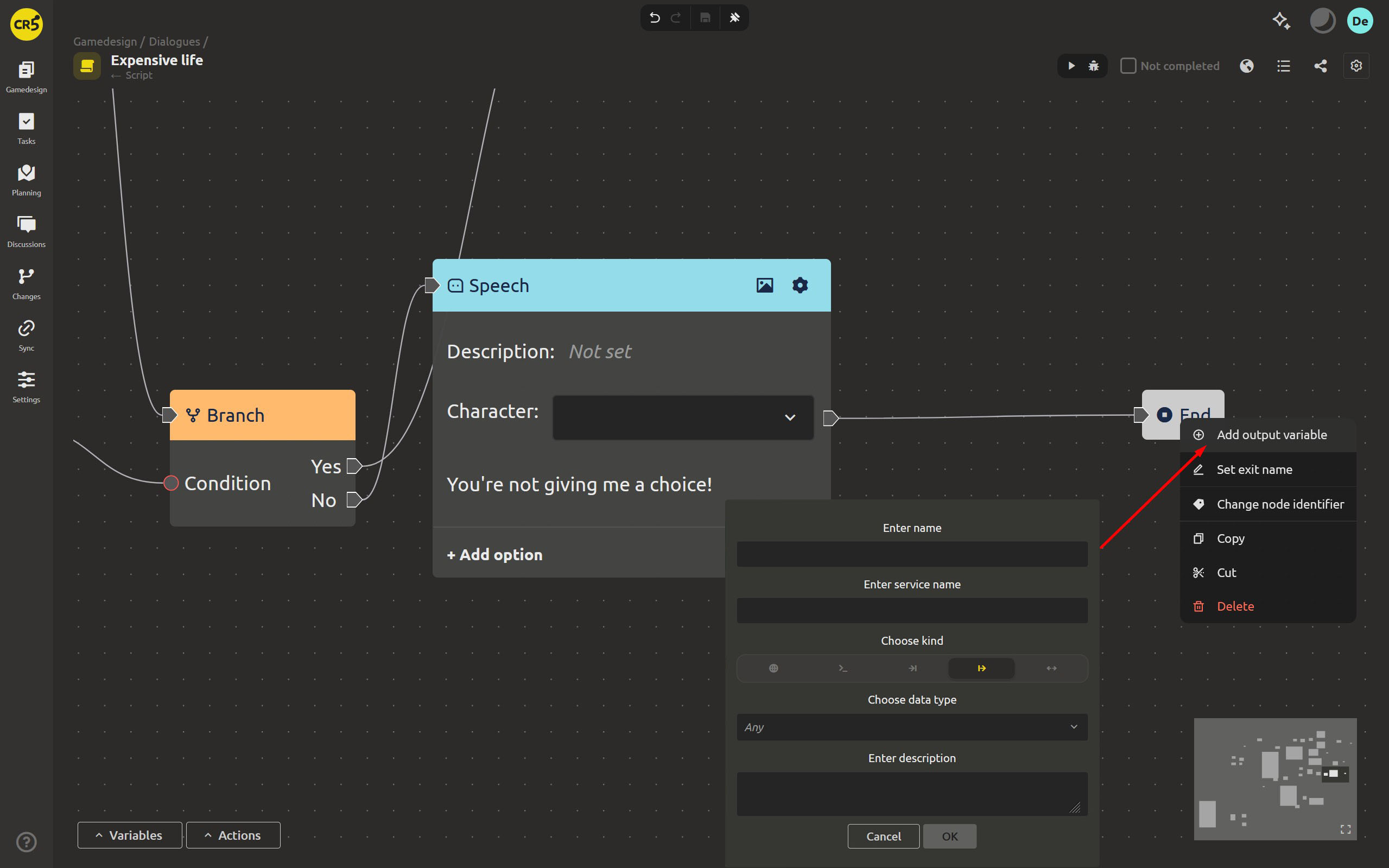
The caller branches on how it ended
A node that calls a script now shows one exit per named end of that script, each with its own connector on the right. A parent script no longer continues in one blind line: it takes the "Success" path when the dialog succeeded and the "Failed" path when it did not.
If the called script has no names, the node keeps its single generic exit - nothing breaks, branching simply appears once you start naming ends.
Variables and actions: the same tools, much more convenient
One list, inherited variables included
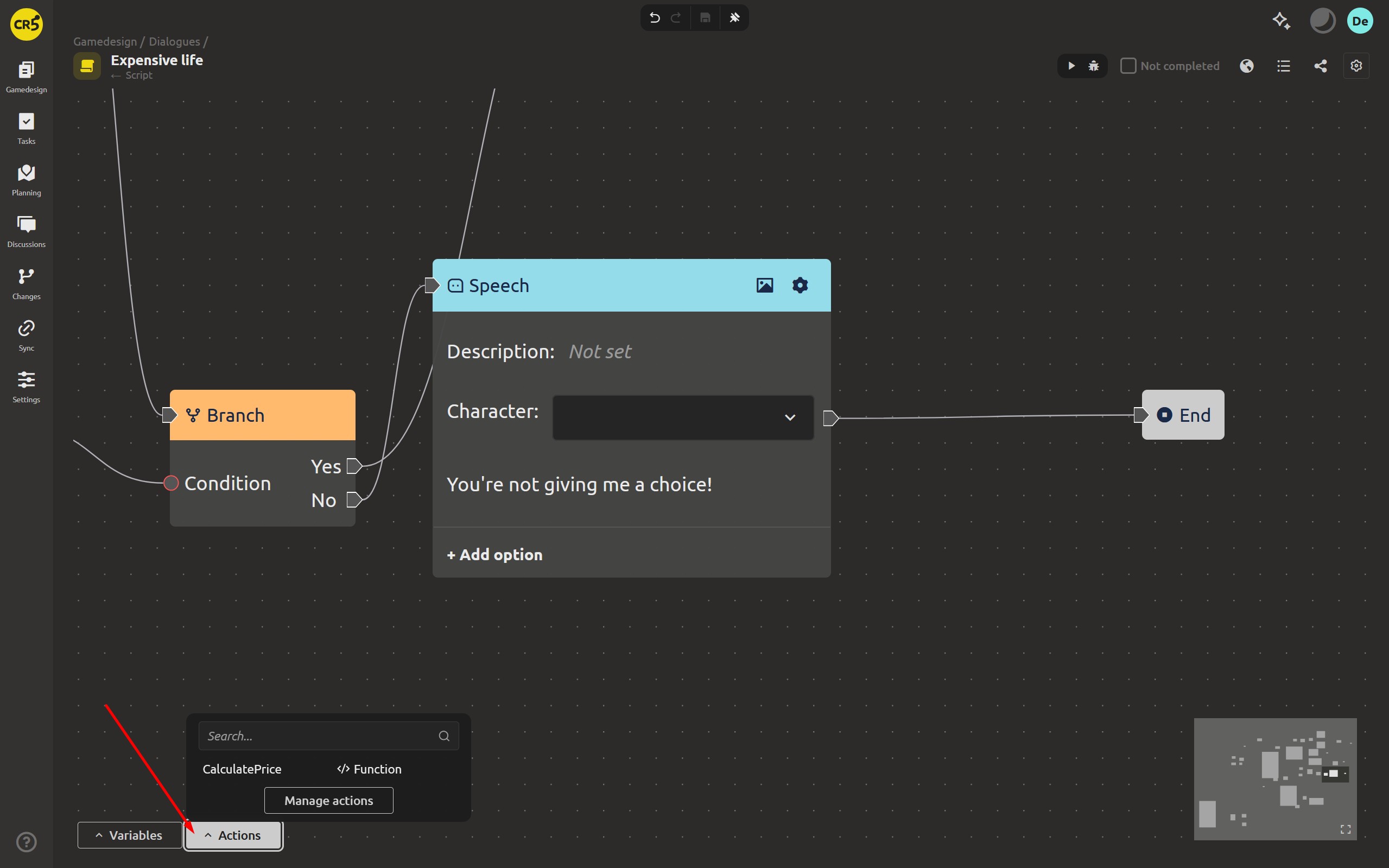
Variables were already there; what changed is how you work with them. "Manage variables" now puts all variables on one screen: yours plus the ones you inherit from the base scripts. No more switching around just to edit the list of variables every script shares.
Variables now appear as an expandable list, which lets you rename a variable, change its kind (local, global, input and so on) and its data type right there.
Adding is easier too: a variable appears immediately, with no extra dialogs.
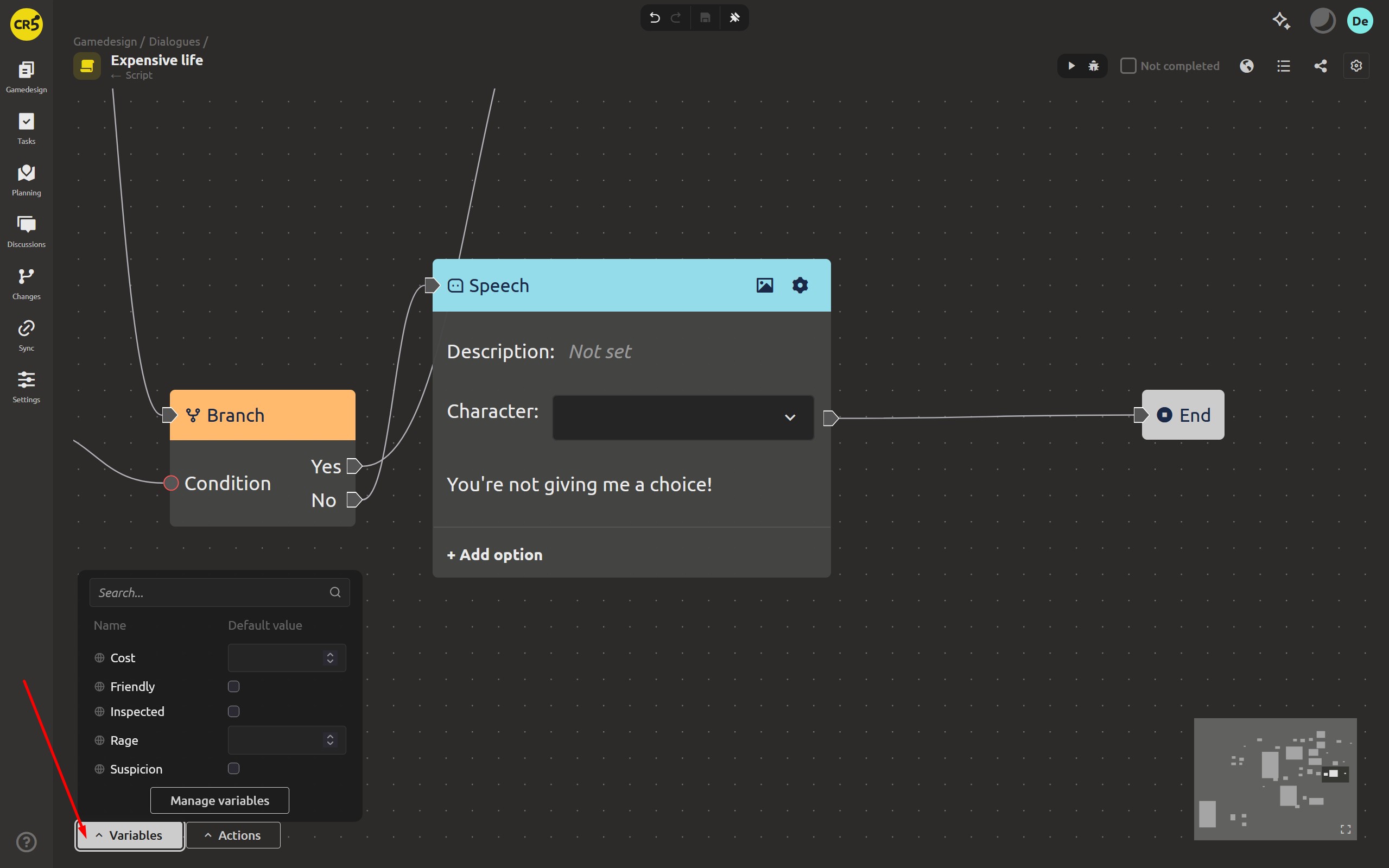
Actions split into Triggers and Functions
"Manage actions" got the same treatment, plus a filter over two types: Triggers and Functions. Functions can be duplicated and deleted, and an action of the "function" type now requires at least one output parameter - so a function that returns nothing stops being a silent bug.
The node identifier option is now available for every node type, and it has been renamed to "Change node identifier".
Debug shows the real values
While you debug a script, the variables panel shows Current values instead of the defaults - what each variable holds right now, in the run you are watching.
Project folders you can commit to git
There is a hidden service folder in the project, .imsc. It used to hold everything: the shared project index and settings, and right next to them the state that only makes sense on one machine - the cloud binding, the local database, your AI chat history.
Now it is split in two. .imsc keeps what is shared (index.json, settings.json) and is meant to be committed. Everything machine-specific moved into .imsc/.imsc-local, and the app writes its own .imsc/.gitignore so that subfolder stays out of version control. Existing projects are migrated the first time you open them - nothing to do by hand.
This also changes what happens when a copy shows up. Copy a workspace folder in Explorer, or clone the repository on another machine, and previously the duplicate either silently merged into the original or vanished. Now the copy becomes its own entity with a new id and its content untouched. The decision is written into the file once, and the rule is deterministic, so every clone of the same repository resolves it identically.
Other improvements
- The script editor canvas pans with one finger and node operations work on touch, so a script can be edited on a tablet without a mouse.
- Disconnecting an edge now clears the value on the node instead of leaving an empty placeholder.
- Creating a local project no longer needs the internet: the license check runs only for cloud projects, and the dialog shows "Checking your license..." while it runs.
- Ctrl+Enter now saves a string/text field - handy in the translations table.
- Fixed a bug with the Value Table - data is no longer lost when saving.
- Refresh no longer breaks after navigating back and forth; the wrong address was stored in browser history.
- Level editor: the Lock button now works on the selection - with objects selected it locks or unlocks only them, and the button switches between "Lock" and "Unlock" depending on the state. With nothing selected it still unlocks everything.
- Sync: fixed syncing of the root workspace, of folders copied in Explorer, and of folders opened as a project. Attaching or detaching a cloud project now clears the leftover sync state instead of carrying it over to the next one.
- Fixed project loading when the path was written differently, and several cases of wrong asset and workspace titles.
Create, Structure, Automate We are waiting for your feedback, thank you for helping us get better! A dialog can now tell you how it ended, and a script can be described with variables you can actually read and edit. Join us on Discord (https://discord.gg/xPTmUZR9) or Facebook (https://www.facebook.com/profile.php?id=61569739761148), send feedback through the form at https://ims.cr5.space/en/feedback, and our articles on Medium. Good luck with your game demos. See you in the next one!