


IMS Creators expands your capabilities
Hi everyone! Missed us? So did we! We have prepared for you the long-awaited update of the Desktop version
We have linked local and cloud projects, as well as added automatic synchronization when working with Git, customizable auto-export and a plugin system. About everything in order further
Automatic updating of the project in case of external changes
Now, if you have made a change outside of Desktop IMS Creators, for example, you have changed a branch in Git, made changes in notepad, then all these changes will automatically be pulled up when the application is launched.
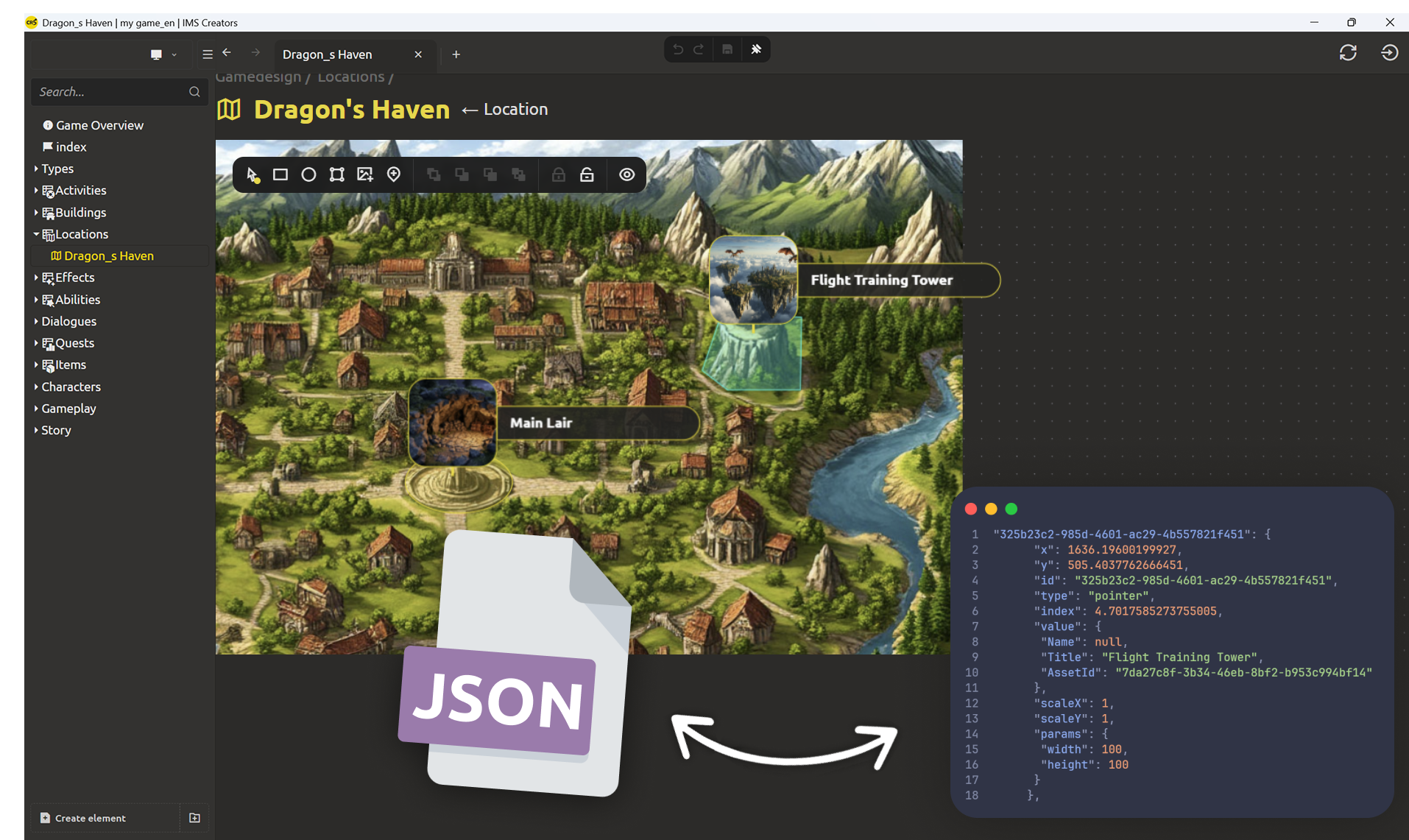
Optional cloud projects
Added support for cloud projects for easy file synchronization between team members. The feature works with a Pro subscription: you can connect cloud storage only for those projects where it is needed, while maintaining full control over local files.
When creating a project, you can choose between local or cloud
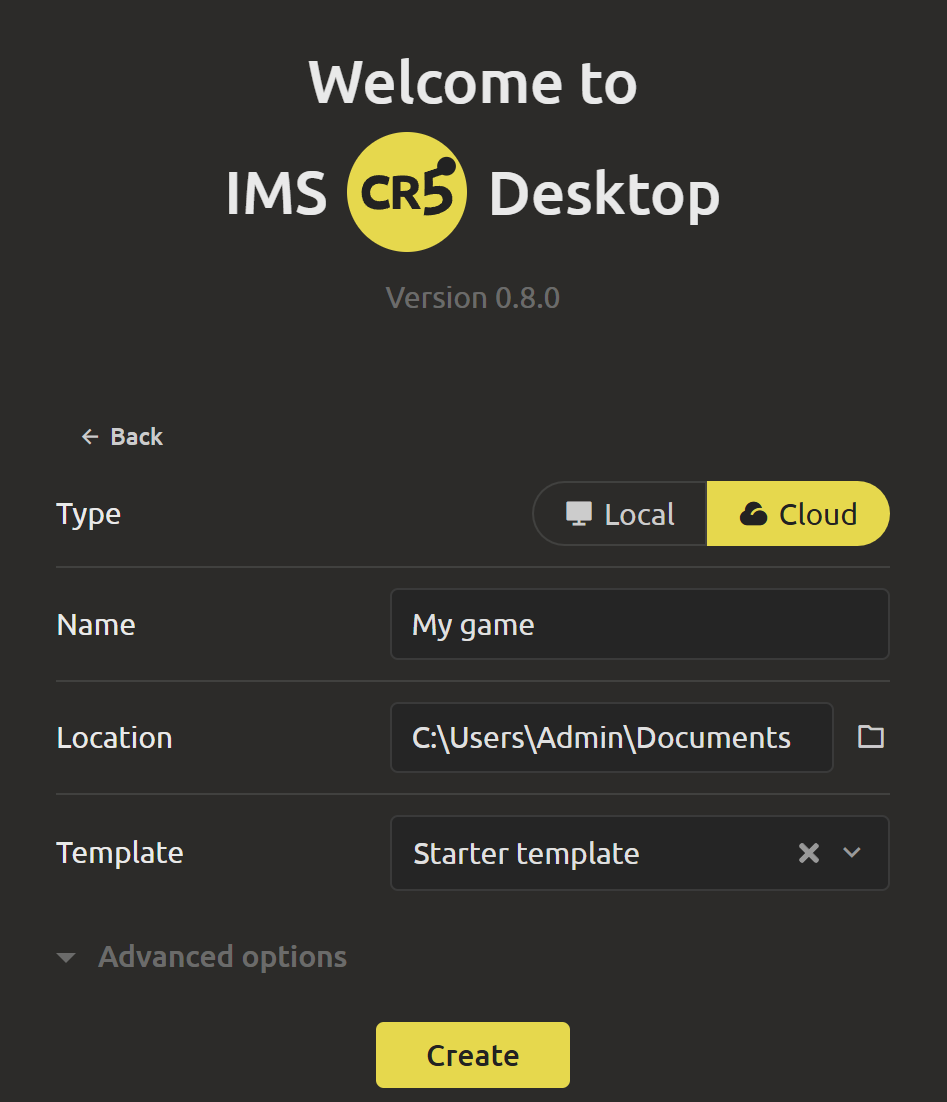
If you already have a local project, you can sync it.
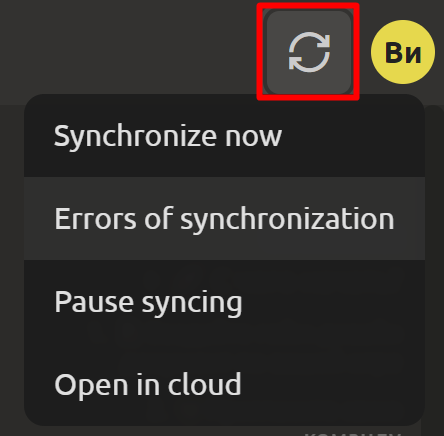
After synchronization, the project will appear in the Web version, and when you change either the local or cloud project, updates will sync. To control synchronization, you need to click on the corresponding button in the upper-right corner:
- Synchronize now
- Errors of synchronization
- Pause syncing
- Open in the cloud
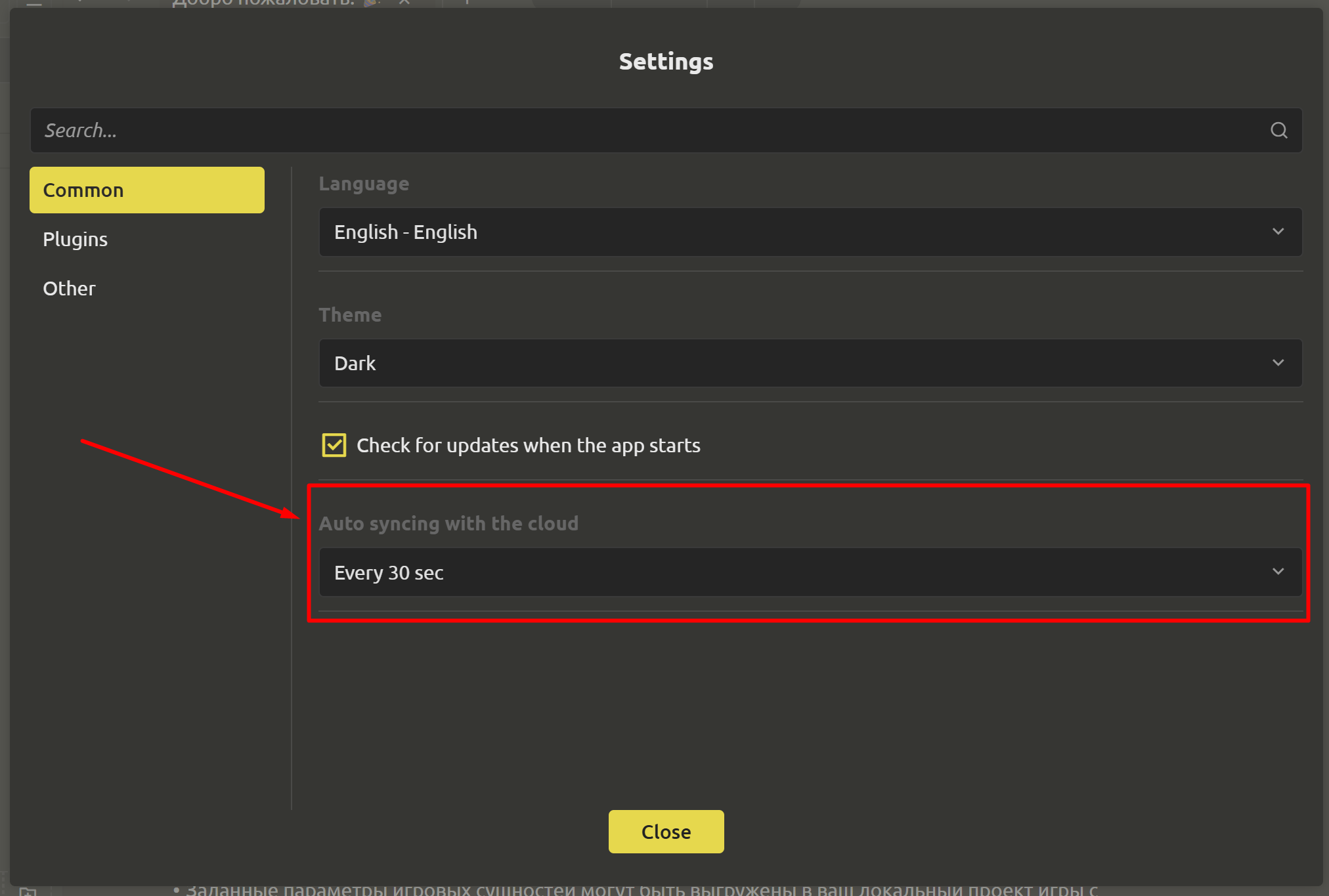
How often you need to sync is up to you to decide using the menu in the left corner.
Customizable auto export and control window
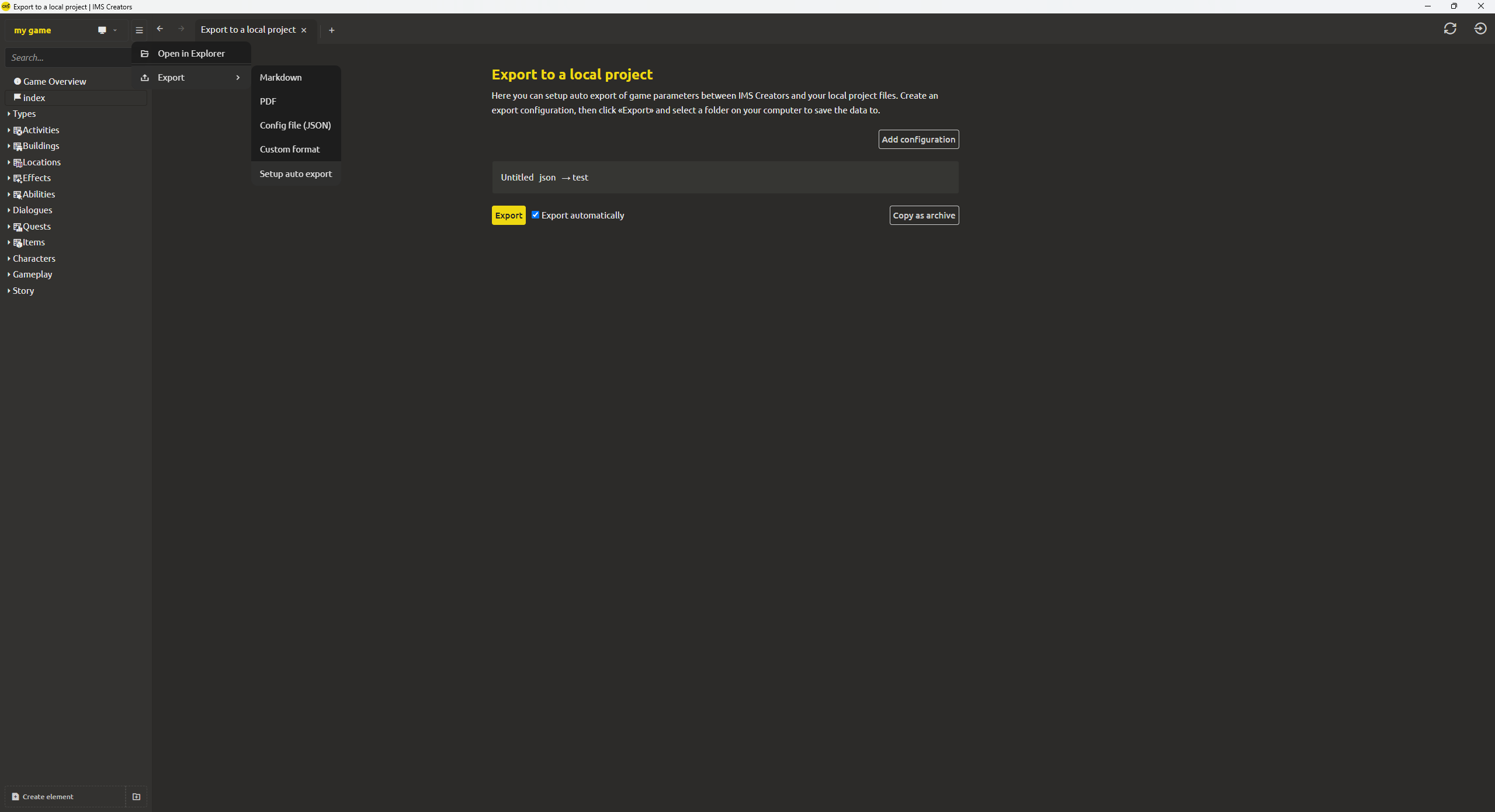
Now you can set up auto-export of data from the IMS Creators project to the format you need for your game engine. If the data in the project is changed, the files will be re-uploaded automatically. For easy process management, a separate auto export window has been added, where parameters, saving paths, and rewriting rules are set.
A plugin system for custom block types
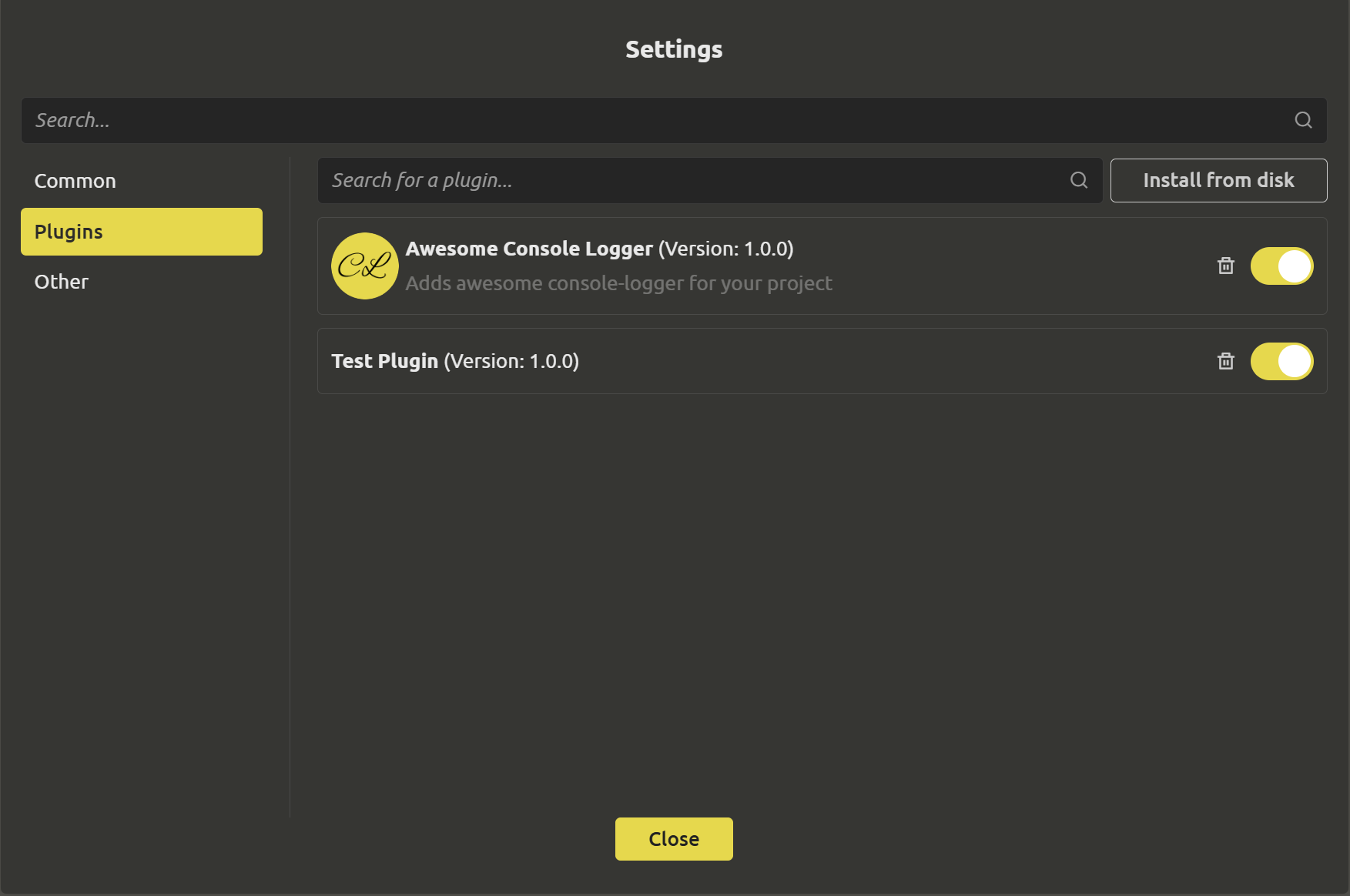
An extensible plug-in architecture has been implemented. Developers and advanced users will be able to create unique logic elements, not limited to the standard set, simplifying customization for specific project tasks. To add plugins, go to the project settings, select the “plugins” section and select what you need.
Improved dialog and script editor
The dialog/script editor has received a number of improvements migrated from the web version of IMS Creators: work with large scripts has been accelerated, navigation through nodes has been improved, known bugs have been fixed and relevant features from the browser version have been added.

This concludes the overview of the current update, but the next one is just around the corner. Follow us to be the first to know the latest news: discord(https://discord.gg/xPTmUZR9), facebook (https://www.facebook.com/profile.php?id=61569739761148) As always, we welcome your suggestions and feedback, which you can send us via the feedback form (https://ims.cr5.space/en/feedback) or in our Telegram chat (https://t.me/imscreators_en). We wish you good luck and positive emotions with future game demos. See you there!