
Quick navigation by element
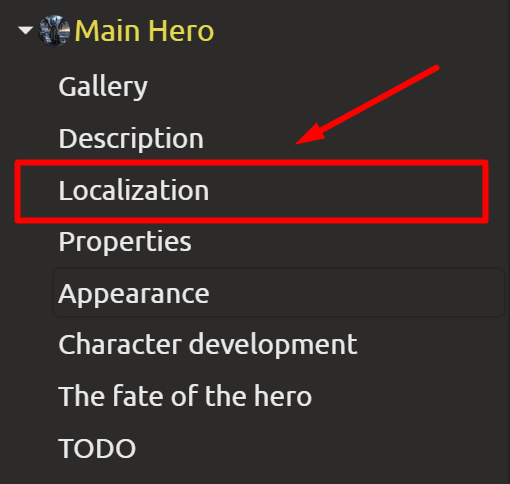
You can now preview an element's contents without opening it completely. By expanding the contents in the left menu, you can immediately jump to the desired section of a text document or dialog node. The localization block has been made more visually clear to allow for quick navigation from the menu.
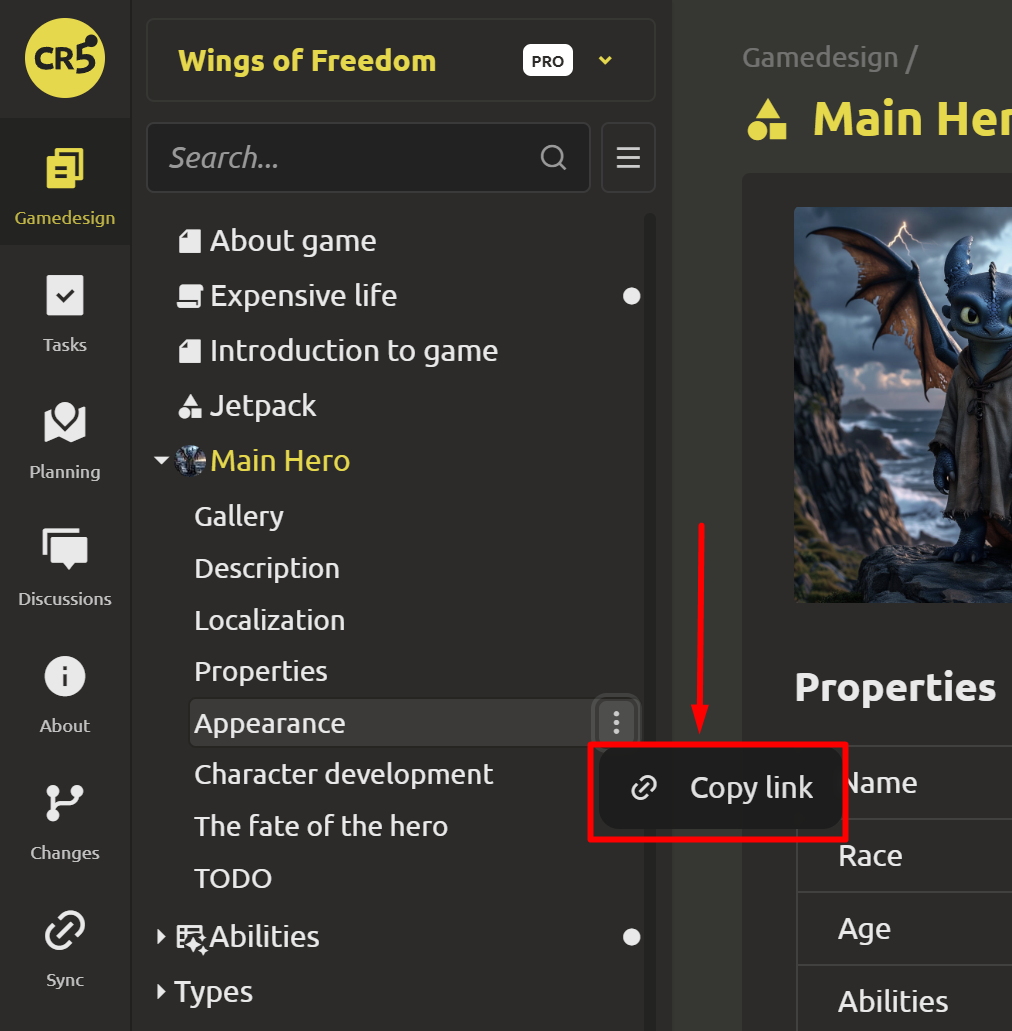
You can also share a link to an object – when clicked, it will immediately open on the page.
Grouping in level editor
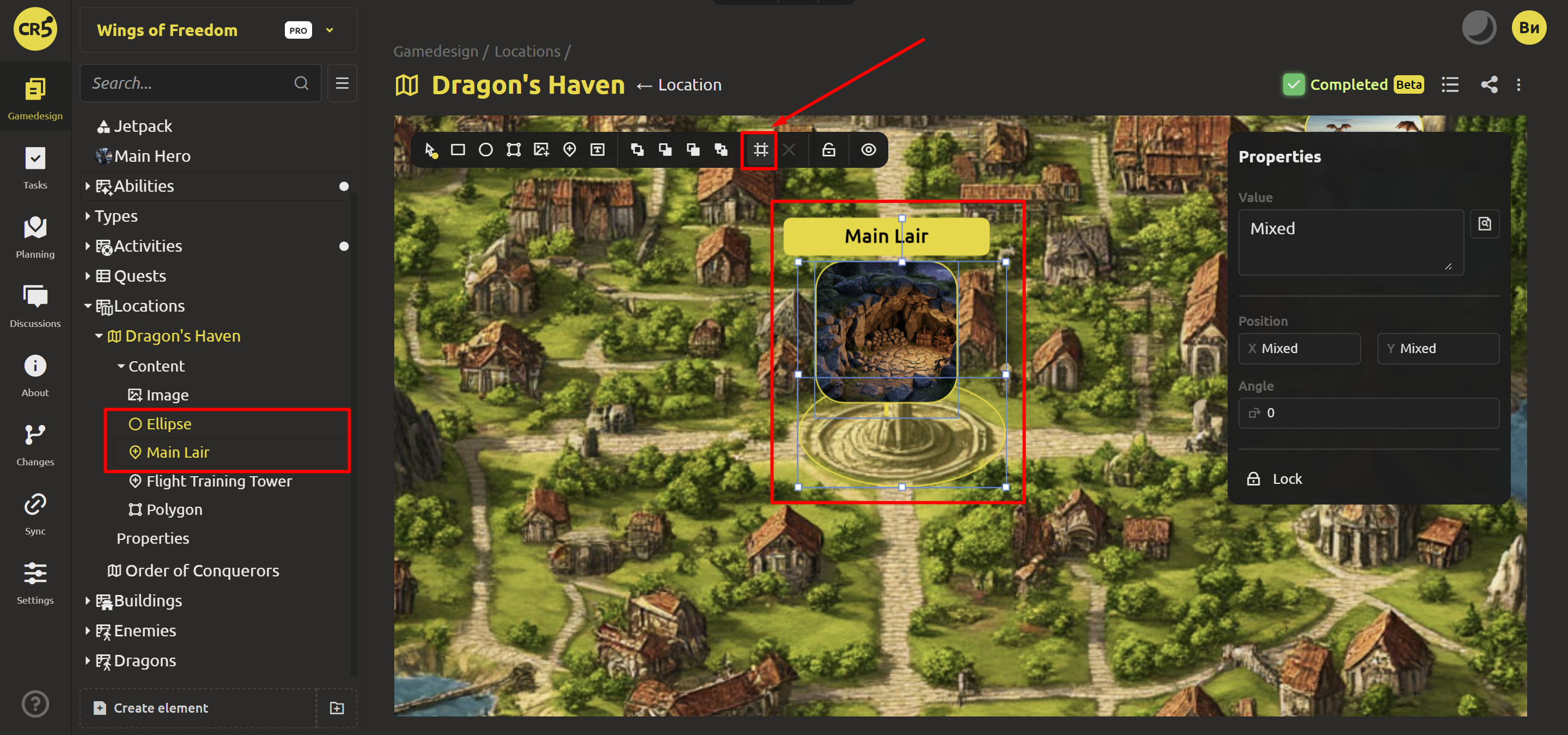
You can now combine multiple elements into a single group and work with them as a single unit—for example, combining a pointer and a region. First, select the elements while holding down Ctrl in the left menu or Shift in the editor itself. Then, click the grid icon to group them.
Filters for collections
When browsing the contents of a collection, you can set a search condition and save it as a filter. For example, you could create separate tabs for level 1 abilities, level 2 abilities, and so on.
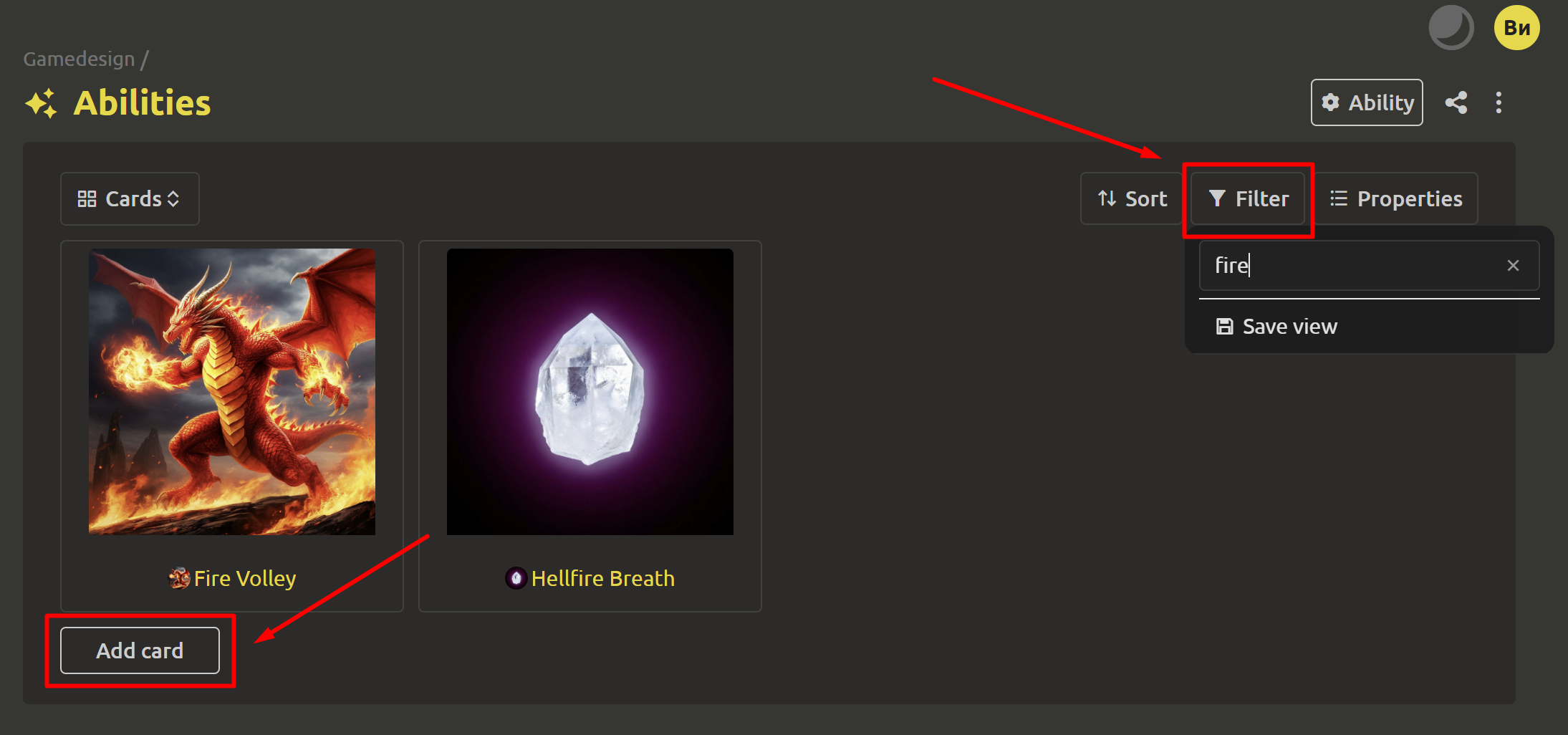
You can also now add items not only in table view, but also when viewing a collection in card or list mode.
Other improvements
The mobile version of the open task window has been improved for greater usability and stability.
We're not saying goodbye! We've prepared a little surprise for you! See you soon THIS year! As always, we welcome your suggestions and feedback, which you can send us via the feedback form (https://ims.cr5.space/en/feedback) or in our Telegram chat (https://t.me/imscreators_en).