Feature · Project planning · Cloud only

Know exactly what's ready in your game.

Turn game design into a plan the whole team can see: kanban boards, milestones, and deadlines — with progress tracked automatically from the real state of every character, location, and mechanic. No more guessing. Built into the IMS Creators Cloud workspace.

Kanban & task boards Automatic progress tracking Milestones & deadlines Task templates & checklists Team roles & access In any browser · no install
imsc.space · Wings of Freedom · Planning ● live
This is a real project — open Wings of Freedom · Planning in a new tab and explore it.
Demo project
The problem

Planning is where games go off track.

📊
Status is a guess

"Feels about 70% done." Nobody actually knows what's ready, and status reports drift further from reality every week.

📋
Task lists rot

Spreadsheets and docs go stale the moment they're written. Nobody trusts the plan, so nobody updates it.

👥
No single source of truth

Designers, artists, and programmers each track their own version. The real plan only exists in someone's head.

🔁
Deadlines slip silently

Without live progress data, delays surface at the milestone review — when it's already too late to react.

IMSC is the fix: a plan wired to your real game data. Progress is computed from the actual state of every character, location, and mechanic — the board simply can't lie.

Automatic progress tracking

Progress you can see and trust.

No more asking for status updates. The system tracks the readiness of every game element — characters, locations, mechanics — and shows progress as clear visual indicators. If the work isn't marked done, the number says so.
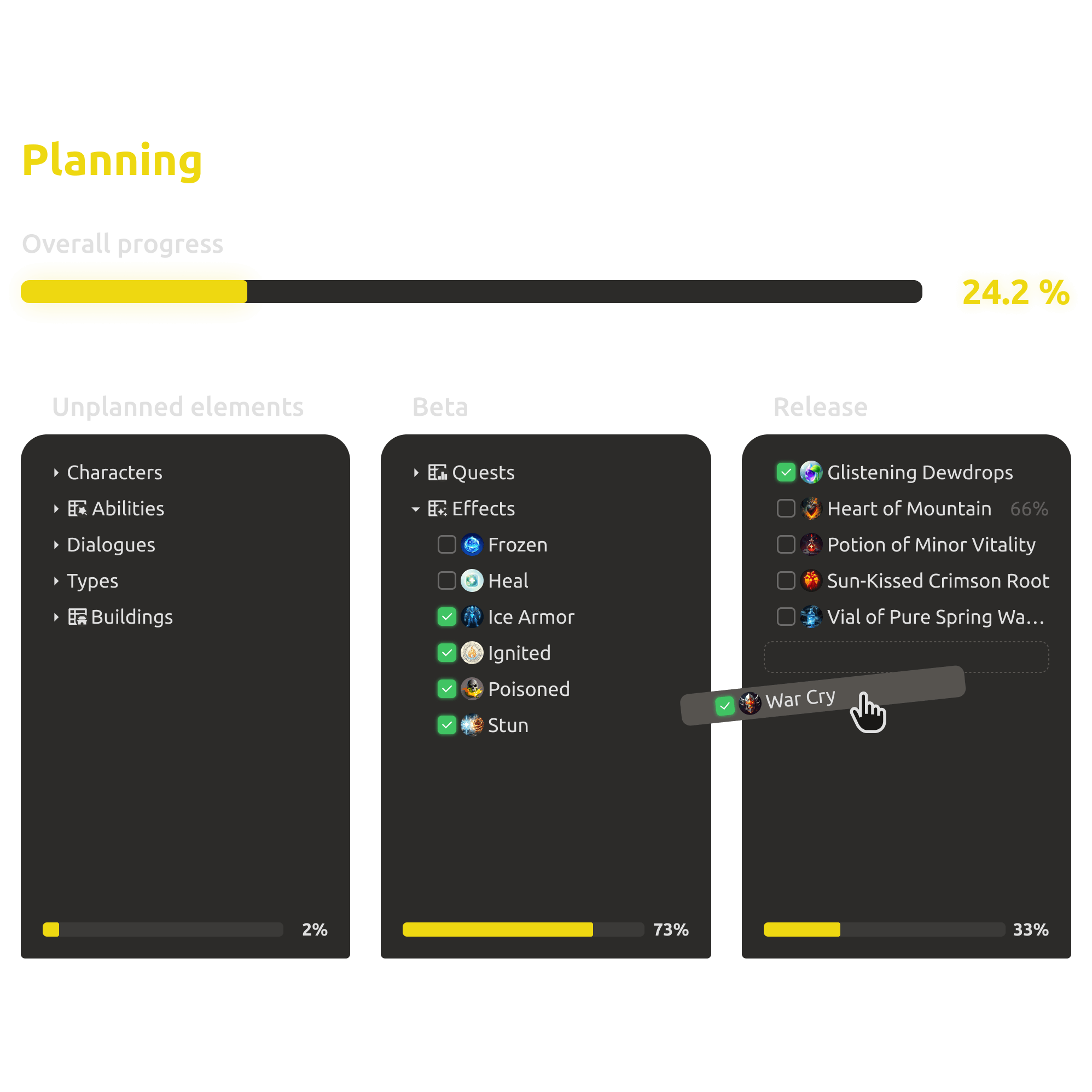
  • Readiness tracked for characters, locations, mechanics, and more.
  • Clear visual indicators — no status meetings needed.
  • The board always reflects the real state of your game data.
Automatic progress tracking for game elements in IMS Creators
Smart checklists

Task templates that count themselves.

Create task templates for standard elements — a character, a building, a level. Every new instance starts with the same checklist, and its completion percentage is calculated automatically as the team checks items off.
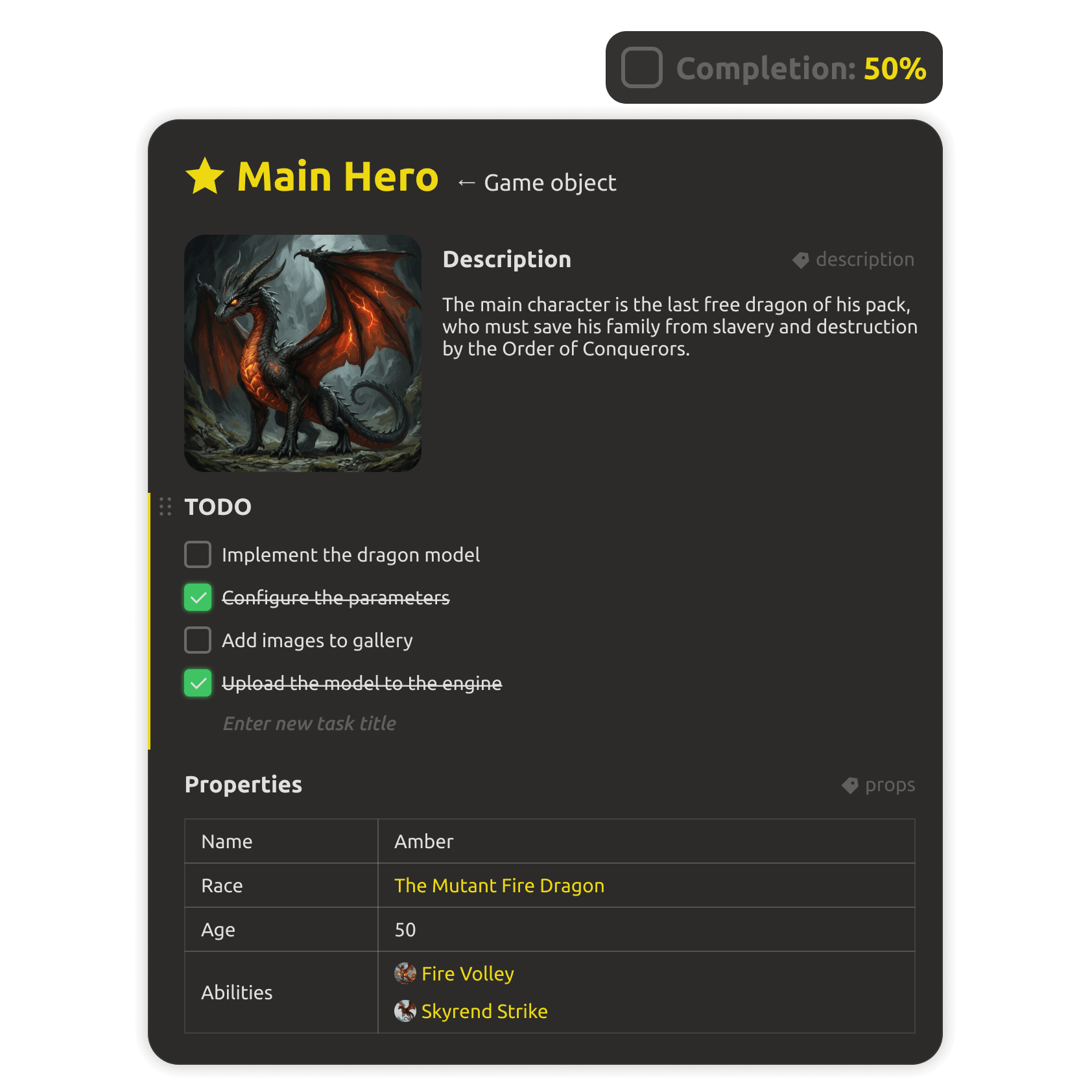
  • Reusable templates for standard elements like characters and buildings.
  • Completion percentage computed automatically from finished items.
  • A consistent definition of "done" across the whole project.
Smart checklists and task templates in project planning
Detailed progress panel

One click from progress to the next task.

Click any progress indicator to open the full element checklist. Edit tasks, add new ones, and assign people without leaving the flow — the plan updates itself as you go.
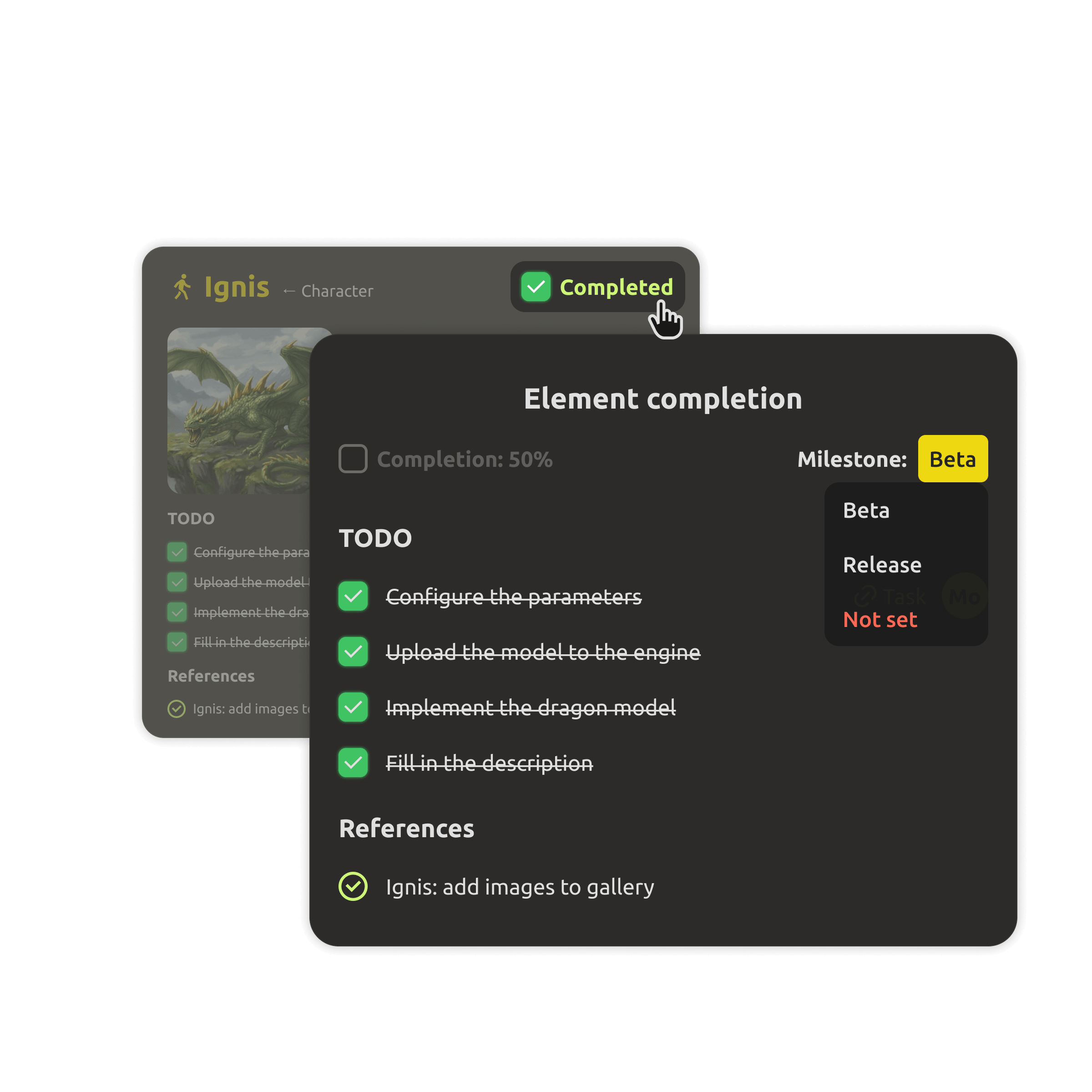
  • Full checklist for any element, opened with one click.
  • Quick task editing and new items added in place.
  • Assign people and surface blockers as you work.
Detailed progress panel with quick task editing in IMS Creators
Milestones & deadlines

Milestones that keep the team heading the same way.

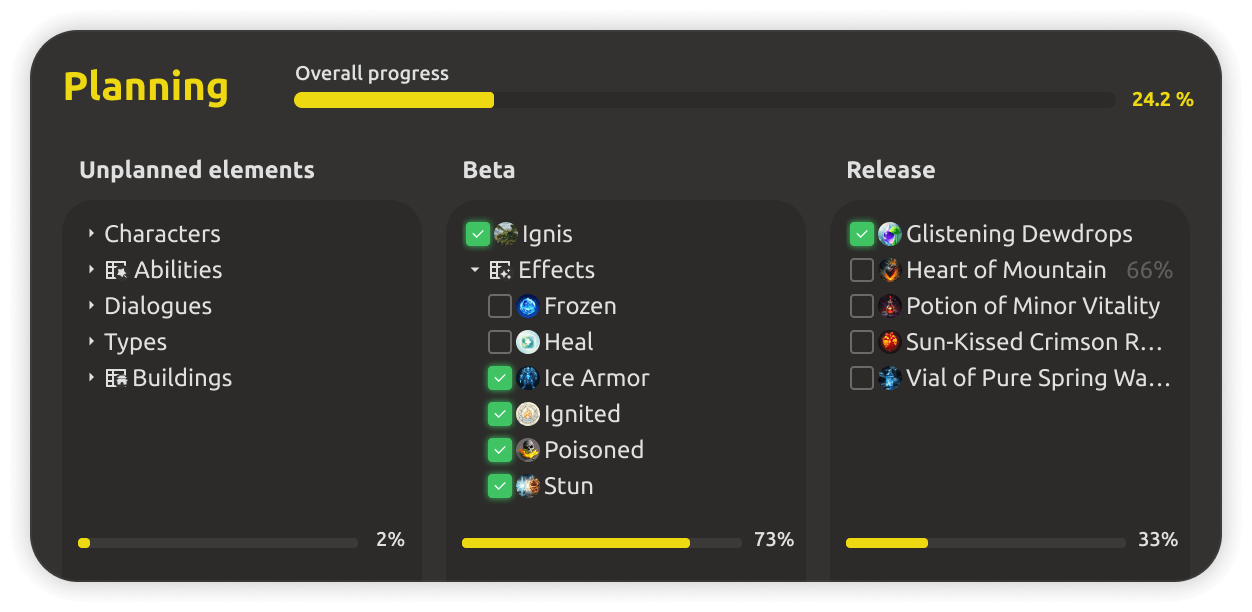
Break development into checkpoints — alpha, beta, release. Visual stage representation shows exactly where the project stands against the plan, so the whole team stays aligned on what matters next.
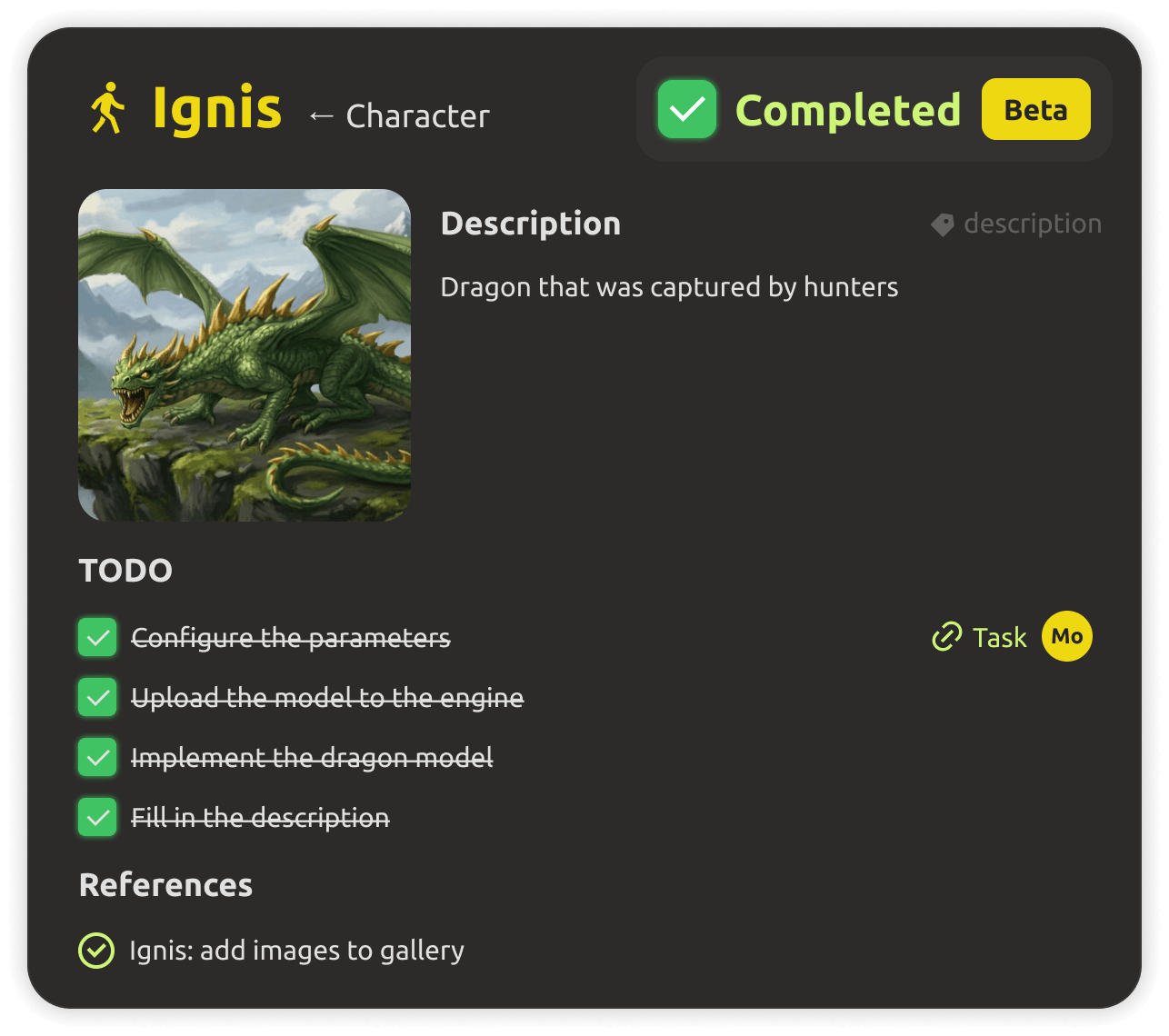
  • Checkpoints like alpha, beta, and release, with clear dates.
  • Visual stage representation of the whole project at a glance.
  • Deadlines and overdue work surfaced before they hurt.
Milestone planning with visual stage representation
Flexible filtering

Find your work in one click.

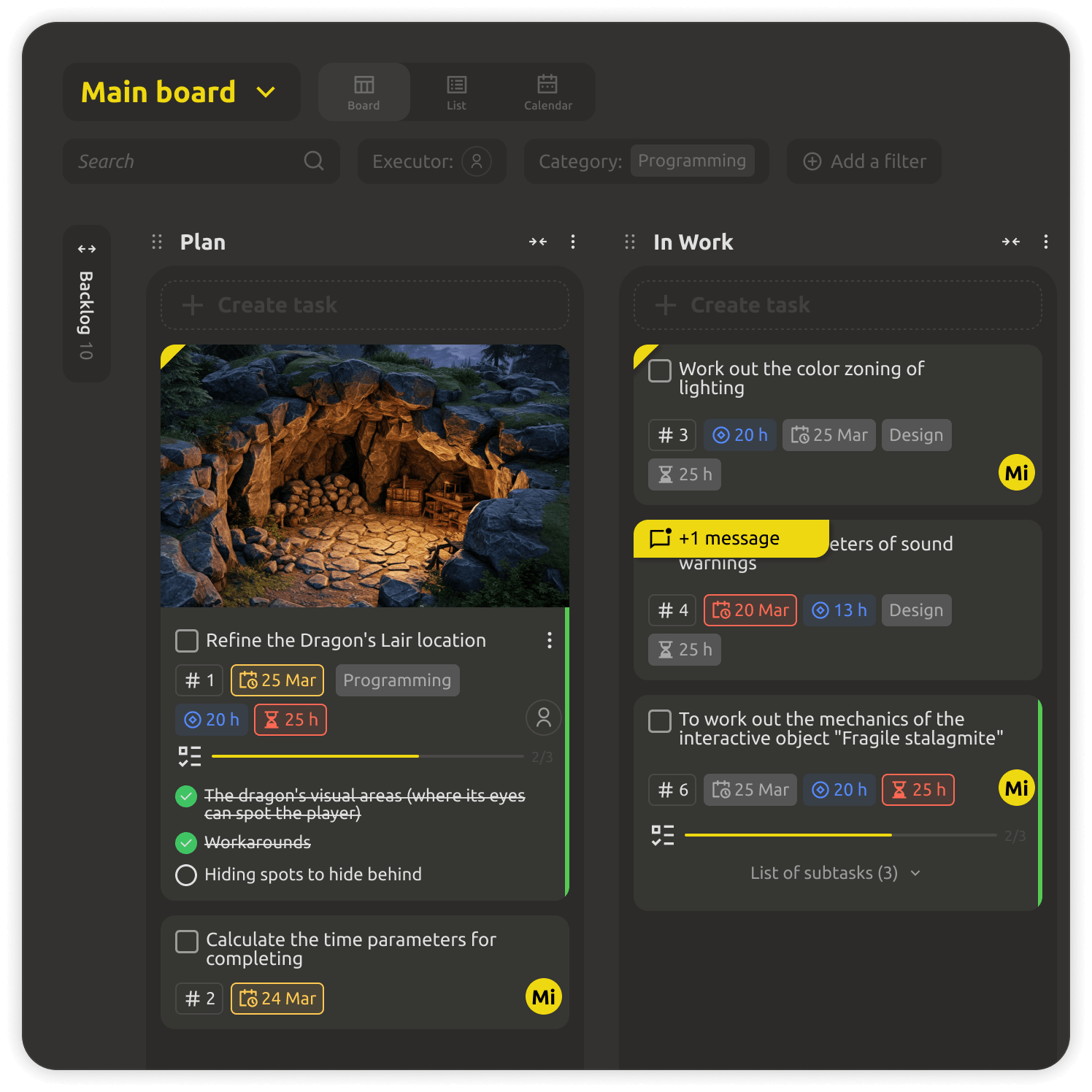
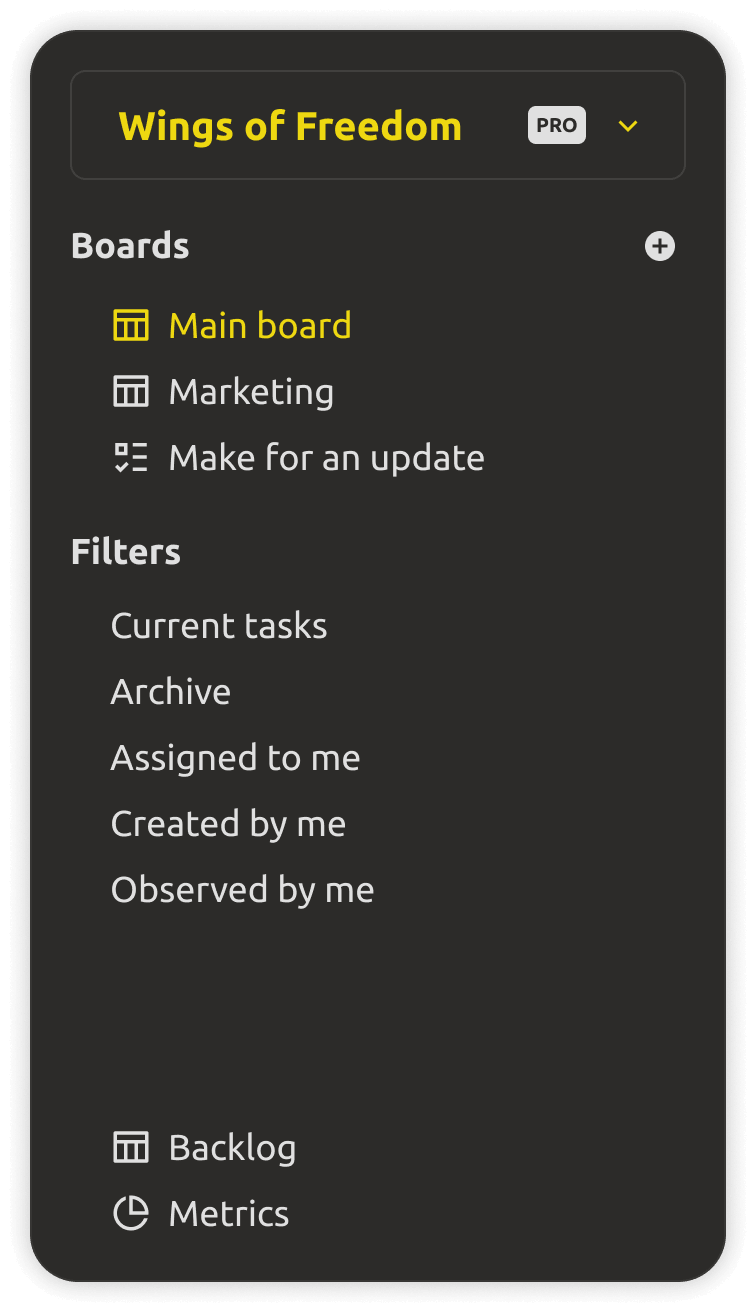
Filters give instant access to the tasks that matter: assigned to me, created by me, archived, or currently active. When the project grows, you still find exactly what you need — fast.
  • "Assigned to me" and "created by me" views in one click.
  • Archive and active-task filters keep the board uncluttered.
  • Fast navigation no matter how large the project gets.
Flexible filtering of tasks in project planning
Built into the Cloud workspace

Project planning is a cloud-only feature.

Planning lives in the shared IMS Creators Cloud workspace, so the whole team always sees the same live picture — kanban boards, milestones, tasks, and progress, in any browser. It's not tied to files on a disk that can go out of sync. The plan is the source of truth, updated in real time as work happens.

Trying the cloud is free for 30 days — no credit card. Project planning is a Cloud feature and is not available in the Desktop app.
What you get

Everything a planning team should have.

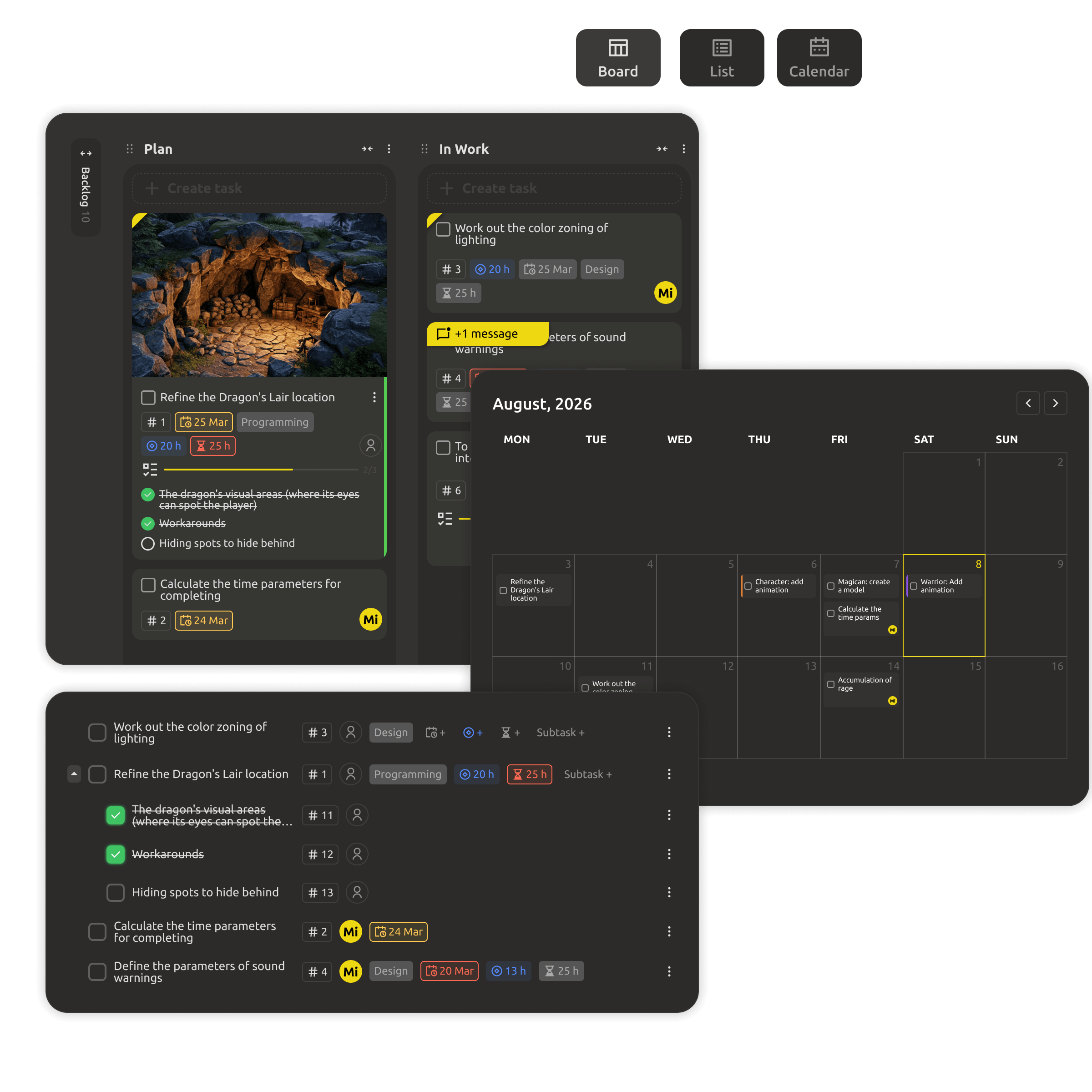
Kanban task board shared with the team
Kanban task boards

Move tasks through design, ready, in progress, and done — in one board the whole team shares in real time.

Task templates for standard game elements
Task templates

Reusable checklists for characters, buildings, and levels keep "done" meaning the same thing everywhere.

Milestones and deadlines on the planning calendar
Milestones & deadlines

Set checkpoints like alpha, beta, and release — and see at a glance whether the project is ahead or behind.
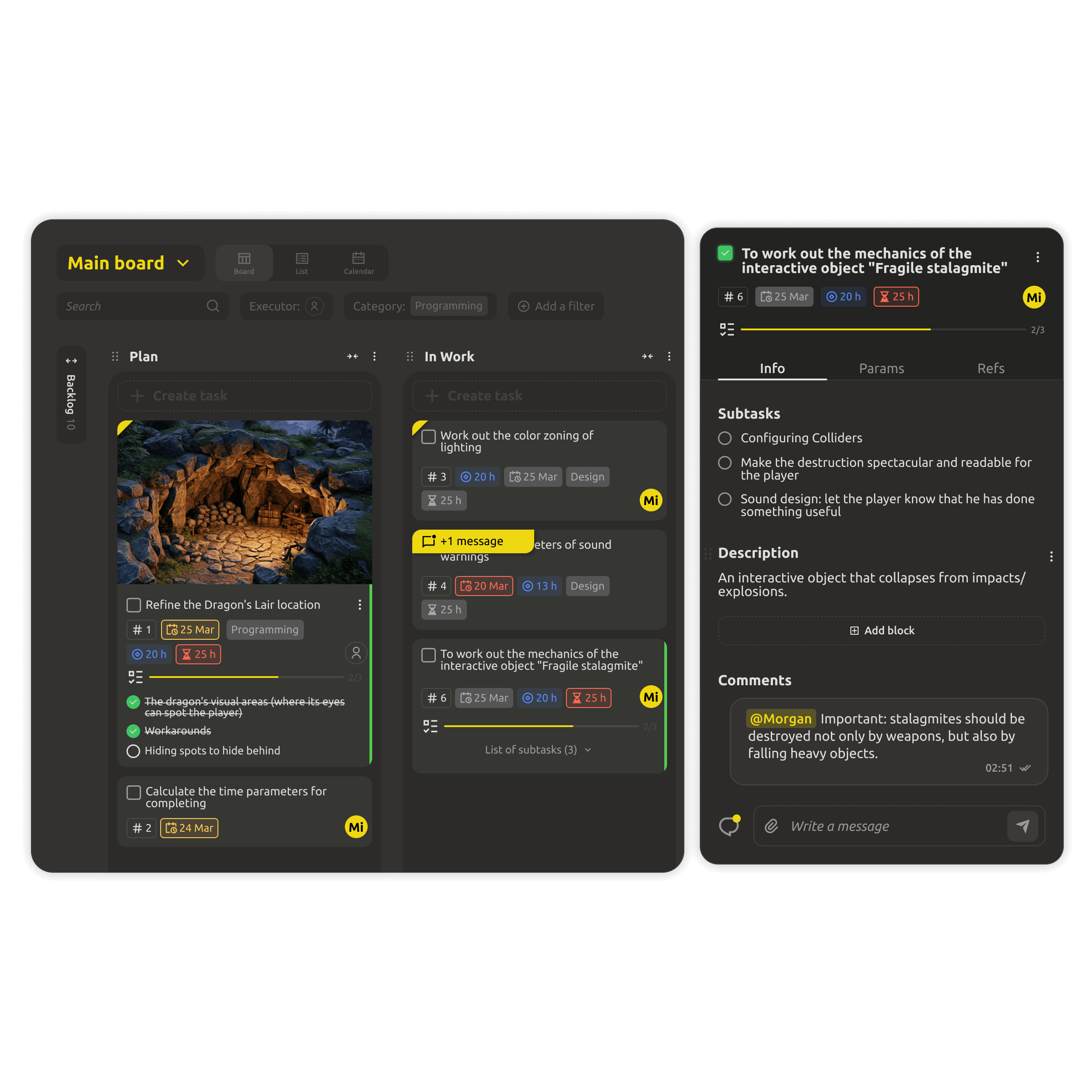
Team workload overview on the task board
Team workload

See who is overloaded and rebalance assignments before a deadline slips.
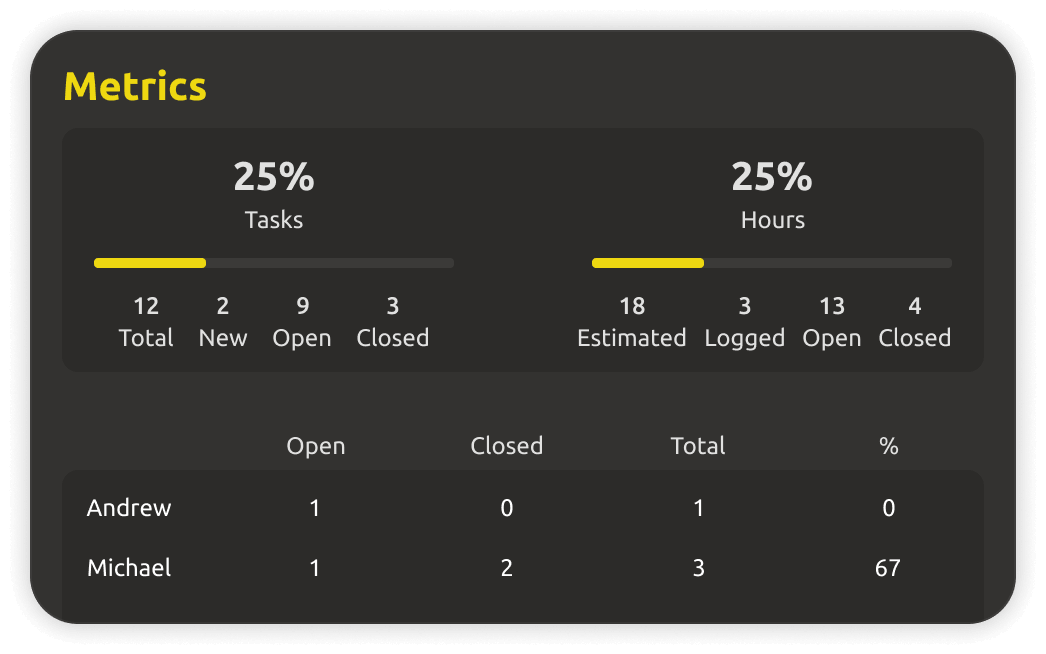
Task metrics and estimation in project planning
Estimation

Estimate tasks and see a projected picture of the work ahead — so commitments are made on data, not hope.
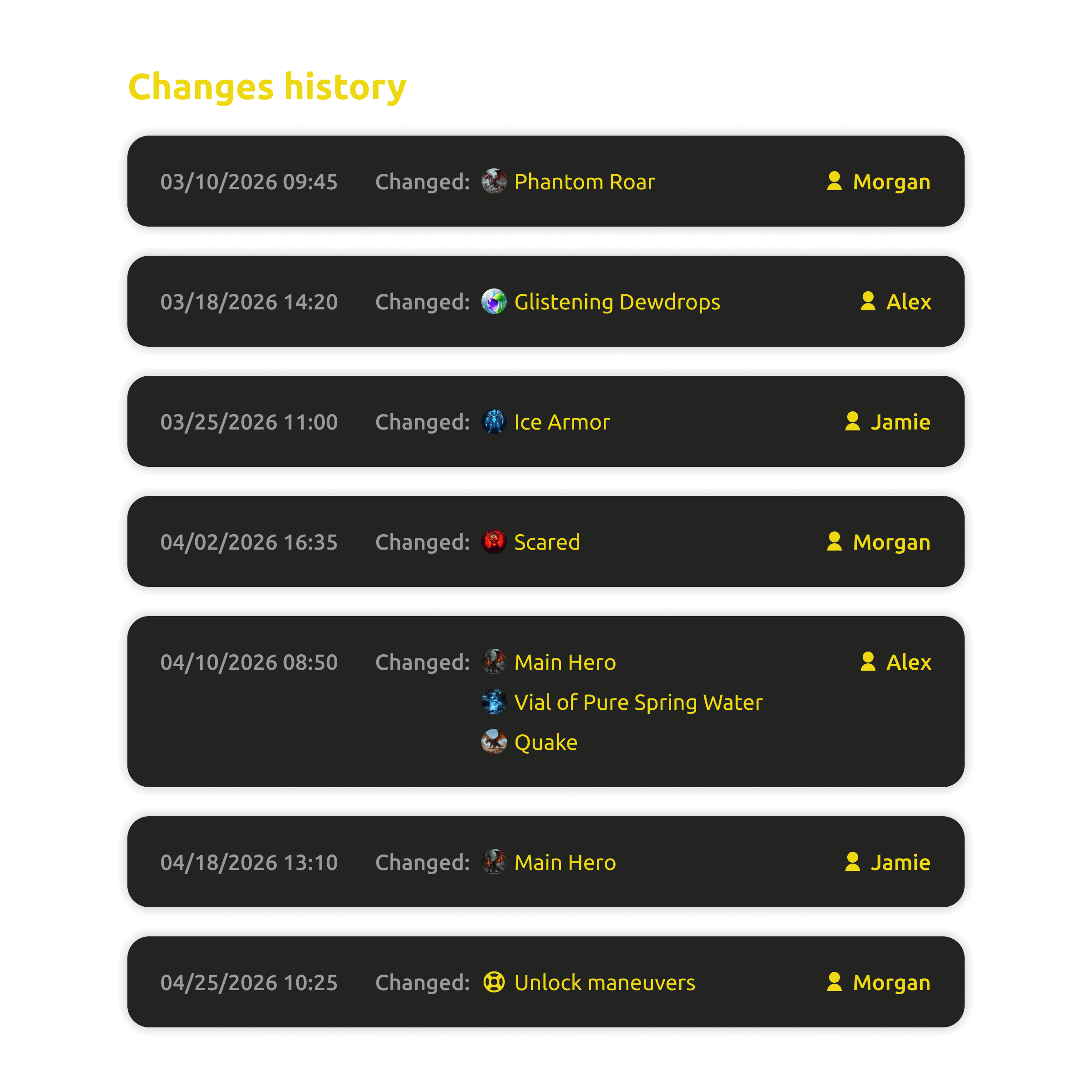
Change history of tasks and milestones
Change history

Every change is tracked and recoverable — the plan stays accountable, and nothing important disappears.


FAQ

Questions, answered.

No — project planning is a Cloud feature. It lives in the shared Cloud workspace so the whole team always sees the same live plan, in any browser. The Desktop app stays free for local-first design work.
Yes. Boards, milestones, and tasks update in real time for everyone, with roles and granular access control over who can edit what.
Progress is computed from the actual state of game elements — characters, locations, mechanics — and their checklists. Mark work done, and the numbers update themselves.
Yes. Break the project into checkpoints like alpha, beta, and release, set dates, and see the stage of the whole project at a glance.
No. You can start with tasks and boards immediately, and connect them to game data as the project grows.
Yes. The Cloud workspace starts with a 30-day free trial — no credit card required.

Your game deserves a plan the team can trust.

Start planning in the cloud — kanban boards, automatic progress, and milestones in any browser. Free for 30 days, no credit card.