Your GDD as plain Markdown and JSON files — structured for game design, ready for AI, and always on your own disk. No lock-in, no account required.
Design doc in a wiki, balance in a spreadsheet, tasks in Jira. No single source of truth — endless context-switching.
Proprietary tools hold your content hostage. Move away, and your design stays trapped in their export-limited format.
Game objects and mechanics are just paragraphs in a doc. No real entities, no reliable cross-linking, no way to enforce consistency.
AI models choke on messy wikis and formatted PDFs. They need structured data to be useful — not a wall of text.
IMSC Desktop is the fix: a dedicated, structured home for your design — that is still just files.
Your GDD is Markdown and JSON in a normal folder. Open it in any editor, commit it to git, back it up, keep it forever. Everything works fully offline — no account required for local projects. You own the data, not us.
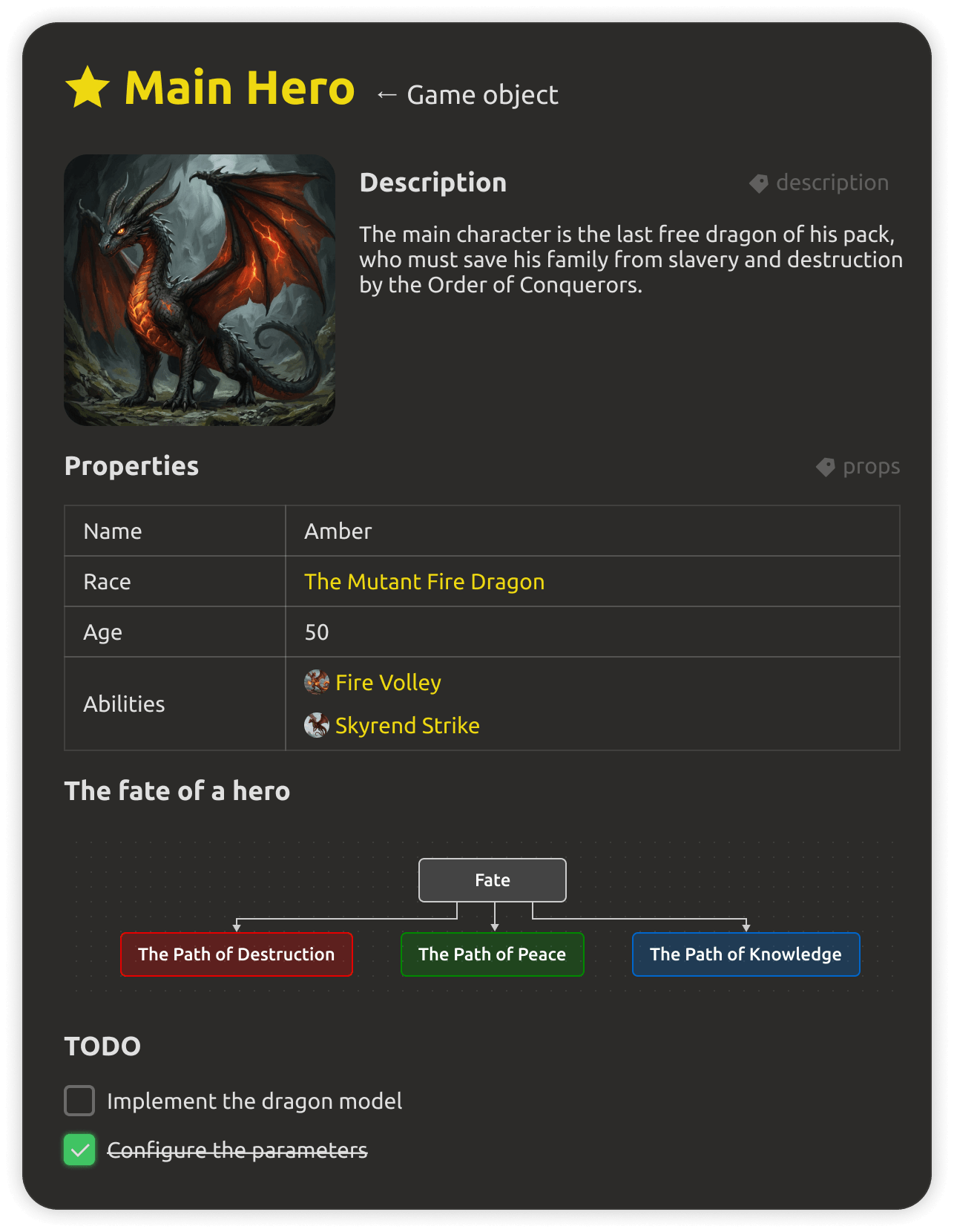
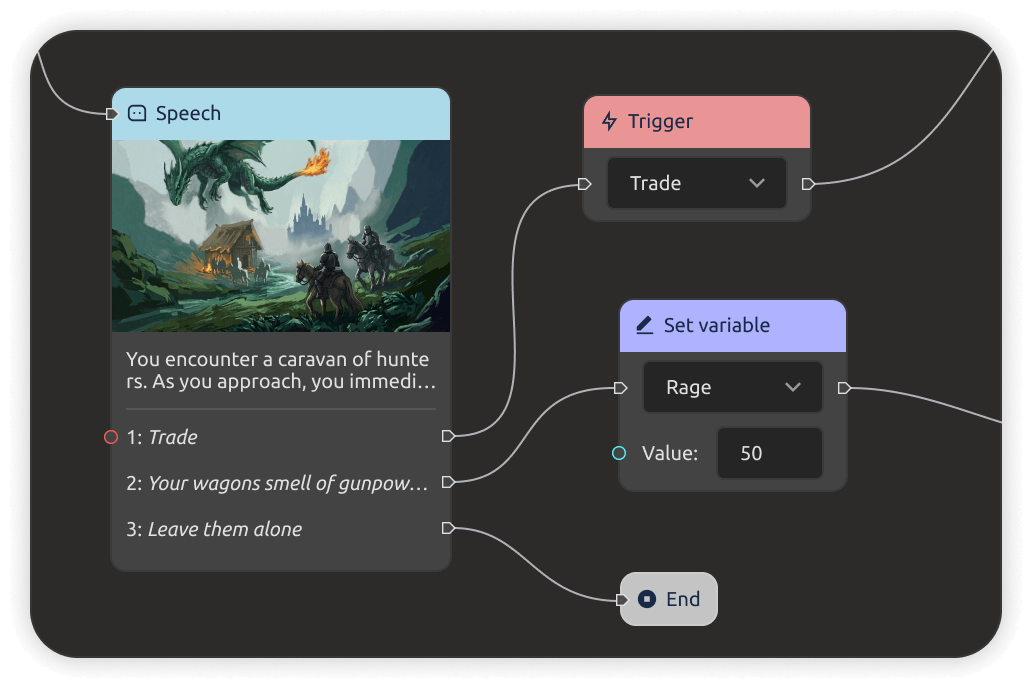
Game objects, mechanics, tasks, milestones, structures, enums, dialogues, level maps — real entities, not free text. References connect a game object to its mechanics and its tasks, so the design stays consistent as it grows.
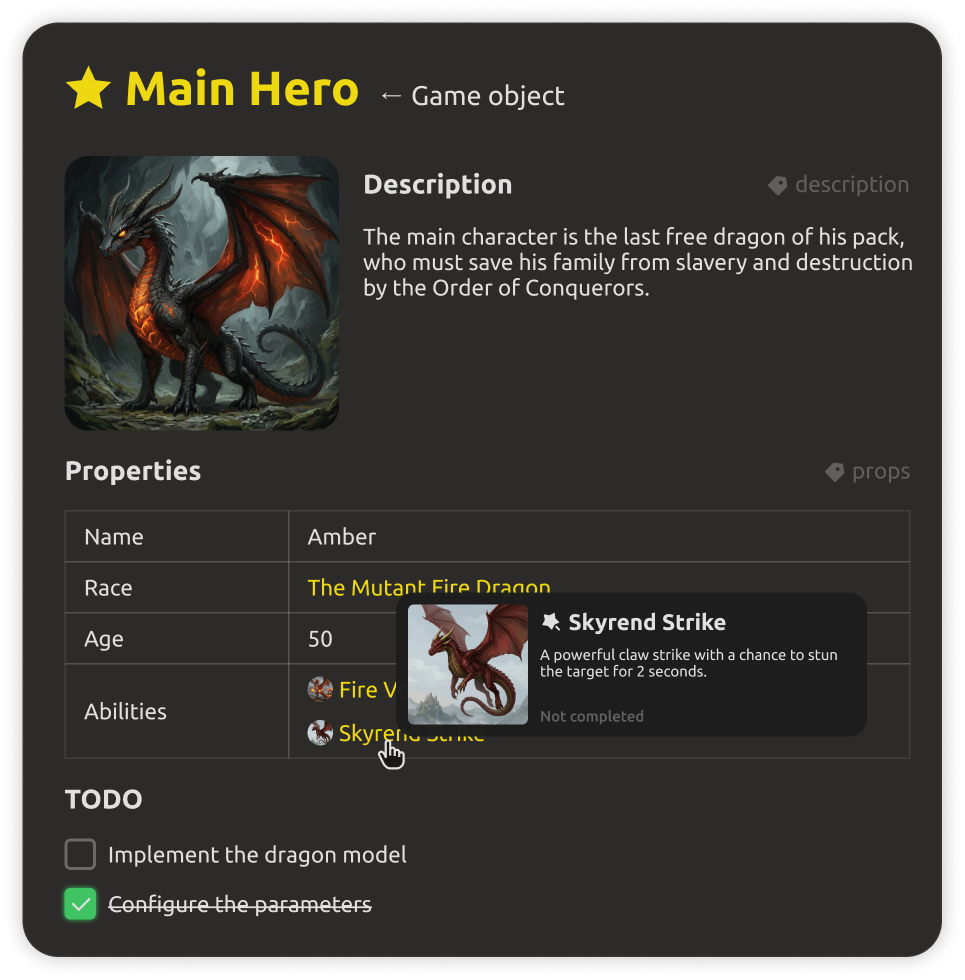
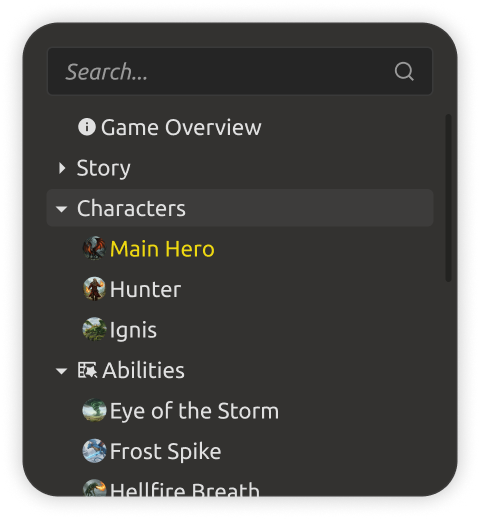
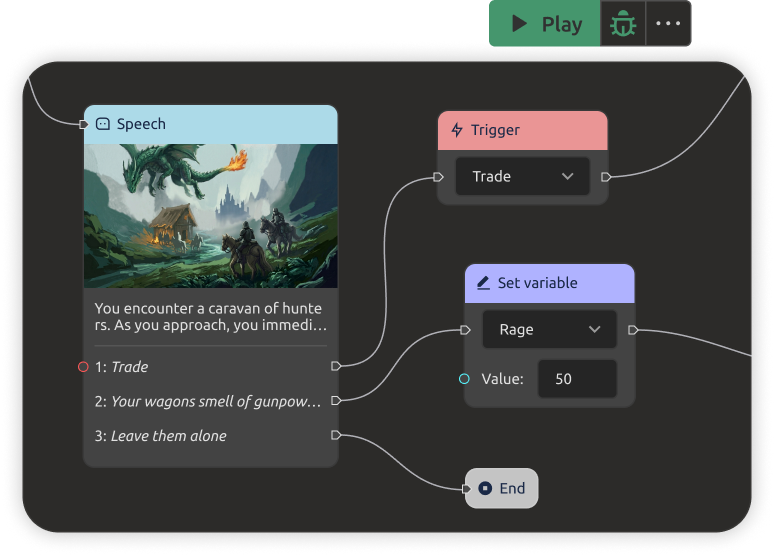
Your design is already a structured JSON database of entities — game objects, mechanics, enums, level data — that the engine can read straight from the project. No export step needed. If you want to tune how the data is stored for your engine, you can export it in your own shape.
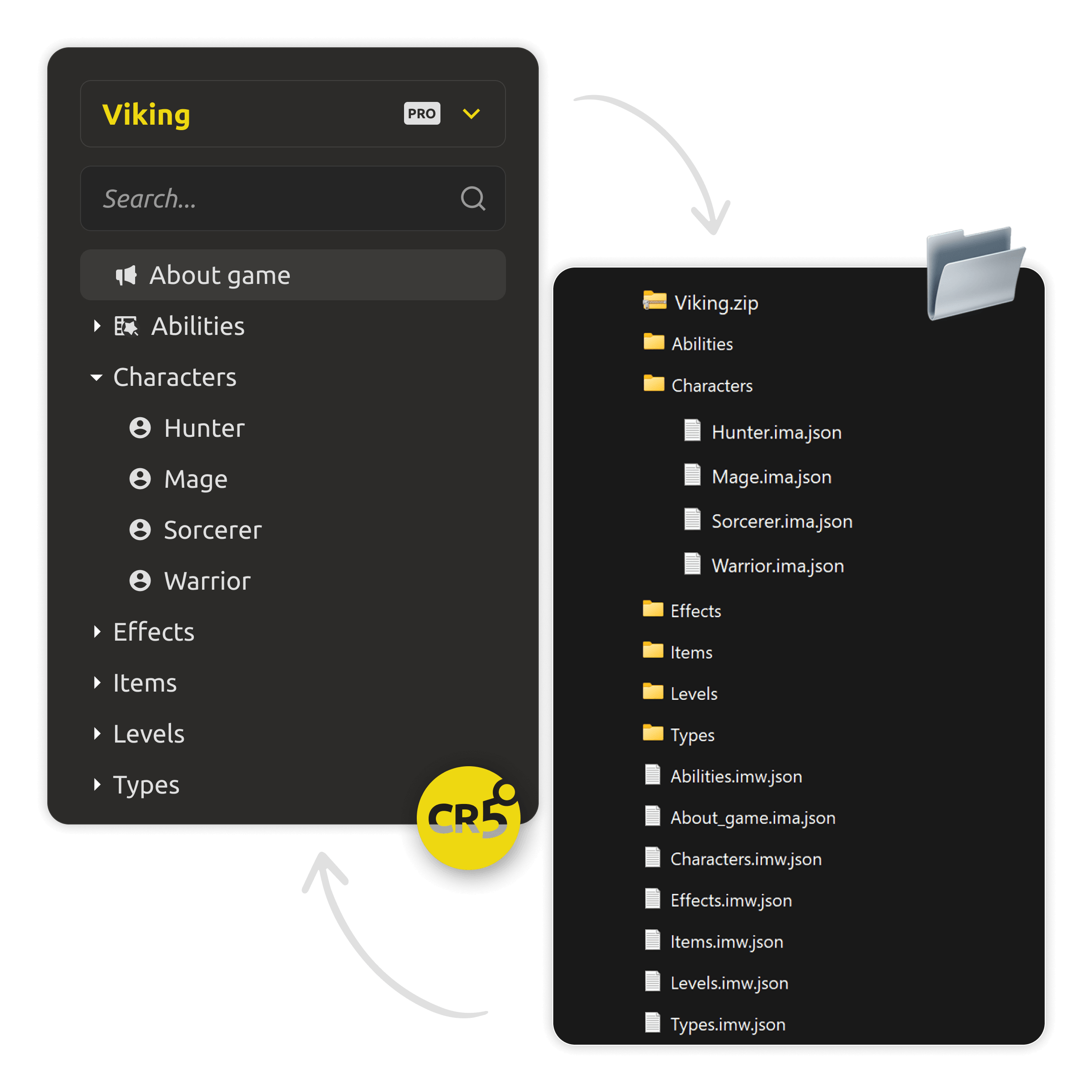
A built-in assistant can create, read, and edit your project's assets. A local MCP server exposes your project data to any AI or MCP client — and you can bring your own model, including fully local via Ollama. Your design is data, not a document dump.
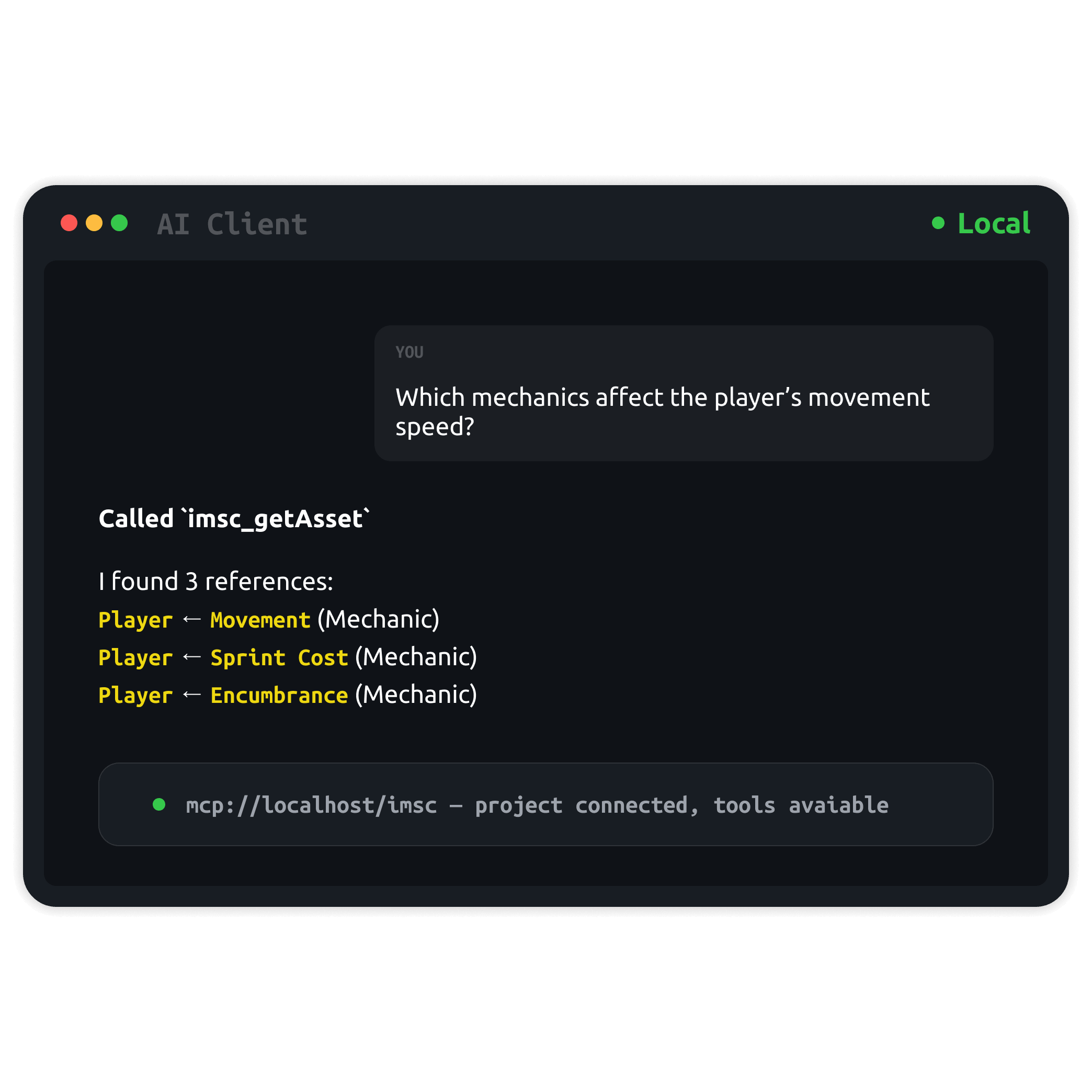
Local-first still means optional cloud. With a PRO license you can sync a project to the IMS Creators cloud and work with your team — with two-way sync, conflict handling, and docs, tasks, and entities in one shared workspace.
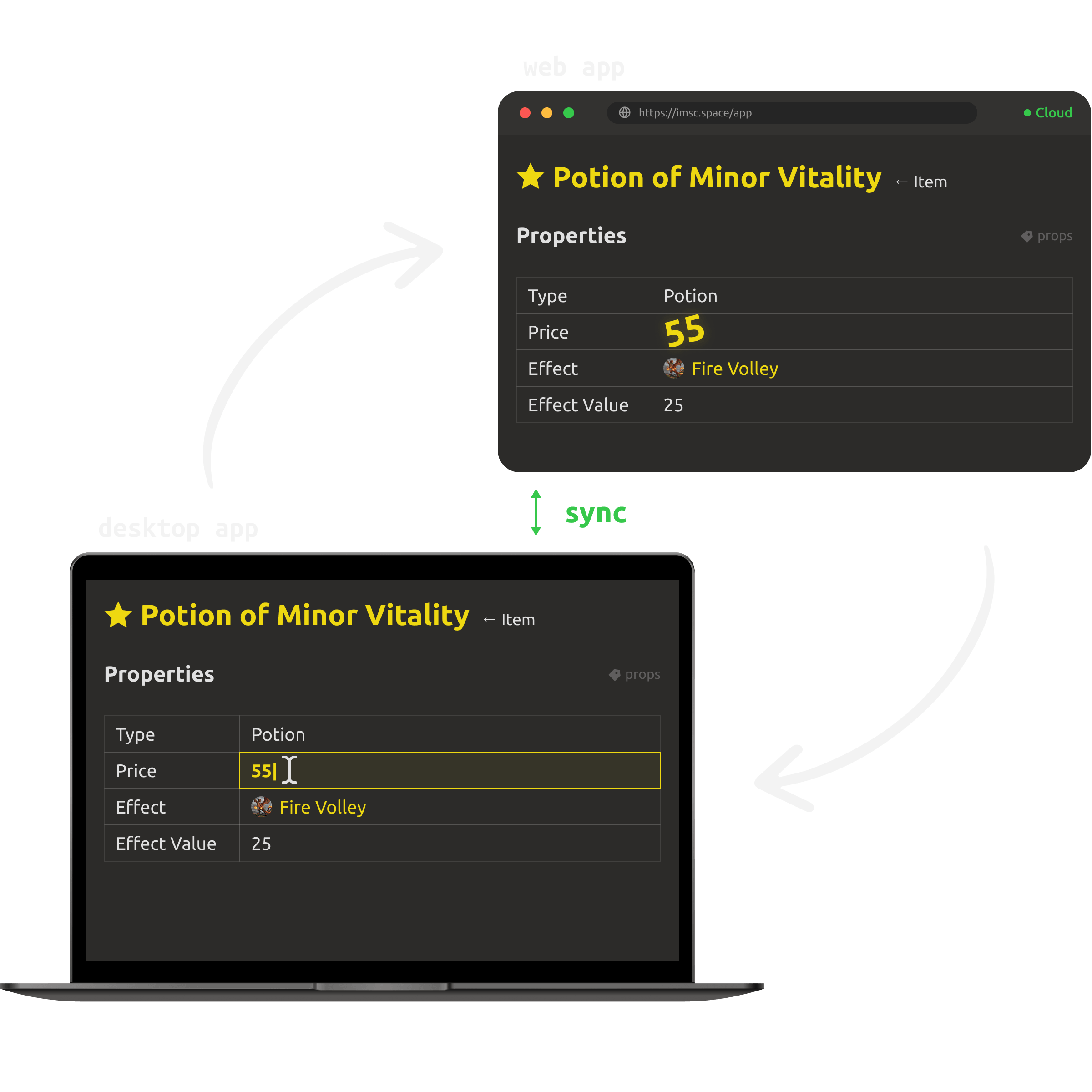
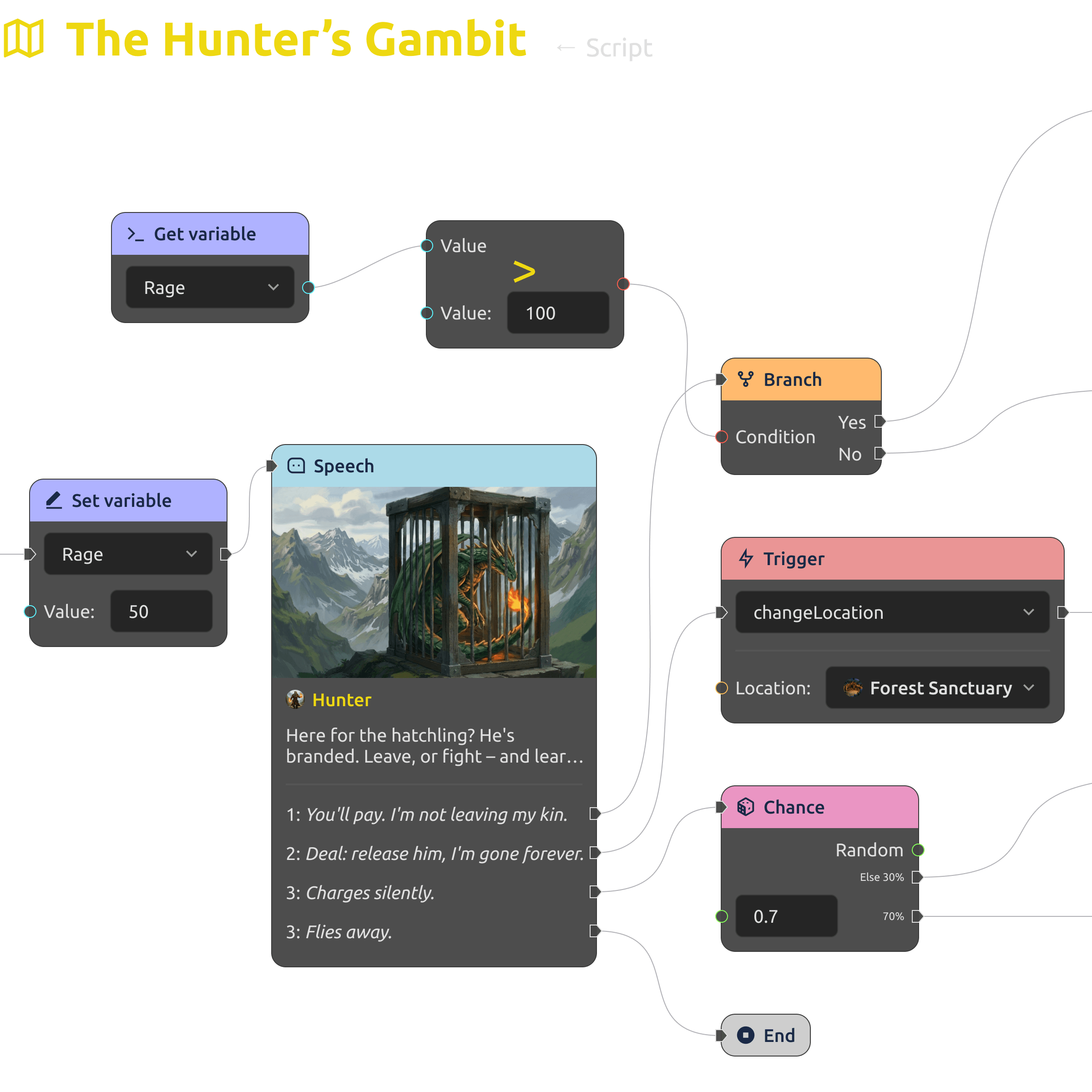
Create branching dialogues and storylines with the built-in dialogue editor, and integrate them into the game's structure.
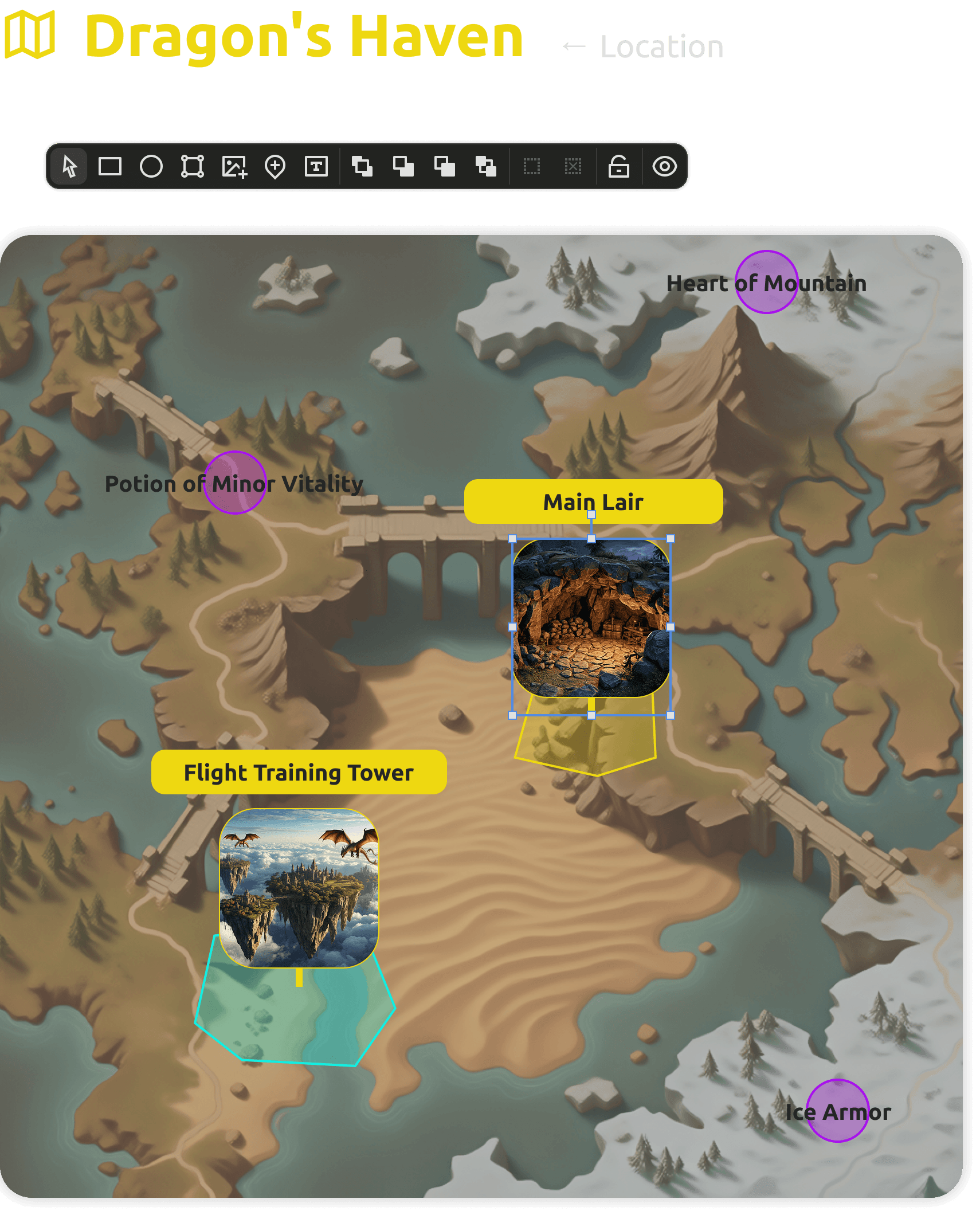
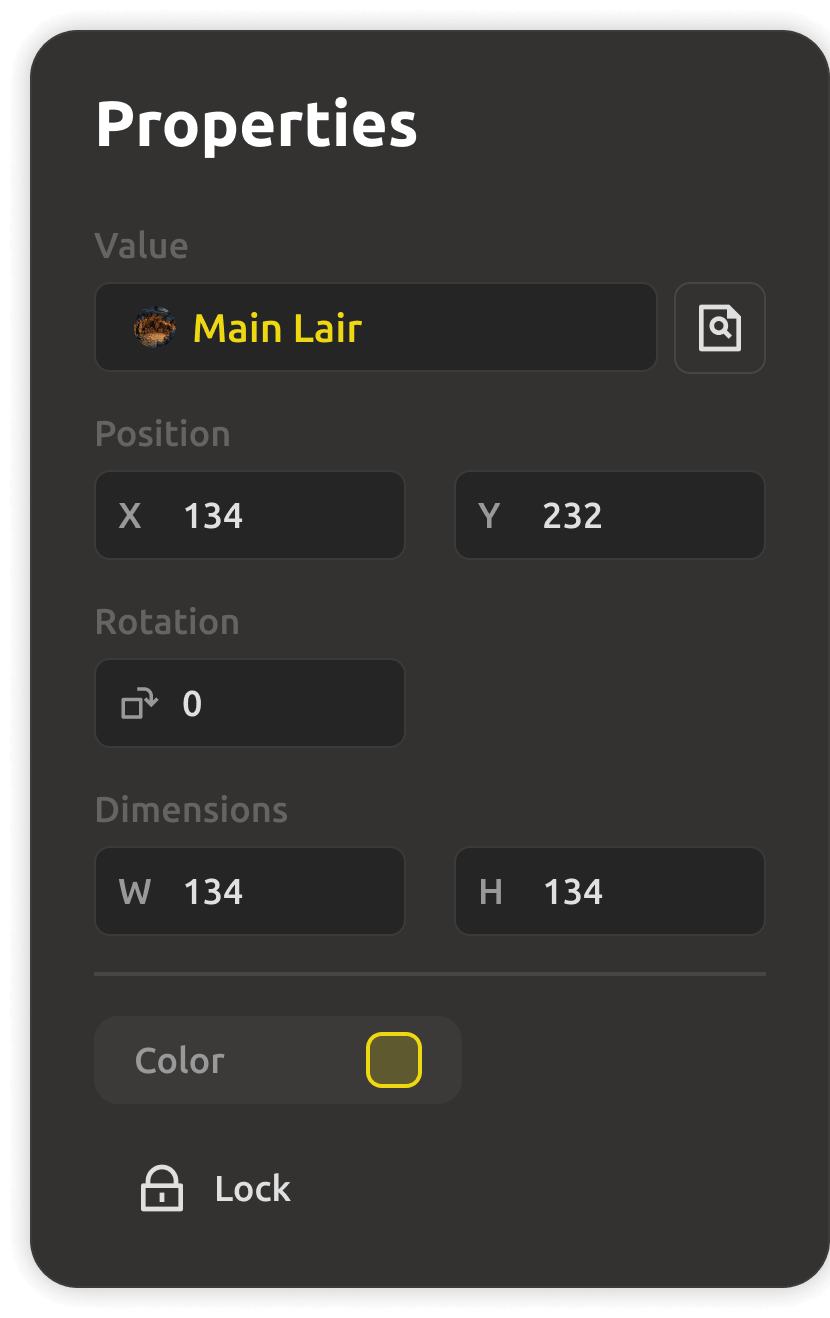
Design locations, place objects, and plan gameplay with visual diagrams — prototype levels right inside your GDD.
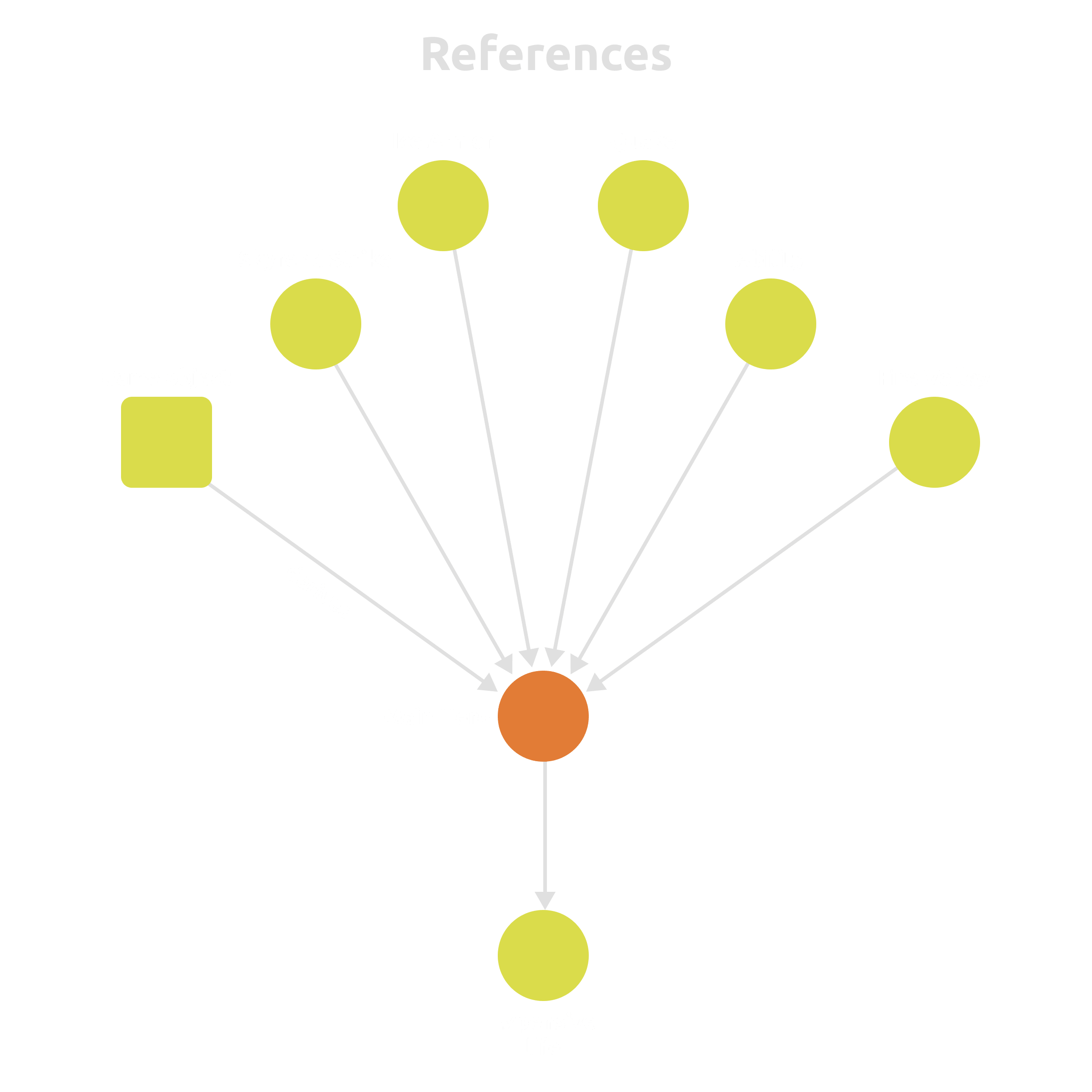
Link abilities to characters, characters to levels, mechanics to balance tables — and keep it all consistent.
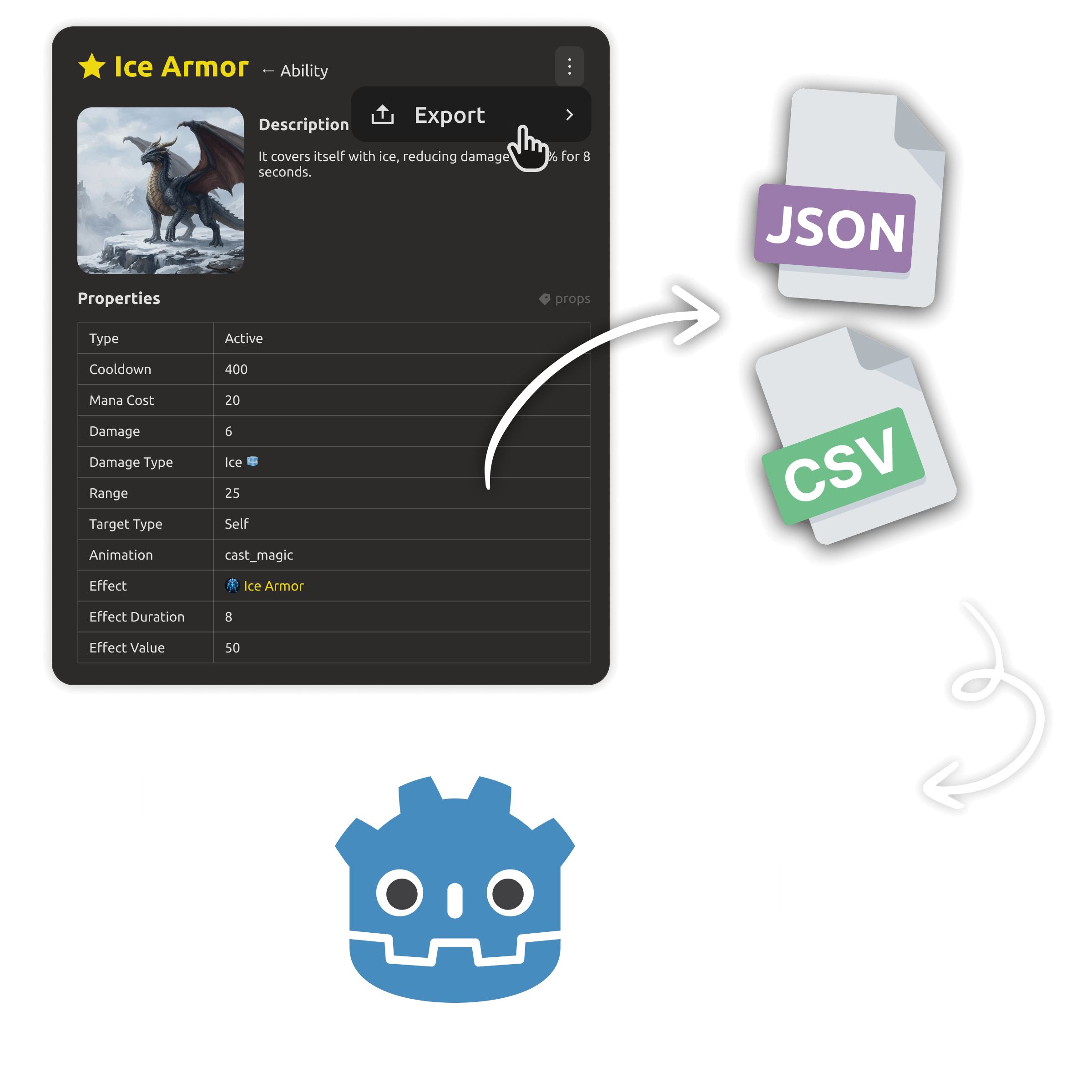
Your entity data is already engine-ready — optionally export it to custom JSON or CSV to match your engine's format.
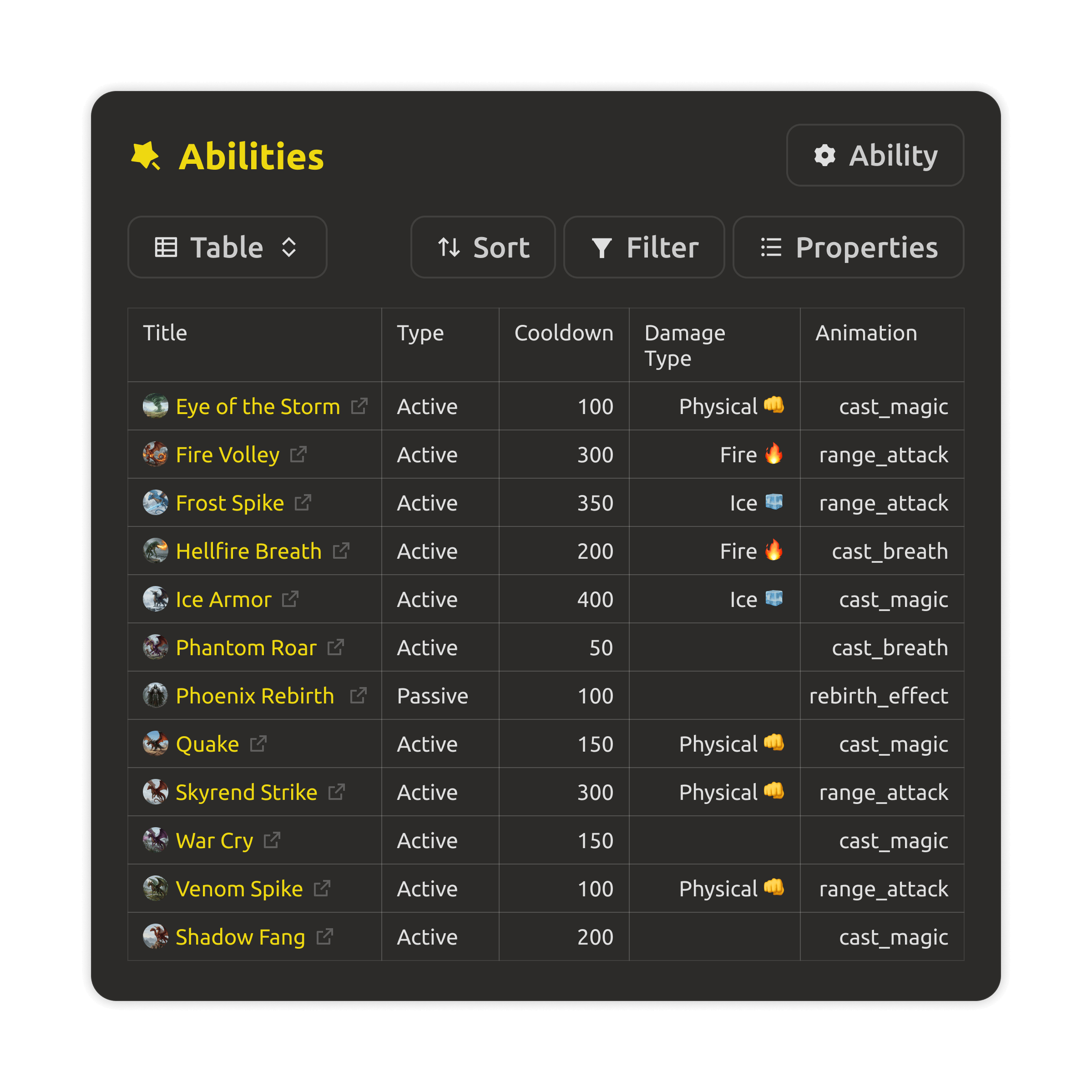
A database of entities — game objects, characters, items, enums — filterable and easy to batch-edit across the whole project.
Game objects, structures, enums, and references as real data — ready for your engine and your AI tools.
Own your GDD in git, work 100% offline, and skip subscription fees for features you don't need.
Download →Designers, producers, and programmers work from the same live workspace — with boards, access control, and analytics that keep everyone aligned.
See pricing →Treat your GDD as data, not a document. Connect any AI via our local MCP server, use local models (Ollama), and automate design tasks.
Read the docs →Scaffold a structured GDD in minutes with free templates. Perfect for rapid prototyping, teaching game design, or keeping a 48-hour project organized.
Templates →IMS Creators Desktop is an open source project under the MIT License. Your design lives in open file formats you control — and you can read the source, contribute, or fork it.
Found a bug? Have a feature request? We welcome contributions. Open an issue on GitHub — or fork the repo and send a pull request. Every contribution helps make local-first game design better for everyone.
.md),
JSON entities (.json), and an
attachments/ folder. Open them in any editor, back them up with git, keep them forever.
Notion — Your content is trapped in a proprietary database; offline is limited, and there's no native game-design structure.
Obsidian — Great for notes, but "game objects" and "mechanics" are just tags or pages — no true entity relationships, no built-in dialogue trees, and no MCP support.
IMSC Desktop — Local, open files plus a rich data model for game design (entities, references, tasks, milestones, dialogues, level maps) plus an AI assistant and local MCP server — all working offline, with optional cloud sync when you need it.