
This tutorial is a part of the Getting started series — Day 3, Week 3.
The problem: scrolling is not looking
Yesterday you sorted the Cards collection and saved a view per job. Sorting is a step forward - now the biggest damage sits at the top. But watch how quickly "biggest damage wins" stops being the useful question.
Balance questions are almost never "show me the highest". They're conditional: "everything above 20 damage", "every card that costs more than 3 and isn't legendary", "damage between 10 and 30". That's not a sort order - that's a filter, a description of the set you care about.
You can find those by scrolling a sorted column and squinting at the values. It works until the deck is big enough that everything below the fold is the answer to a different question. Scrolling shows you the top of the list; it doesn't tell you what the list contains.
The filter bar
The collection has a filter control. Click it and type - the filter bar is an expression field, matching in real time as you type. It's not a menu of preset choices; it's a tiny query language over your data, and it's worth thirty seconds of learning because it answers every one-off question you'll ever ask.
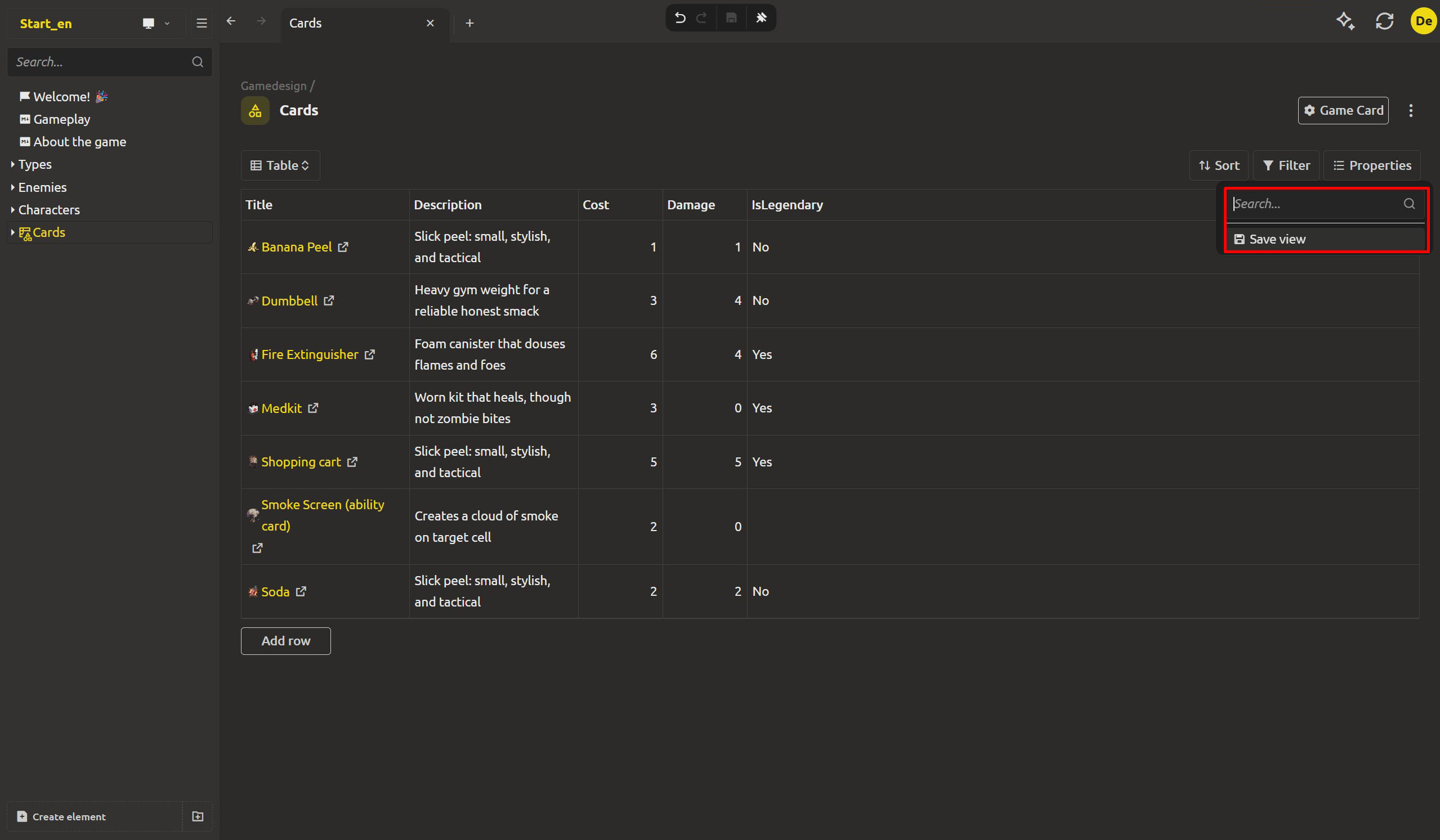
The basics: a field and a value
The simplest filter names a field and a value to match:
props.damage:20- cards whose damage exactly equals20.type:gamecard- elements whose type's service name isgamecard.inside:Cards- elements inside the workspace whose service name isCards.name:Fire- the element whose service name is exactlyFire. Service names are unique, so this returns at most one card.
The :prop parts you've been filling in all along. The colon is just "equals".
A word alone works too. Skip the field and type just Fire - the filter bar treats it as a plain-text search by title, and every card whose title contains "Fire" comes back. The colon syntax is for when you need to pin a value to a specific field; a bare word is a quick title search.
Comparisons: the balance questions are magnitude, not equality
A filter that prints "damage equals 20" is rare. Balance is "over", "under", "within". The expression language covers it with comparison operators after the colon:
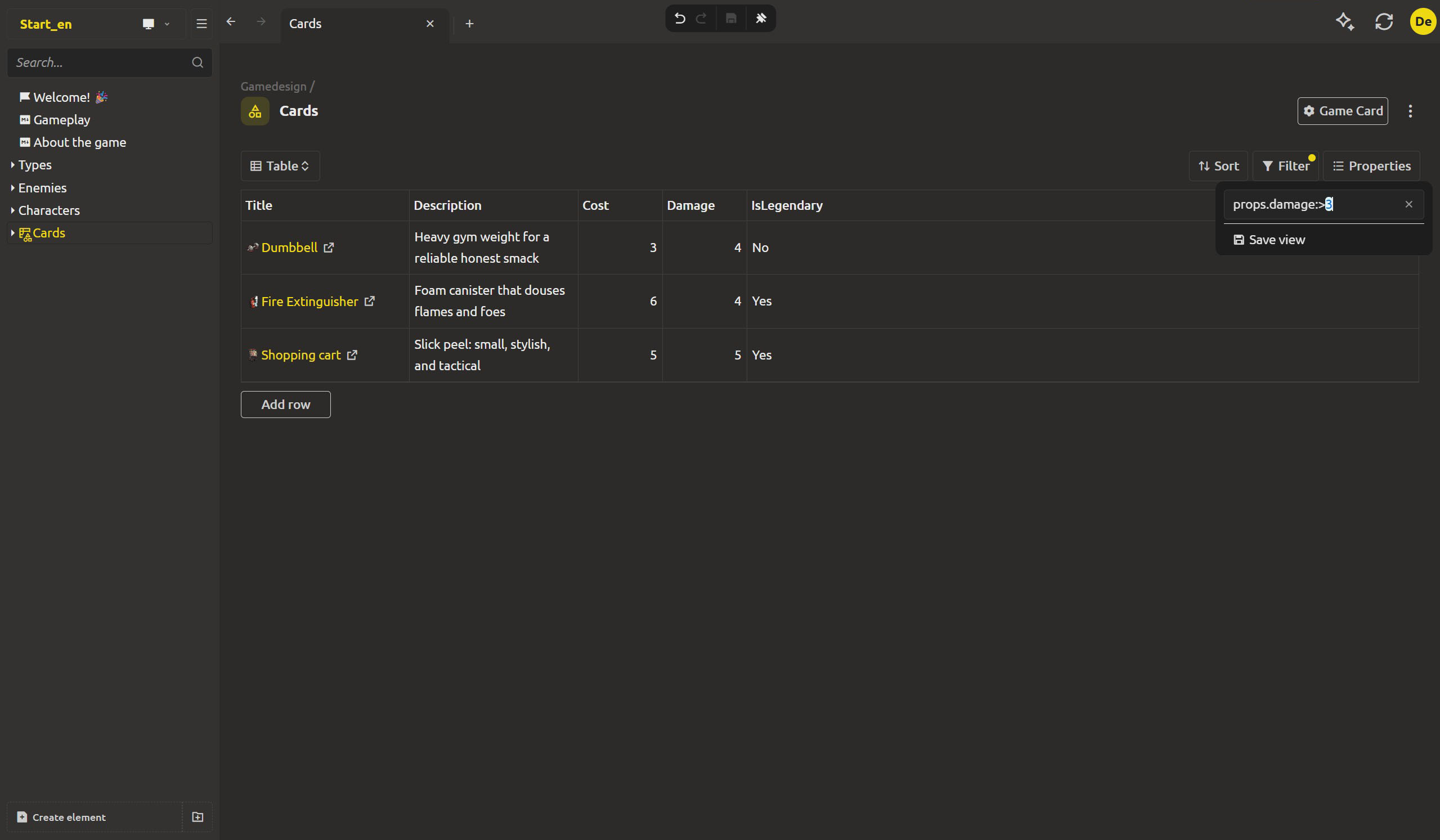
props.damage:>20- damage greater than 20 - the overtuned cards.props.damage:<3- damage under 3 - the ones that never matter.props.damage:>=10- at least 10.props.damage:<=30- at most 30.props.damage:<>3- not equal to 3 - everything but the outliers.
And because the values are typed, these compare as numbers, not as text. 20 sorts and compares as twenty, not as the two-then-zero-string.
Ranges
The "between" style drops to one expression. To find every card with damage from 10 to 30 - the playable band:
props.damage:[10..30]
The [start..end] range includes both ends. One range instead of two comparisons.
Combine: AND, OR, and parentheses
The interesting questions combine conditions. The language supports AND, OR, and parentheses for grouping:
type:gamecard AND props.damage:>20
Cards that deal over 20 damage. Add the legendary check and hunt the overtuned non-legendary card - the accidental power creep:
type:gamecard AND props.damage:>20 AND props.isLegendary:false
Parentheses make composed questions readable:
props.damage:<5 OR props.damage:>30 - "cards outside the playable band", or as a range: NOT (props.damage:[10..30]).
The language is small and deliberate. It can't express prose - and that's the feature. If it's a valid expression, it's an exact description of a set of cards; there's no ambiguity left in "roughly the strong ones".
Save the filter with a view
A filter you type once is a question. A filter you save is a report. Yesterday's views accept filters as part of their arrangement - so the "Overtuned" query becomes a named view, and the set you care about is one click away whenever the balance spreadsheet needs a refresh.
The workflow that took an afternoon of scrolling becomes:
- Type
type:gamecard AND props.damage:>20. - Check the matches make sense.
- Save it as a view -
Overtuned- and move on.
The filter runs against the real data every time you open the view. When a rebalance pushes a card over 20, it appears in Overtuned on its own - you never refresh a snapshot, because there isn't one.
Next up: export
Now you can slice the Cards collection any way you need. But the engine and the team don't live in the app - the engine needs data shaped its own way, the team needs rows in a spreadsheet. Tomorrow: export, where the collection becomes CSV and JSON, reshaped to fit whoever reads it.
Ready to stop scrolling? Download IMS Creators, open ims.cr5.space/desktop, open your Cards collection, and type props.damage:>20 into the filter bar - the challenge cards surface in one line.
Ready? Export balance data to CSV and JSON - the next post in this series.
FAQ
Where do I type a filter expression?
In the collection's filter control - the bar above the grid. It's an expression field, not a menu; type and the collection narrows live as you type. In the desktop app it's the field next to the filter button.
What operators can I use?
Matchers: : equals, :> greater than, :< less than, :>= at least, :<= at most, :<> not equal. Ranges use [start..end], inclusive. Conditions combine with AND, OR, and parentheses.
What fields can I filter on?
The type's field values (props.damage, props.cost) as well as element-level properties like type, name, and inside for location. The name, type, and inside filters all match by service name — an optional name you can set on an element, workspace, or type in its settings, separate from the display title. Service names are unique, so name:X returns at most one result. The math comparisons work on numeric fields; the rest behave as equality and text matching.
I typed props.damage:>20 and nothing changed. What's wrong?
Check the field name is exactly the one the type declares - if the card field is Damage and you typed damage, the path won't match. The expression language is case-exact on field paths, and the values being compared need to be typed as numbers, not text, for the math operators to run.
Can a view remember its own filter?
Yes. A filter you set becomes part of the view's saved arrangement, exactly like columns and sort. Open the view, and its working set is restored.
Do filters work on anything besides collections?
Filters are how you focus sets of elements in IMS Creators generally - the same expression language applies beyond the collection grid. The collection is the natural home for them because the narrowed results sit in an editable grid.
Is the filter language case-sensitive for keywords?
Keywords like AND, OR, NOT and the operators have fixed spellings. Field paths are case-exact to the type's actual fields. Page the small set of rules once, and the expressions read like plain questions.