
This tutorial is a part of the Getting started series — Day 1, Week 3.
The problem: balance means many files
Last week you proved the design into a graph: ability cards carry an Owner character, enemies carry loot tables that link to the cards they drop, and every element inherits from a base object. Now we need to adjust the numbers so that they all feel integrated together - in balancing, you need to be able to look at the picture holistically.
You don't balance one card. You balance a deck. Today's job is adjusting a dozen cards against each other, and every statement about the deck (e.g.,"the Fire Extinguisher hits too hard for its cost") requires seeing several cards at the same time.
Yesterday that meant opening one card file, fixing a number, closing it, opening the next. Thirty cards, thirty files, and comparisons done from memory.
The collection is the same data viewed as a table
The core idea is simple: a collection is your design data re-read as a table. Where a card is normally one element you open and edit, a collection shows many cards at once - one row per card, with the fields you need as columns.
Every row is a real element. It is not a copy, a snapshot, or a list of values stored apart from the design. The card you see as a row in the grid is the same .ima.json file on disk that you'd otherwise open one at a time. Open the row, and it's the card. Change the row, and you change the card.
That's the trick: you get a ready-made spreadsheet without leaving the system, where all the data is stored, sorted out to work with the balance.
Create a collection and give it a type
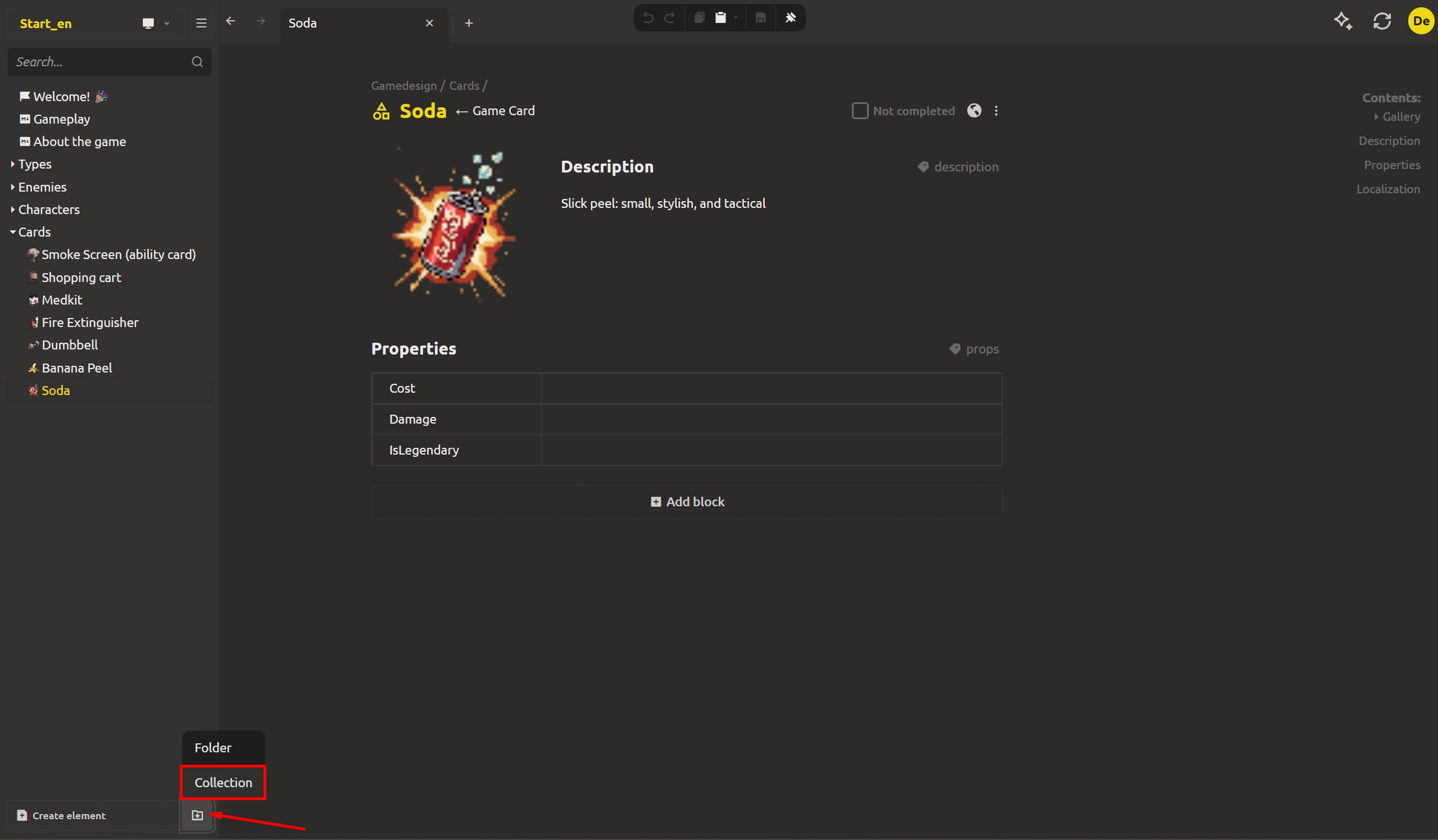
In the project tree, create a new workspace - the same flow you used for a folder - and switch it from Folder to Collection. Give it a name and pick its type. For the deck: name it Cards, and choose the Game Card base object as the collection's type.
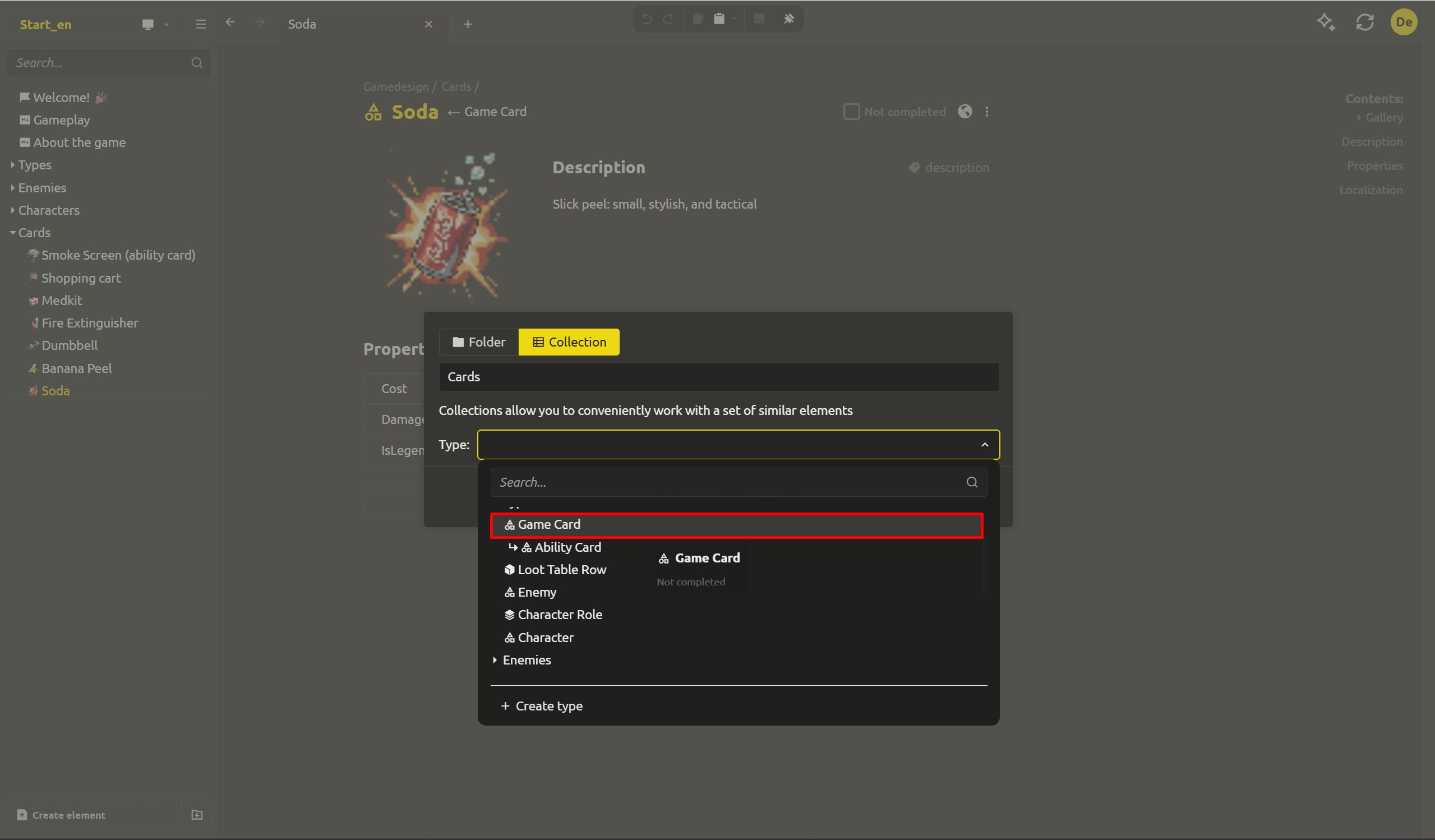
Because the collection has a type, every row shares the same structure. You can't silently add a row that's missing Damage or spells Cost differently - the schema is fixed by the Game Card type, the same one you built in Week 2. Columns in the grid come straight from the type's fields.
Columns come from the type
The grid shows columns for the fields the Game Card type declares:
- Name (String)
- Cost (Integer number)
- Damage (Number)
- IsLegendary (Checkbox)
Each cell is that card's value for that field. And here's a payoff from the multilevel inheritance you built on Wednesday: the deck holds both item cards (usable by anyone - a Dumbbell, a Soda, a Medkit) and ability cards (owned by one character - Dmitri's Smoke Screen) - but both inherit from the same Game Card base. So both kinds appear as rows in this one grid, all with the same columns, all comparable.
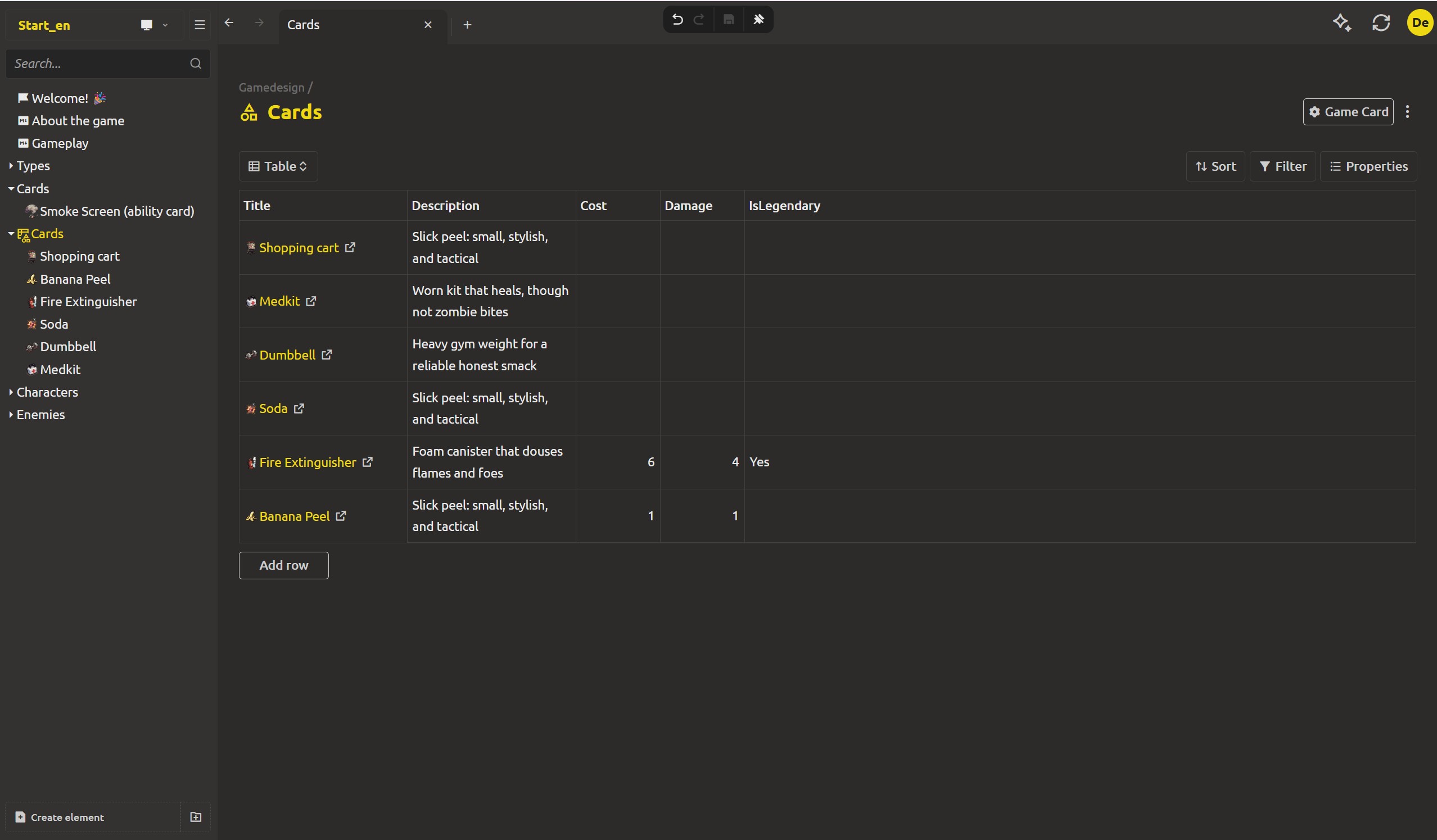
Multiple maps are edited at the same time.
The difference from the one-file-at-a-time flow shows up the moment you edit. Change the Banana Peel's Damage from 1 to 2, fix the Fire Extinguisher's Cost, mark the Shopping cart as legendary - all in the grid, without opening a single file.
The table marks what has been changed, when you click Save, all changes are written to disk - one action instead of thirty separate edits and saves. Due to the fact that each line is a real element, all changes immediately appear in the same files that the engine reads.
Rows are elements: add and delete
The "string = element" rule continues to bear fruit:
- Add row creates a new real card element - a genuine
.ima.jsonon disk, ready to be named and tuned. - Delete a row (select it and press Delete, or use the context menu) deletes the actual element. This action deletes the file itself on the disk, so it will first clarify your decision.
All this will allow you not only to edit existing data, but you can replenish and trim the deck directly in the table.
The balance sheet and game design will not be able to separate
Collections are one of the most powerful tools for dealing with out-of-sync.
Now the collection of Cards is your balance table. Each line implies a real map object, each column is a real field, each save writes to the same files that the engine loads. This will help us a lot later in exporting the project.
Next up: save a view per task
The table definitely wins over thirty disparate files! But each process has its own specifics. If you need a strict set of columns when checking damage, then you need a completely different set to check the cost, and the extra columns won't be useful at all for the final display. What we're doing tomorrow: adding custom views - you can create your own ideal representation for each task based on a single data array.
Want to see the entire balance at once? Download IMS Creators, open ims.cr5.space/desktop, create a collection with your Game Card base object as the type, and balance the whole deck in one grid today.
Ready? Save a view per task in your collection - the next post in this series.
FAQ
Do the rows in a collection create real files?
Yes. Every row is a real element - an .ima.json file on disk, inside the project. Adding a row creates a new element, and editing a row's cell writes to that element. The grid is a view of the actual design data, not a separate copy.
What is the collection's type for?
The type declares the schema every element in the collection shares. The collection shows only elements of that type, and the grid's columns come from the type's fields - so a row can't silently miss a field or define one differently. You pick the type when creating the collection, from your base objects.
Can a collection hold different kinds of elements?
No. A collection is typed - all rows share the structure of its type. That restriction is what makes the batch grid safe to edit. If you need a different kind, create another collection. (In the deck, item cards and ability cards share the Game Card base, so both fit in one Cards collection.)
Are my edits saved immediately as I type in the grid?
Edits are staged and marked in the grid until you save. One Save commits the whole batch of changed rows at once, instead of one save per file. Reverting a messy pass is one action, not thirty.
Does deleting a row delete the actual element?
Yes. Deleting a row removes the real element from disk, so the app asks for confirmation. It's the same destruction as deleting a file - deliberate, not accidental.
Can I use a collection for things other than balance?
Yes - anywhere you'd want many similar elements on one screen: checking every enemy's speed, comparing card costs, reviewing a structure across the whole set. The grid is a general way to work with a set of same-typed elements, and balance is just the most obvious use.