
So, what changed?
Collections: a fresh look and faster work
The collections got a visual refresh: buttons, tabs and the table itself are now even more functional. If a collection has more than one saved view, they are now displayed as tabs at the top - switch between them in one click, without going into menus.
Editing data right in the table: several cells can be changed at the same time, a separate button discards applied changes. Expand a column - and the text that doesn't fit will be displayed in full.
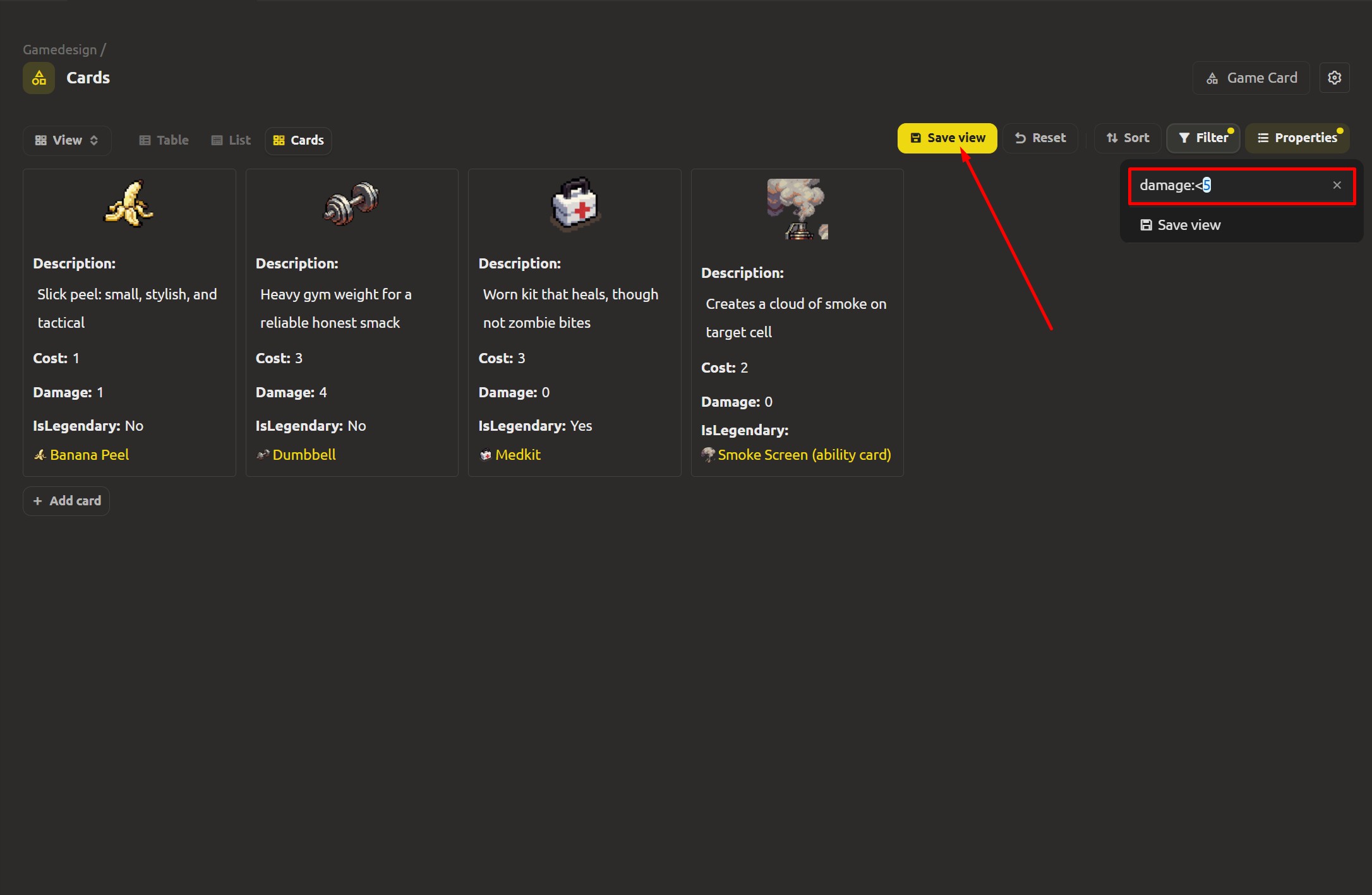
The filters got a shorthand: write prop:>5 instead of prop.value:>5 - conditions become shorter and more readable, and the table header context menu can now copy a variable name - handy when building a filter expression.
The updated level editor
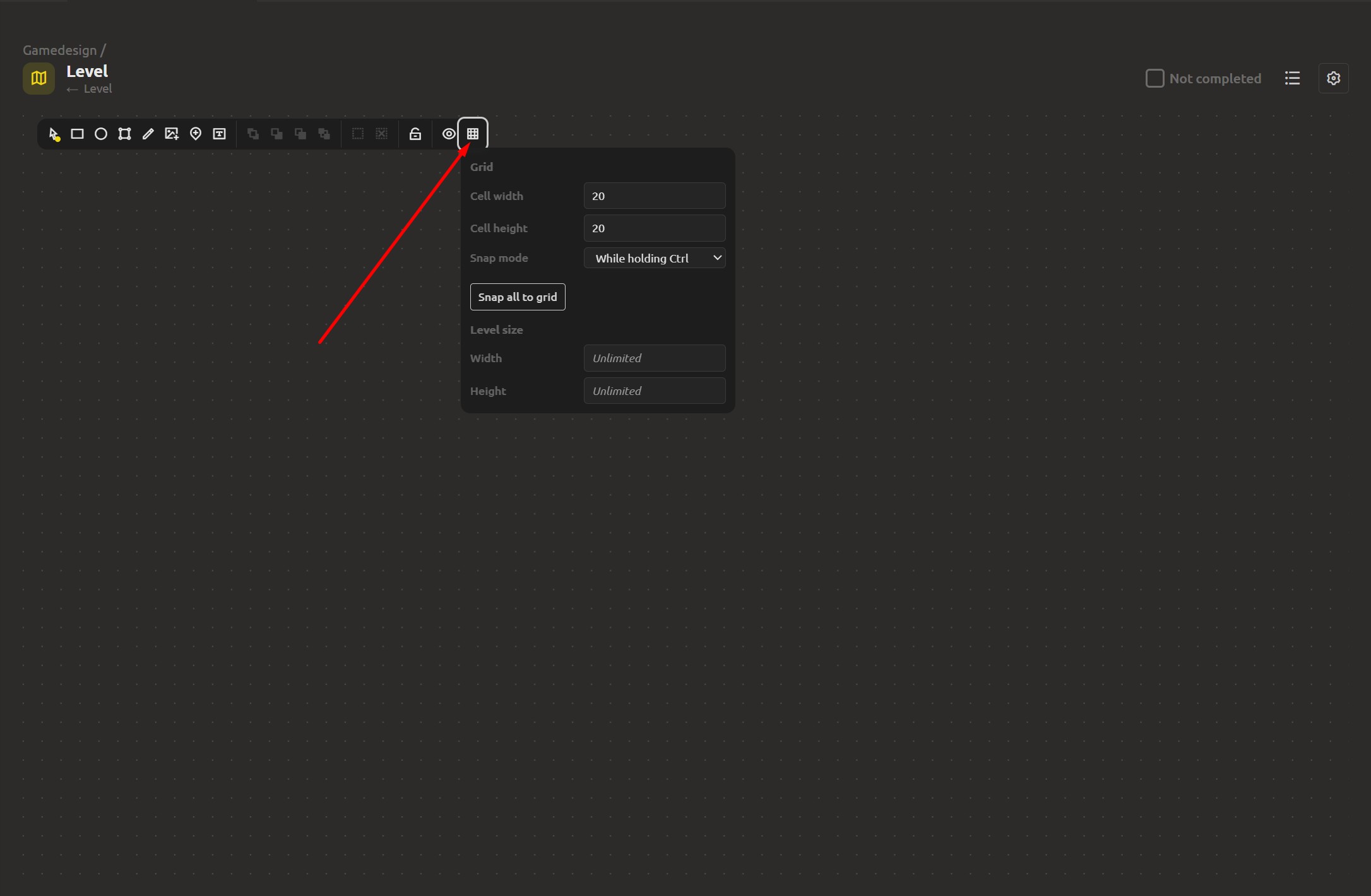
Grid and snapping
Placing platforms, enemies and decorations "by eye" is fine for the first sketch, but a serious approach needs markings.
A new grid settings panel appeared in the toolbar. Set the cell width and height, and choose how snapping behaves: "Always" when placing, or only "While holding Ctrl" when objects can be moved freely. The "Snap all to grid" and "Snap selected objects to grid" buttons bring scattered objects back in one click - useful when the level grows in scale. The level bounds also acquired settings: set its width and height, or remove the limit and let the level be unlimited.
Freehand drawing with a Pencil
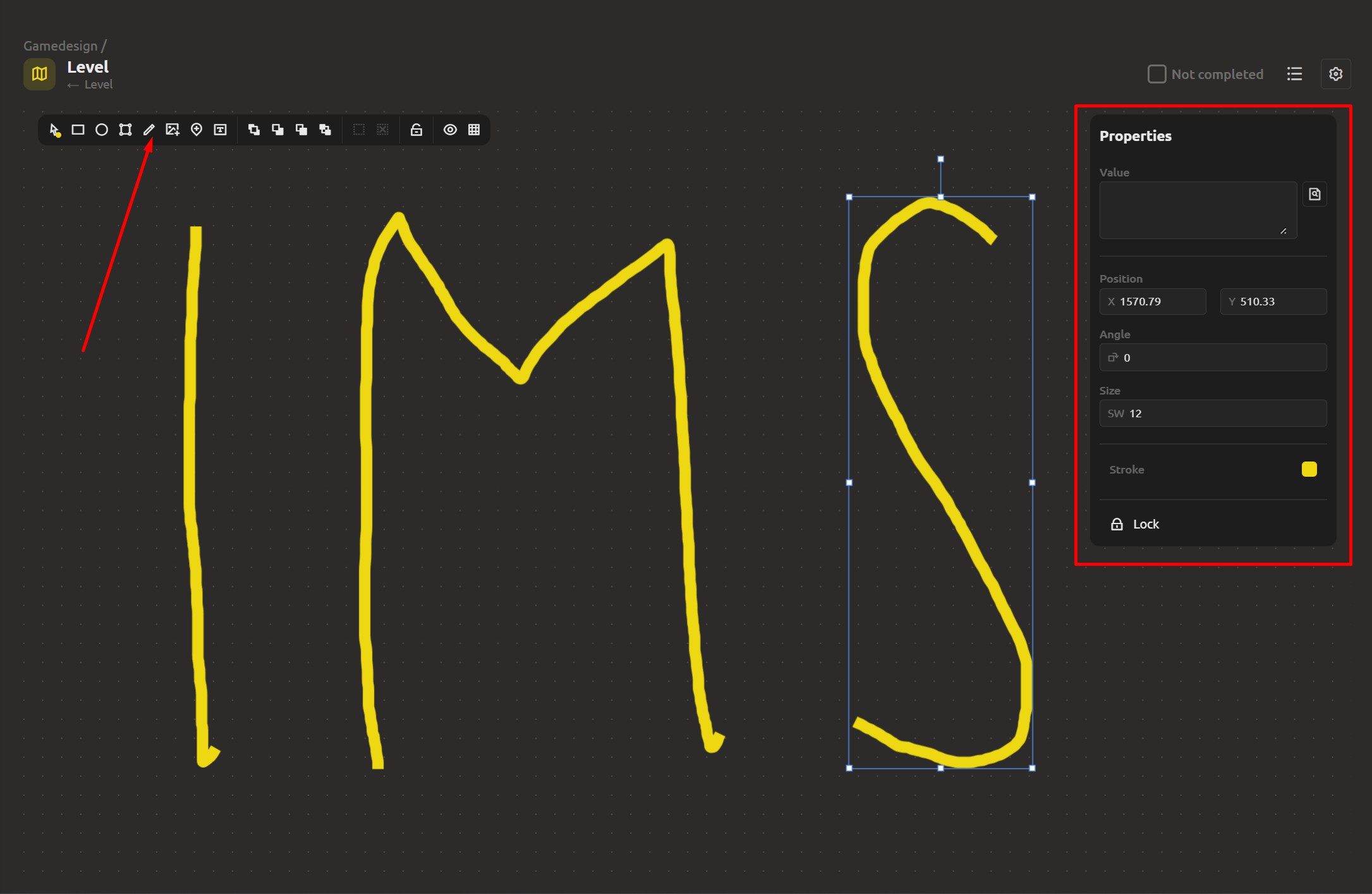
Not every level is built from precise shapes. Complex objects can now be drawn freehand.
The new Pencil tool: you can draw the outline right on the canvas, as if with a pencil. The result remains an ordinary vector shape - it can be moved, resized, filled, and edited together with the rest of the objects.
Other improvements in the editor
- While holding Ctrl, shape creation tools no longer turn off after the first insert - draw several shapes in a row without re-selecting the tool each time.
- You can now drag and drop an image from your computer straight into the level - and it gets added to your map.
- Small images in the level editor now render with the nearest-neighbor filter, so pixel-art sprites stop smearing into a blur and stay sharp.
- Fixed grid snapping behavior and object movement logic.
Gallery and asset organization
Named slots in galleries
The gallery of a Game Object used to be just one list of images. Now it has structure: a gallery can contain named slots, and each slot holds one image or video.
A new Game Object already has a "main" slot, which you can configure yourself. Each slot is available in export as a variable, so external logic can address the image stored in a specific slot.
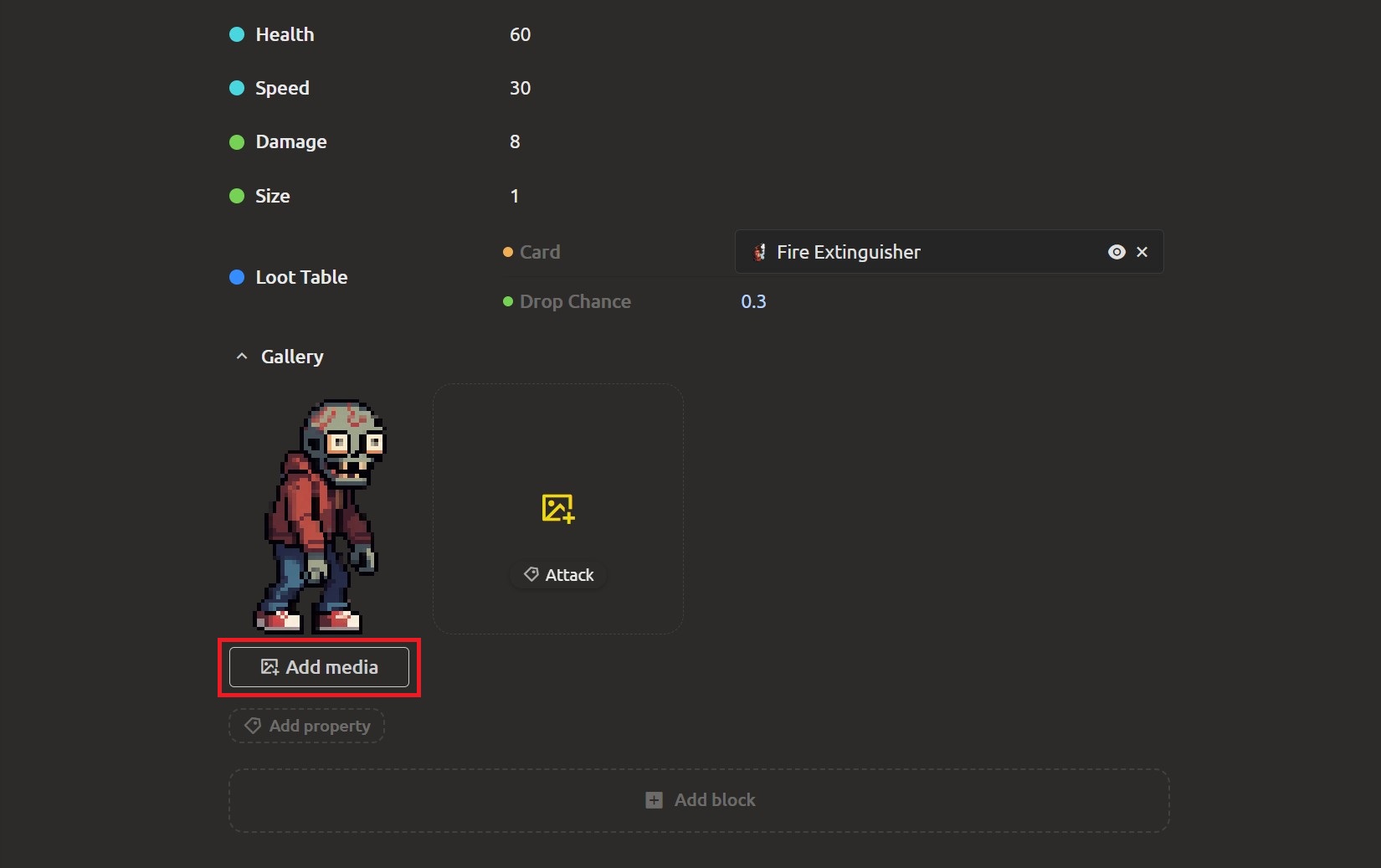
A gallery slot can be shown right inside a collection as a separate column - the field will show which image or video each element stores in that slot.
Copy asset ID
Working with assets got its own small convenience: an element can now be copied by its ID - "Copy ID" in the asset menu comes in handy for integrations.
Comments
For projects connected to the cloud, comments are now displayed in the desktop version too.
Project tree: fixed moving and multi-selection
Moving files and folders: the logic that assigns positions and parent workspaces when dragging an asset was fixed, so items now land exactly where they were assigned, and the tree no longer skips or mixes up places.
Multi-selection: hold Ctrl to mark several items, or Shift to grab a whole range at once. The selected batch can be deleted together or dragged into another folder - the tree moves the whole chosen set in one go.
Added highlighting for folders: you can set a color and an icon - this makes the tree even easier to navigate.
Other improvements
- AI chat: edits made by the assistant can now be undone and redone. Undo returns the project to the state before the AI change; redo brings it back.
- The "Sync to cloud" button was reworked: the menu item now shows progress, and the project list in the dialog loads on demand.
- Links in markdown text are now also displayed in the references dialog.
- Polished toasts
Create, Structure, Automate We are waiting for your feedback, thank you for helping us get better! The level editor is getting closer to a place where a sketch turns into a layout, and galleries keep content where it's expected. Join us on Discord (https://discord.gg/xPTmUZR9) or Facebook (https://www.facebook.com/profile.php?id=61569739761148), send feedback through the form at https://ims.cr5.space/en/feedback, or drop into the Telegram chat (https://t.me/imscreators_en). Good luck with your game demos. See you in the next one!